Introduction
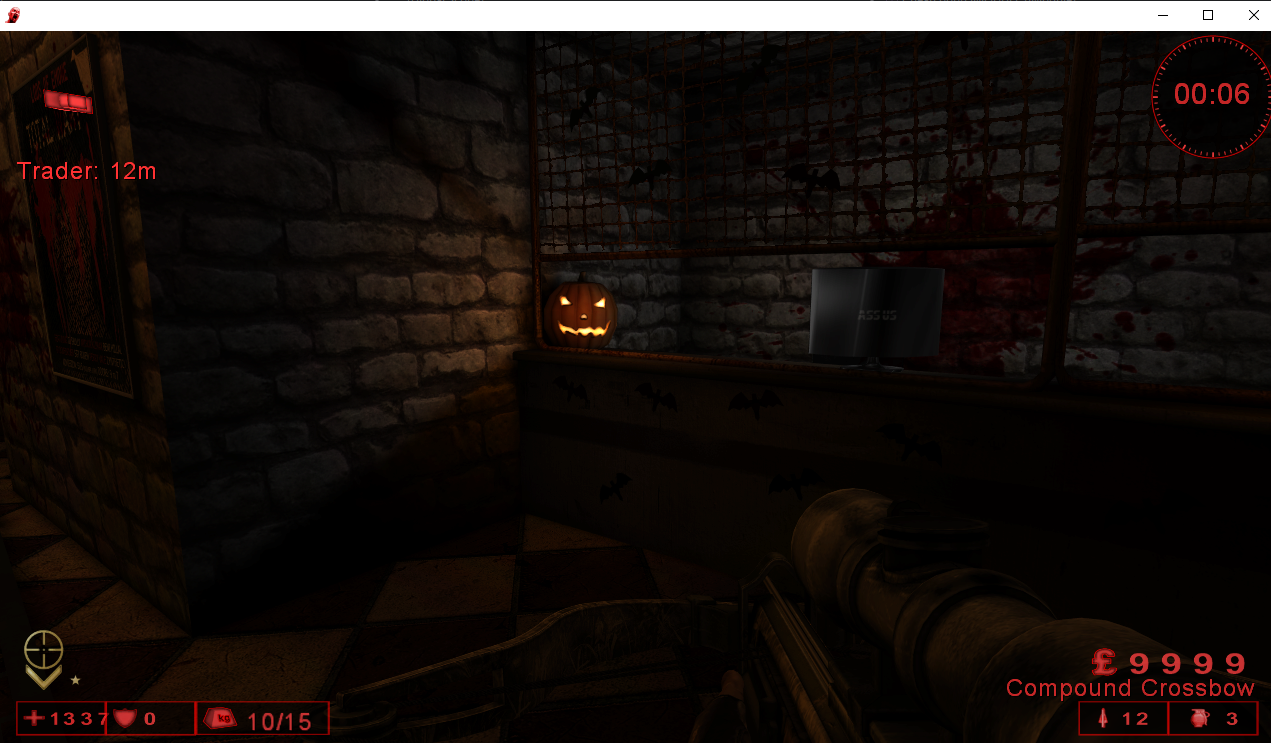
We are going to continue where we left off at part one expanding on our localplayer class by creating a cheat that gives us unlimited money and health. Along with two key binds that will allow us to save/load our XYZ cords.
Quick-Links
- Introduction
- Adding Exit Logic for Our Cheats
- Adding Teleport
- Finding Our Health Pointer
- Creating God Mode Cheats
- Finding the Pointer to Our Money
- Creating an Unlimited Money Cheat
Adding Exit Logic for Our Cheats
It would be really annoying if we kept having to close our game and re-attach the Xenos injector every time we made a change, so lets start with adding a function to unload the DLL from the process when the user hits the
ENDkey.
We will be using the GetAsyncKeyState function to detect keyboard input.
SHORT GetAsyncKeyState(
  [in] int vKey
);
// Create a global boolean to control the loop
bool keepRunning = true; // NEW

void CheatLoop(HMODULE hModule) {
    uintptr_t coreModule = (uintptr_t)GetModuleHandleA("Core.dll");
    uintptr_t basePointerAddr = coreModule + 0x00168A4C;
    // while the END key hasnt been pressed
    while (keepRunning) {
        uintptr_t playerBase = *(uintptr_t*)basePointerAddr;
        if (playerBase) {
	         Player* localPlayer = (Player*)playerBase;
            // Check if the END key is pressed to shut down
            if (GetAsyncKeyState(VK_END) & 1) { // NEW
                keepRunning = false;            // NEW
            }
            Sleep(10);
        }
    }
	// CLEANUP START
    std::cout << "[*] Cleaning up and Detaching..." << std::endl;
    FreeConsole();
    FreeLibraryAndExitThread(hModule, 0);
}
Adding Teleport
Saving the Position of the User with F1
We can add the following code to our CheatLoop() function to save the users coordinates when they press f1.
float savedX, savedY, savedZ;
if (GetAsyncKeyState(VK_F1) & 1) {
	savedX = localPlayer->x;
	savedY = localPlayer->y;
	savedZ = localPlayer->z;
	std::cout << "[+] Saved Position " << "X: " << savedX << "| Y: " << savedY << "| Z: " << savedZ << std::endl;
}
Loading the Position of the User with F2
Then we can write the coordinates back to the users current position when they press F2.
if (GetAsyncKeyState(VK_F2) & 1) {
	localPlayer->x = savedX;
	localPlayer->y = savedY;
	localPlayer->z = savedZ;
	std::cout << "[+] Loaded Position " << "X: " << savedX << "| Y: " << savedY << "| Z: " << savedZ << std::endl;
}
Adding a Boolean to Avoid a Possible Crash
We need to create a Boolean check to ensure the user has loaded a position first. We want to ensure we don’t attempt to load coordinates before any have been saved, which would result in writing uninitialized data.
bool hasSavedPos = false; // new
while (keepRunning) {
	uintptr_t playerBase = *(uintptr_t*)basePointerAddr;
	if (playerBase) {
		Player* localPlayer = (Player*)playerBase;
		if (GetAsyncKeyState(VK_F1) & 1) {
			savedX = localPlayer->x;
			savedY = localPlayer->y;
			savedZ = localPlayer->z;
			hasSavedPos = true;  // new
			std::cout << "[+] Saved Position " << "X: " << savedX << "| Y: " << savedY << "| Z: " << savedZ << std::endl;
		}
		if (GetAsyncKeyState(VK_F2) & 1) {
			if (!hasSavedPos) {  // new
				std::cout << "[!] Use F1 to saved your position!" << std::endl;
				continue;
			}
			localPlayer->x = savedX;
			localPlayer->y = savedY;
			localPlayer->z = savedZ;
			std::cout << "[+] Loaded Position " << "X: " << savedX << "| Y: " << savedY << "| Z: " << savedZ << std::endl;
		}
		Sleep(10);
		}
	}
}
Testing
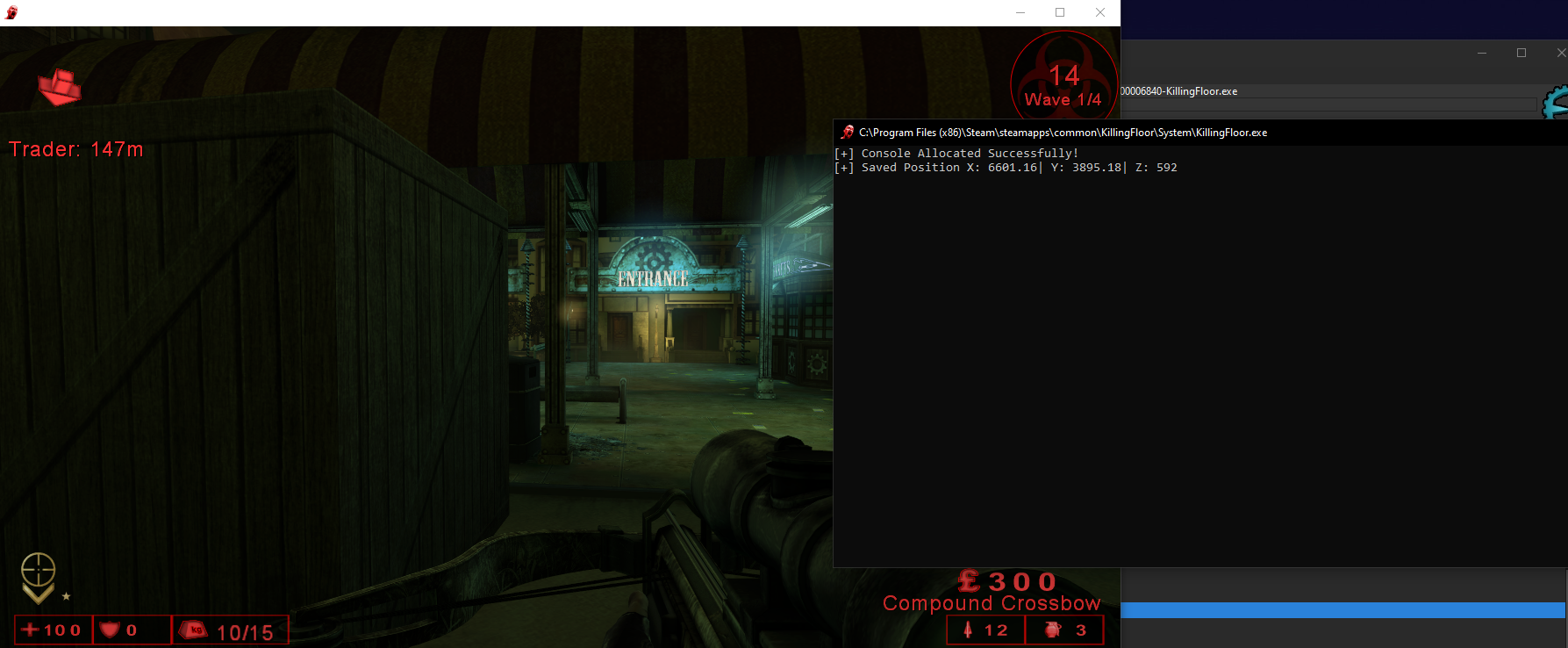
Then I complied the DLL and injected it into my game, using F1 to save my position once I spawned in a game.
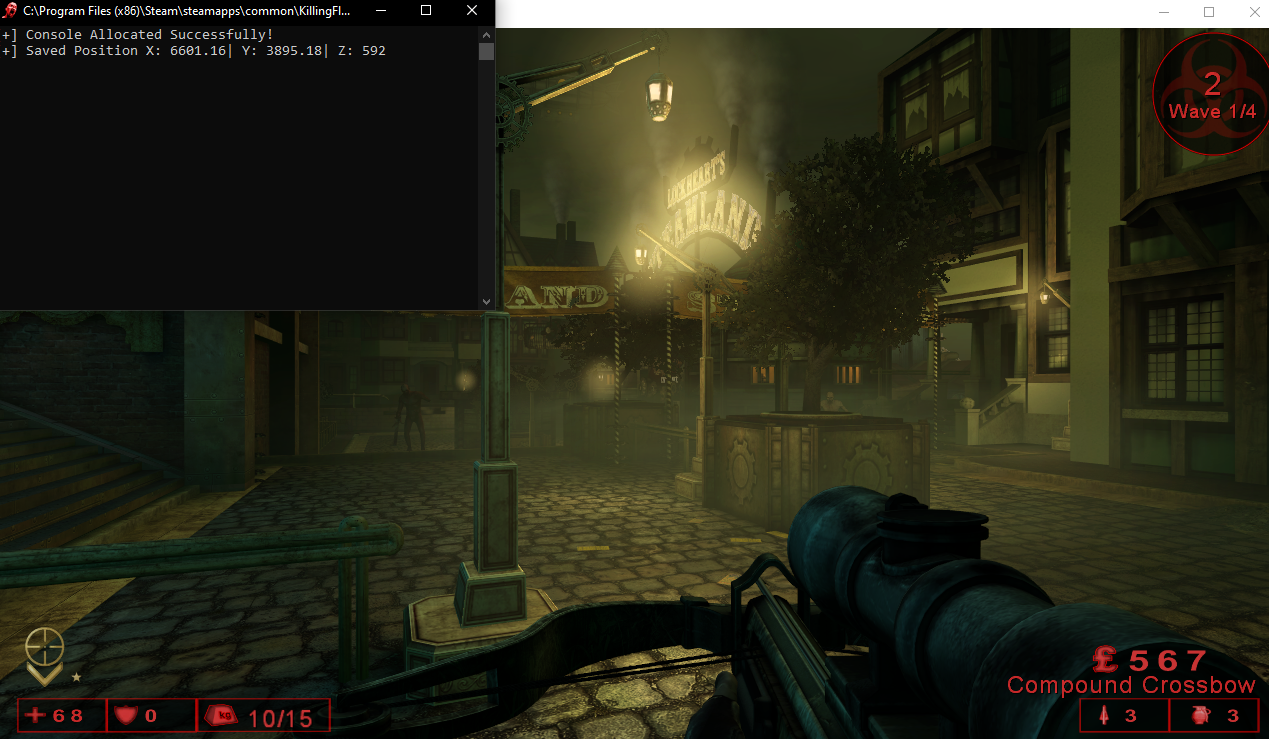
I then walked to a random spot in the map and then selected F2 to load the saved position.
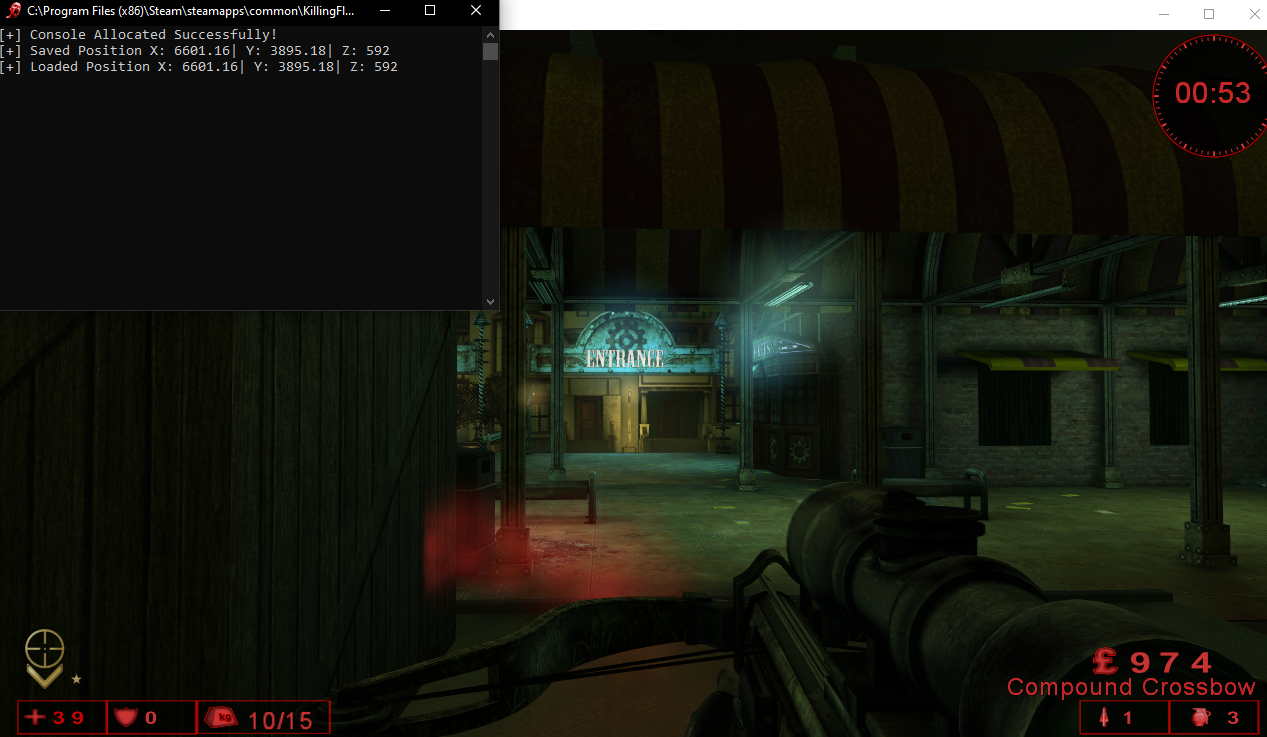
Yippie it works….
Finding our Health Pointer
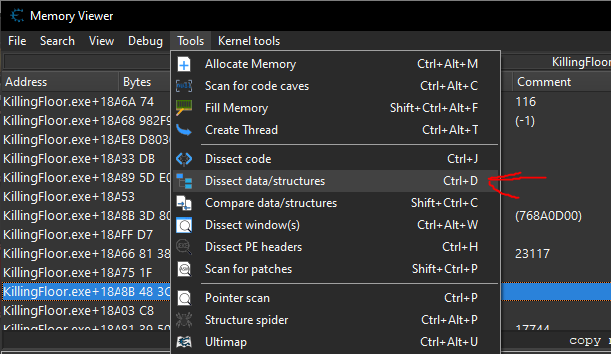
Since we were able to enumerate our localplayer pointer in Core.dll we can browse around this memory region hunting for more variables. In game I currently have 39 health so I am going to left-click the Z Cord (or y/x it really doesn’t matter) and use CTRL+B to browse the memory region. Then select “Dissect data/structures”.
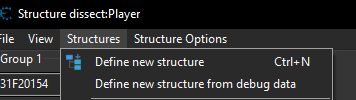
Then define a new structure it called it “Player”.
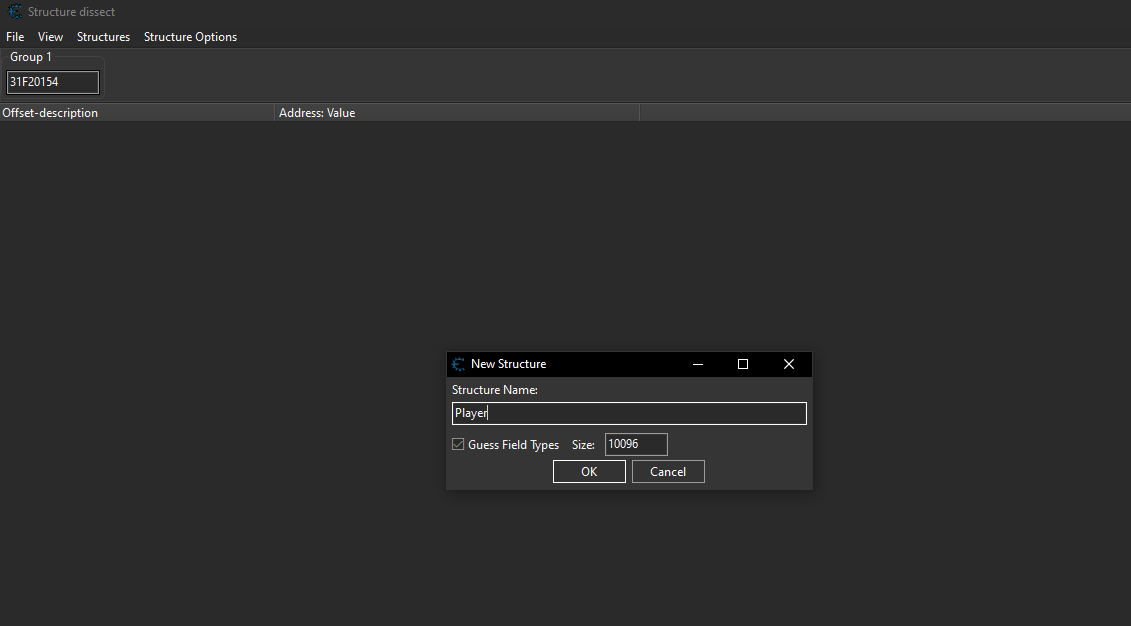
I’m allocating a size of 10096 just so I can really browse around and look for my health.
Now you should see the memory region in the structure dissector. We can use CTRL+F to search for our health value.
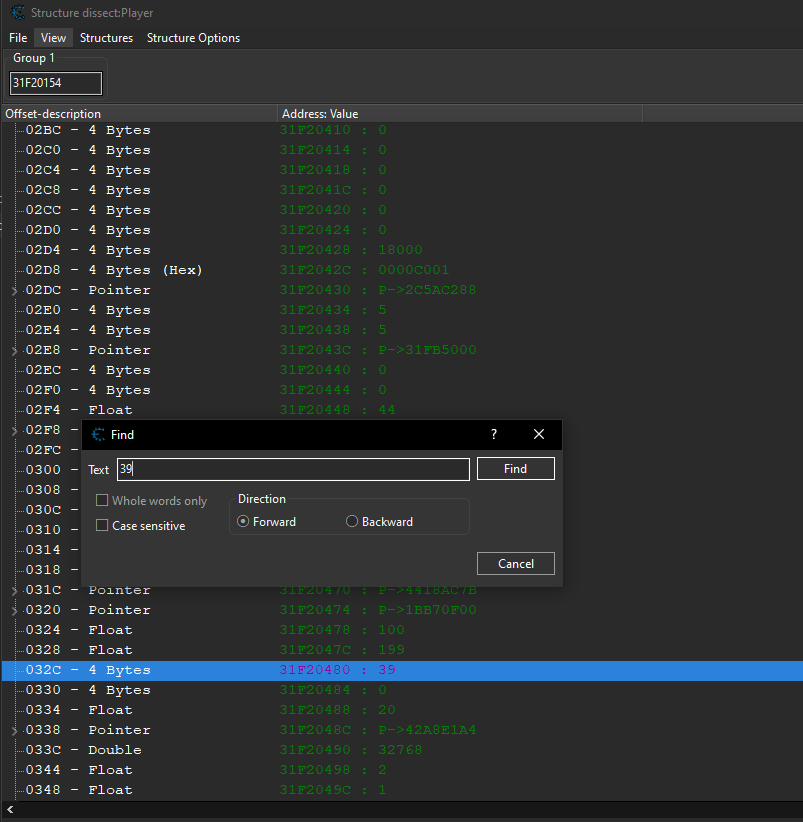
I then added it to the code list and attempted to change it to 1337.

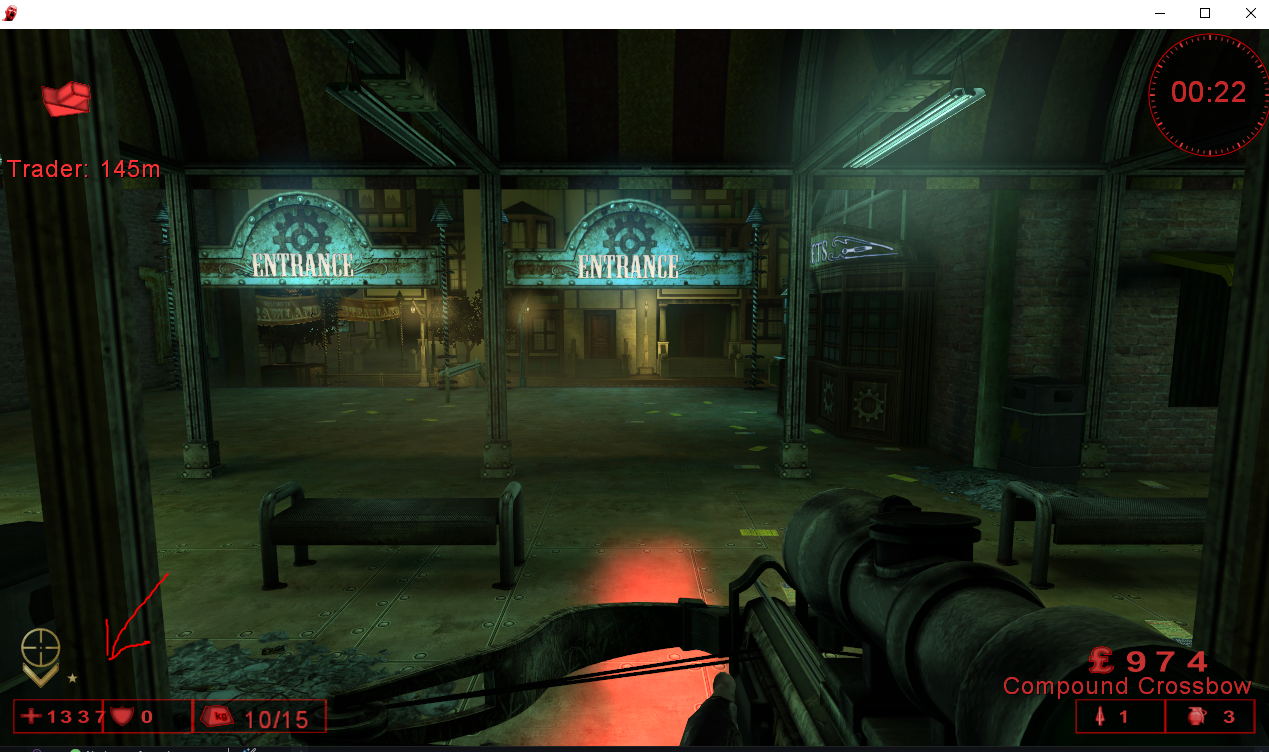
YAY the value of our health updated to 1337. Lets take a closer look at that memory address.
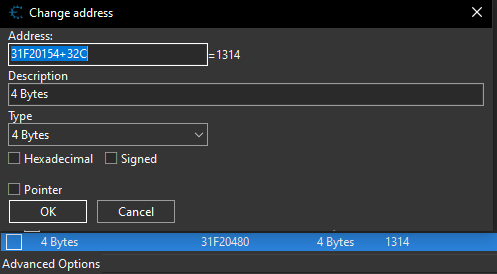
We still need to find the offset the health compared to the base pointer:
"Core.dll"+00168A4C
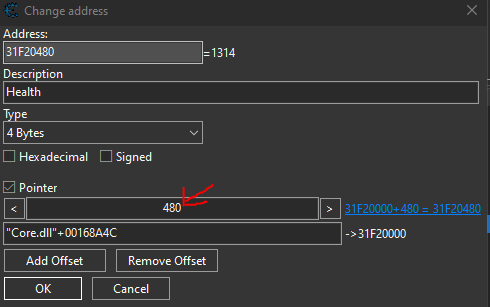
Lets look back at the pointer for Z. This base pointer resolves to 31F20000 and the health address is at 31F20480. The difference is 0x480 which means that’s the offset.
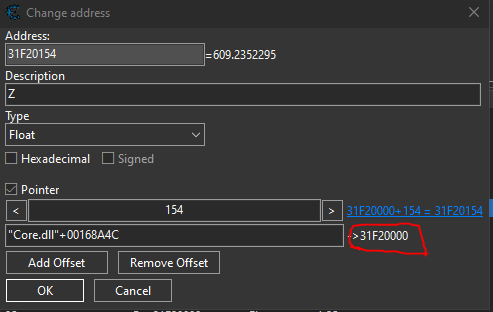
Create a copy of the Z offset and change the description to health and the offset from 154->480.
Creating God Mode Cheats
Just like before we create a padding object holding our offset for the health variable.
class Player {
public:
    union {
        // Define Y at 0x14C
        struct {
            char pad_xyz[0x14C];
            float y; // 0x14C
            float x; // 0x150
            float z; // 0x154
        };
        // Health Offset is 0x480
        struct {
            char pad_hp[0x480];
            int health;
        };
    };
};
Now we can simply add a line in our code to constantly set our health to 1337.
void CheatLoop(HMODULE hModule) {
    uintptr_t coreModule = (uintptr_t)GetModuleHandleA("Core.dll");
    uintptr_t basePointerAddr = coreModule + 0x00168A4C;
    float savedX, savedY, savedZ;
    bool hasSavedPos = false;
    while (keepRunning) {
        uintptr_t playerBase = *(uintptr_t*)basePointerAddr;
        if (playerBase) {
            Player* localPlayer = (Player*)playerBase;
            localPlayer->health = 1337; // NEW
        }
    }
}
Finding the Pointer to our Money
I tried repeating the steps above, but I was unable to find the memory address for the player’s money. I searched for my money value in Cheat Engine and used the ‘B’ key to toss out money, then searched for the new value until I found the correct address.
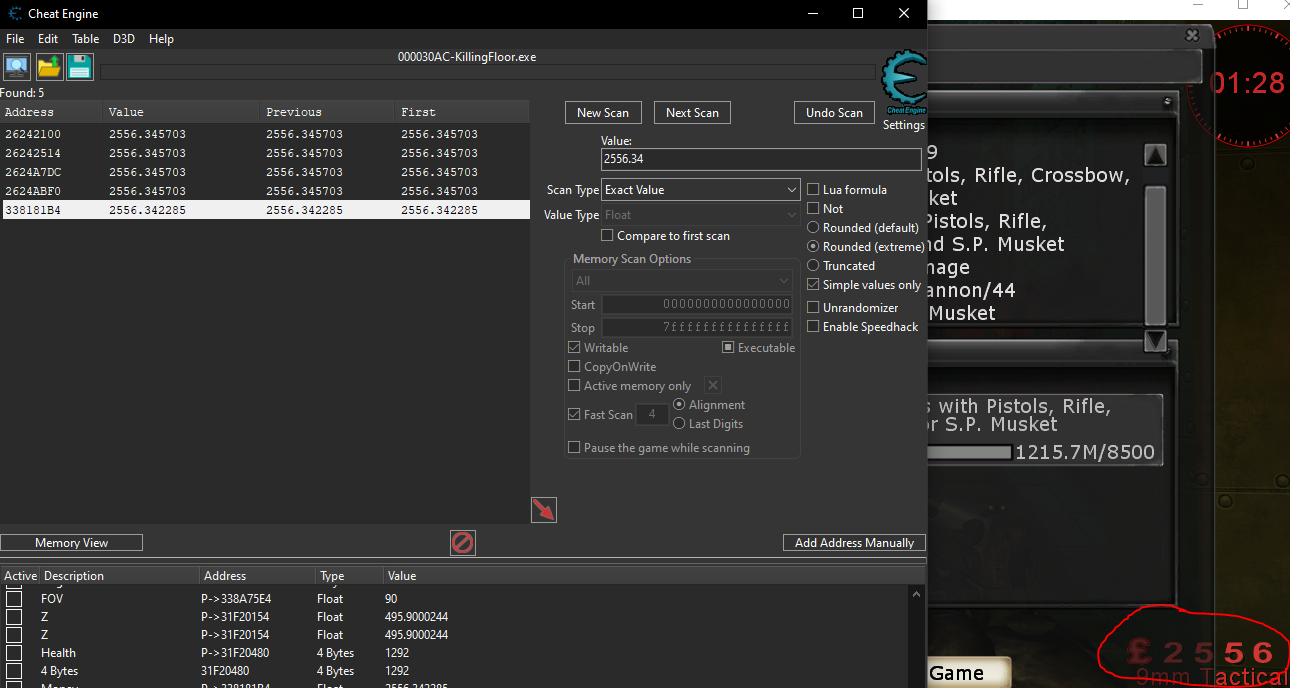
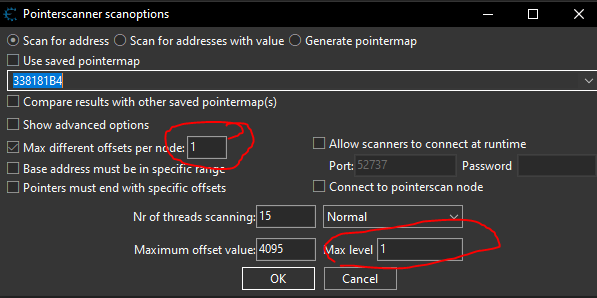
I then performed a pointer scan on the correct address with the maximum level of offsets being 1.
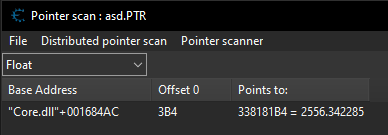
The pointer scan returned a single result. Interestingly, the base address differs from our initial localplayer pointer, confirming that this is a separate object entirely. At first glance, the addresses look nearly identical, which led me to believe they were the same.
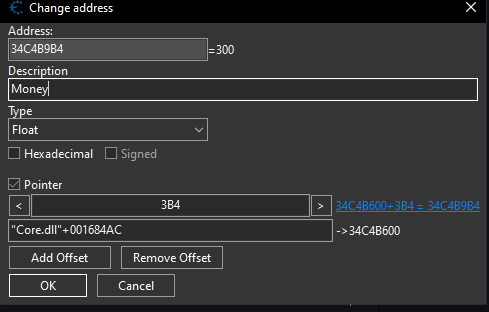
Now we can add that pointer to our Cheat Table.
Creating an Unlimited Money Cheat
Since this money pointer has a different base pointer we need to define a new object. I just called it game for now.
class Game {
public:
    union {
        struct {
            char pad_money[0x3B4];
            float money;
        };
    };
};
Then in our CheatLoop() function we need to get the base address of our Game address and case it to our Game object.
void CheatLoop(HMODULE hModule) {
    uintptr_t coreModule = (uintptr_t)GetModuleHandleA("Core.dll");
    uintptr_t basePointerAddr = coreModule + 0x00168A4C;
    uintptr_t baseGameAddr = coreModule    + 0x001684AC; // Base Address of object
    float savedX, savedY, savedZ;
    bool hasSavedPos = false;
    while (keepRunning) {
        uintptr_t gameBase = *(uintptr_t*)baseGameAddr;
        uintptr_t playerBase = *(uintptr_t*)basePointerAddr; // Pointer to address in memory
        if (playerBase && gameBase) {
            Player* localPlayer = (Player*)playerBase;
            Game* game = (Game*)gameBase; // our game object

            if (localPlayer == nullptr || game == nullptr)  {
                Sleep(1000);
                continue;
            }

            localPlayer->health = 1337;
            if (game->money < 9999.0f) {
                game->money = 9999.0f;
            }
        }
    }
}
I then injected the DLL and my money instantly spiked to 9999. Nice! we added unlimited money, health and a teleport keybind.