Introduction
Today, we are taking our internal cheat to the next level by focusing on synchronization and precision. We will be:
- Refactoring our Logic: Moving our cheat execution into the
EndScenehook to stay perfectly in sync with the game’s render loop. - Enhancing the UX: Replacing clunky hotkeys with dynamic ImGui sliders and a custom-drawn crosshair.
- Reverse Engineering View Angles: Using Ghidra to hunt down the
Pitch,Yaw, andRolloffsets required for an Aimbot cheat.Moving Cheat Logic To EndScene Hook
I decided to reformat the code to run the actual cheat logic inside the
EndScenehook to synchronize with the render loop. To do this we will need to refactor the currentStartfunction to simply sleep until we unload the cheats with theENDkey. Then we’ll create a new function calledRunCheats()to actually hold our logic for things like Instakill orAPawnscaling. I will also be only fetching the movingAPawnson the loaded map once perEndScenecall and pass the foundAPawnsto theInstakill()orScaleAAPawns()functions. (we will implement caching in the future!)
New Start():
void Cheats::Start() {
    if (!CreateHook()) {
        std::cout << "[-] Failed to hook EndScene. Thread exiting." << std::endl;
        return;
    }

	// All cheat logic is run in the EndScene Hook
    while (!bCanUnload) {
        Sleep(1000);
    }

    std::cout << "[+] Unloading sequence started..." << std::endl;
    Cleanup();
}
New RunCheats() function:
void Cheats::RunCheats() {
	// Just return if we fail to fetch the local player
    if (!GetLocalPlayer()) {
        return;
    }
    // or if the local player is dead
    else if (myPawn->health <= 0) {
        return;
    }

	// Get all moving APawns that are likely enemies
    std::vector<APawn*> pawns = GetMovingPawns();

	// Pass those pawns to the instakill function if it's enabled
    if (bInstaKill) InstaKill(pawns);

	// If god mode set health to 100
    if (bGodMode) {
        myPawn->health = 100;
    }
}
Now all we have to do is add the following line to hkEndScene:
HRESULT STDMETHODCALLTYPE hkEndScene(IDirect3DDevice9* pDevice) {
    if (cheats.bCanUnload) return oEndScene(pDevice);

	// static init code block

    IDirect3DStateBlock9* pStateBlock = nullptr;
    if (pDevice->CreateStateBlock(D3DSBT_ALL, &pStateBlock) == D3D_OK) {
        pStateBlock->Capture();
    }

    ImGui_ImplDX9_NewFrame();
    ImGui_ImplWin32_NewFrame();
    ImGui::NewFrame();

    cheats.RunCheats(); // NEW
    cheats.DrawMenu();

    ImGui::EndFrame();
    ImGui::Render();
    ImGui_ImplDX9_RenderDrawData(ImGui::GetDrawData());

    // 3. RESTORE GAME STATE & CLEANUP
    if (pStateBlock) {
        pStateBlock->Apply();
        pStateBlock->Release();
    }

    return oEndScene(pDevice);
}
Adding a Slider to Change APawn Sizes
Previously we had f3 and f4 scale up/down our APawns. I will be switching to utilizing a float slider to allow the end user to customize the size of the entities.
Cheats.h:
class Cheats {
public:
    float fZedScaleValue = 1.0f;
    void ScaleAPawns(std::vector<APawn*> pawns);
};
We can do this by adding a new class attribute called fZedScaleValue this value will be applied to all passed APawn’s in the ScaleAPawns() function:
void Cheats::ScaleAPawns(std::vector<APawn*> pawns) {
    for (APawn* pawn : pawns) {
	    // If the pawn is invalid, or its already set to the scale modifier
	    // continue...
        if (!pawn || pawn->x3DDrawScale == fZedScaleValue) continue;
        pawn->x3DDrawScale = fZedScaleValue;
        pawn->y3DDrawScale = fZedScaleValue;
        pawn->z3DDrawScale = fZedScaleValue;
        pawn->drawSize = fZedScaleValue;
    }
}
We then can add the following lines do our DrawMenu() function:
void Cheats::DrawMenu() {
    if (!bMenuOpen) return;
    ImGui::Begin("Killing Floor", &bMenuOpen, ImGuiWindowFlags_AlwaysAutoResize);
    ImGui::Text("Player Pointer: %p", myPawn);
    ImGui::Separator();
    ImGui::Text("InstaKill (F1): %s", bInstaKill ? "ON" : "OFF");
    ImGui::Text("GodMode (F2): %s", bGodMode ? "ON" : "OFF");

    ImGui::SliderFloat("Enemy Size", &fZedScaleValue, 0.5f, 5.0f, "%.1f"); // NEW

    if (ImGui::Button("Reset Scale")) { // NEW
        fZedScaleValue = 1.0f; // NEW
    }

    ImGui::End();
}
And the following line to RunCheats():
void Cheats::RunCheats() {
    std::vector<APawn*> pawns = GetMovingPawns();

    if (bInstaKill) InstaKill(pawns);

    if (bGodMode) {
        myPawn->health = 100;
    }

    ScaleAPawns(pawns); // NEW

}
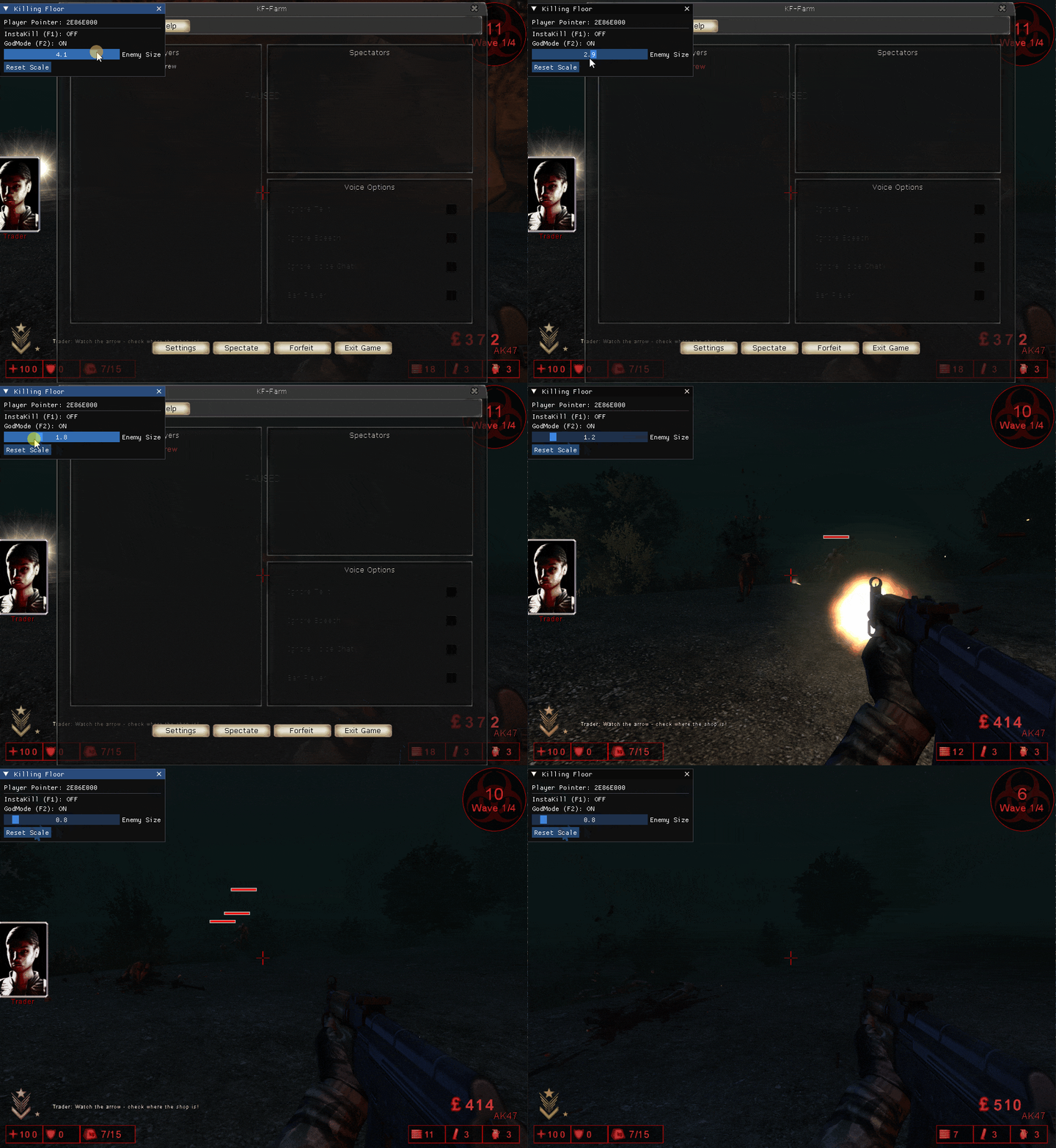
Now if we compile and inject our DLL we can see the ImGUI float slider appear:
Creating a Crosshair
This is pretty easy, all we have to do is calculate the center of the screen and draw 4 lines. Luckily we can actually do this from ImGUI! I’m recalculating the center of the screen on every call just in case the game switches resolutions. In the future we will be adding a color picker and float sliders to customize our crosshair using ImGUI.
Note: We are using ImGui::GetBackgroundDrawList() to draw directly onto the game’s back buffer, allowing the crosshair to stay centered on the game screen even when the menu is closed. If we utilized GetWindowDrawList() the crosshair would only be rendered inside our ImGUI menu!
Cheats.cpp:
void Cheats::DrawCrosshair() {
    ImGuiIO& io = ImGui::GetIO();
    // If the ImGUIIO is not initialized
    if (io.DisplaySize.x <= 0.0f || io.DisplaySize.y <= 0.0f)
	    return;

    ImDrawList* drawList = ImGui::GetBackgroundDrawList();

    // Find the center of the screen
    float centerX = io.DisplaySize.x / 2.0f;
    float centerY = io.DisplaySize.y / 2.0f;

    float length = 10.0f; // Length of the crosshair lines
    float thickness = 1.0f;
    float gap = 2.0f;      // Gap in the middle

    ImU32 color = IM_COL32(255, 0, 0, 255); // Red

    // Vertical Top
    drawList->AddLine(ImVec2(centerX, centerY - gap), ImVec2(centerX, centerY - gap - length), color, thickness);
    // Vertical Bottom
    drawList->AddLine(ImVec2(centerX, centerY + gap), ImVec2(centerX, centerY + gap + length), color, thickness);
    // Horizontal Left
    drawList->AddLine(ImVec2(centerX - gap, centerY), ImVec2(centerX - gap - length, centerY), color, thickness);
    // Horizontal Right
    drawList->AddLine(ImVec2(centerX + gap, centerY), ImVec2(centerX + gap + length, centerY), color, thickness);
}
Then we can add a function call to this in RunCheats():
void Cheats::RunCheats() {
    if (!GetLocalPlayer()) {
        return;
    }
    else if (myPawn->health <= 0) {
        return;
    }

    DrawCrosshair();
	//... rest of code!
}
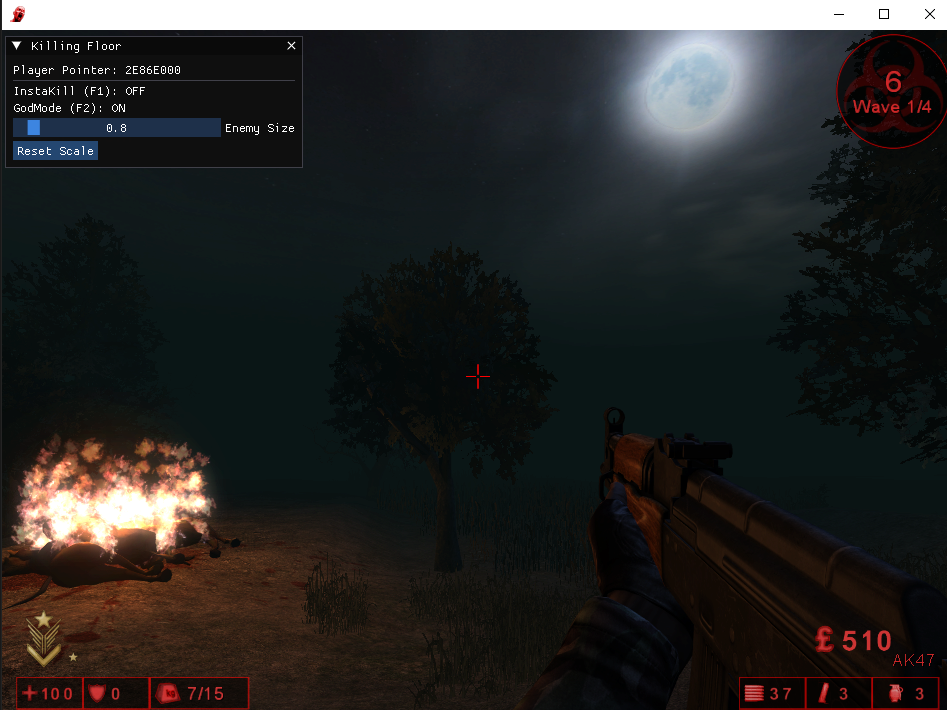
And “now” we have a simple crosshair:
Finding Pitch Yaw and Roll
Now it’s time to work on our aimbot, but we first need the View angles of our player (Pitch and Yaw) and the height of the current entity.
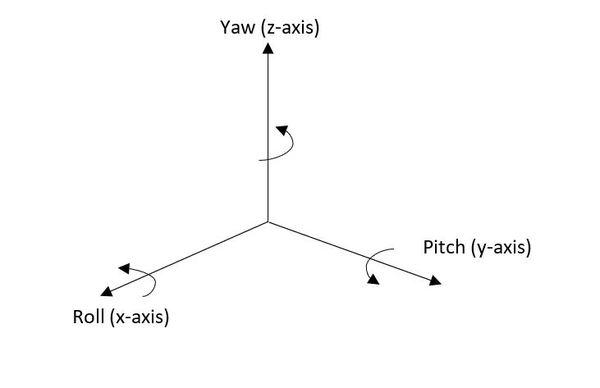
To aim at a target, the game needs to know two angles:
- Yaw: Which way are you facing left/right? (Looking around the horizon).
- Pitch: Which way are you facing up/down? (Looking at the sky or ground).
In Ghidra I found the following function that provided me the offsets for the players view angle
void __thiscall AActor::GetViewRotation(AActor *this,undefined4 *param_2)

{
  int iVar1;
  AActor *pAVar2;


  iVar1 = (**(code **)(*(int *)this + 0x1b8))();
  if ((iVar1 == 0) ||
     (pAVar2 = (AActor *)(*(int *)(this + 0x360) + 0x158), *(int *)(this + 0x360) == 0)) {
    pAVar2 = this + 0x158;
  }
  *param_2 = *(undefined4 *)pAVar2;
  param_2[1] = *(undefined4 *)(pAVar2 + 4);
  param_2[2] = *(undefined4 *)(pAVar2 + 8);
  return;
}
This function can be rewritten as the following:
struct FRotator {
    int Pitch;
    int Yaw;
    int Roll;
};

void AActor::GetViewRotation(FRotator* outAngles)
{
    if (!outAngles) return;

    int result = this->offset_0x1b8();

    void* src = nullptr;

    if (result != 0 && this->offset_0x360 != nullptr) {
        src = this->offset_0x360->offset_0x158(this->offset_0x360);
    }

    if (src == nullptr) {
        src = this->offset_0x158;
    }

    // Copy 12 bytes into FRotator
    const int* r = reinterpret_cast<const int*>(src);
    outAngles->Pitch = r[0];
    outAngles->Yaw   = r[1];
    outAngles->Roll  = r[2];
}
Honestly just take a look at this line:
if (src == nullptr) {
	src = this->offset_0x158;
}
This gives us a strong hint about where rotation data lives. I added this offset to my AActor class.
AActor.h:
class AActor {
public:
    union {
        struct {
            char pad_rot[0x158];
            int Pitch; // 0x158
            int Yaw;   // 0x15C
            int Roll;  // 0x160
        };
    };
};
Then added the following debug line in our RunCheats() function:
std::cout << "PITCH: " << myPawn->Pitch << std::endl;
std::cout << "YAW: " << myPawn->Yaw << std::endl;
std::cout << "ROLL: " << myPawn->Roll << std::endl;
When I complied and injected the DLL I was able to see my view angles!
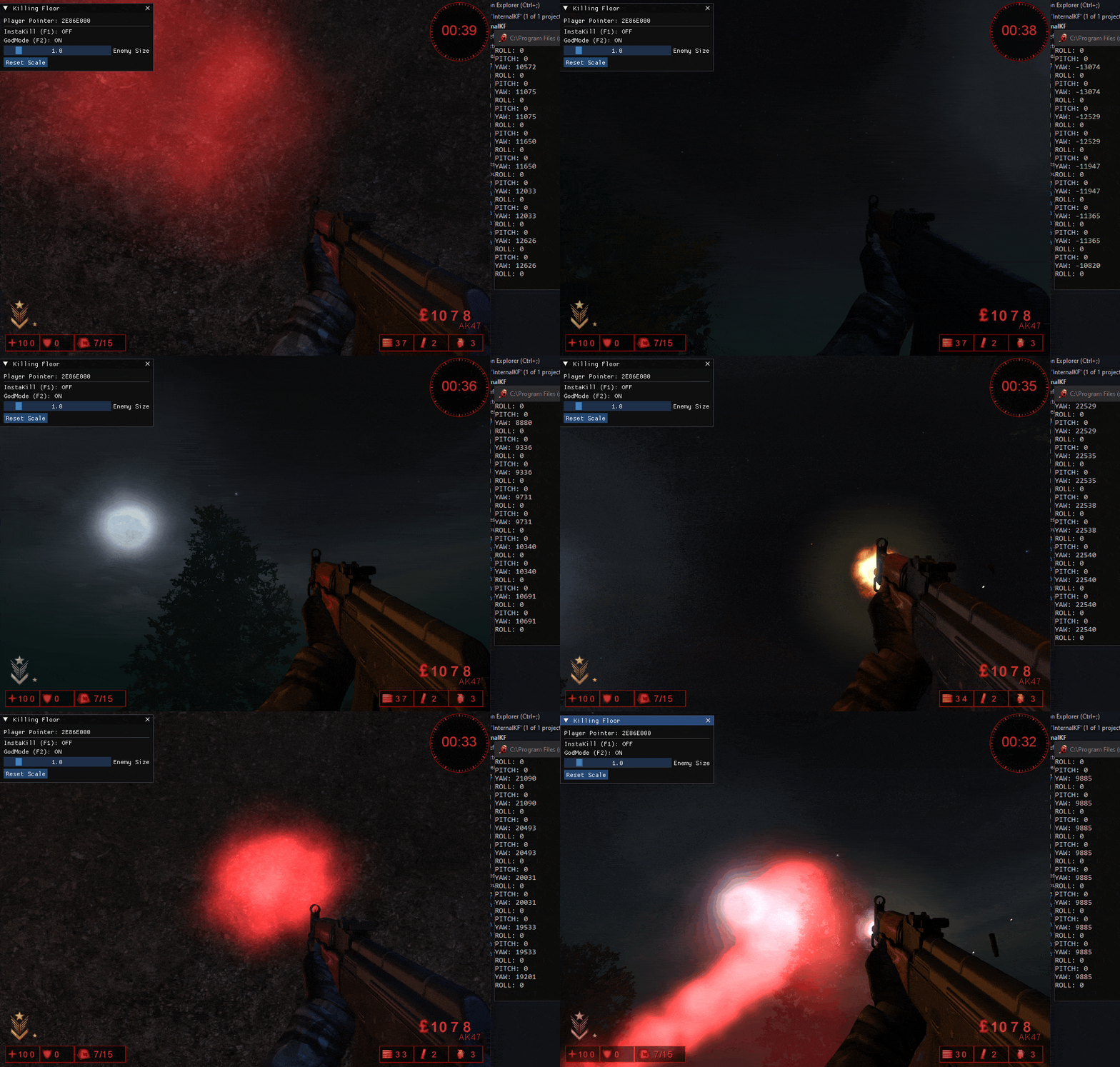
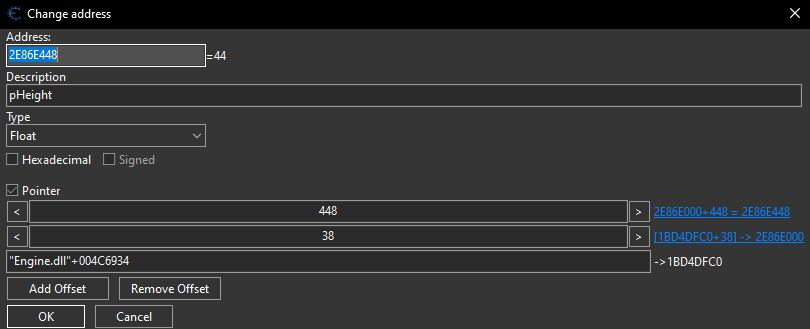
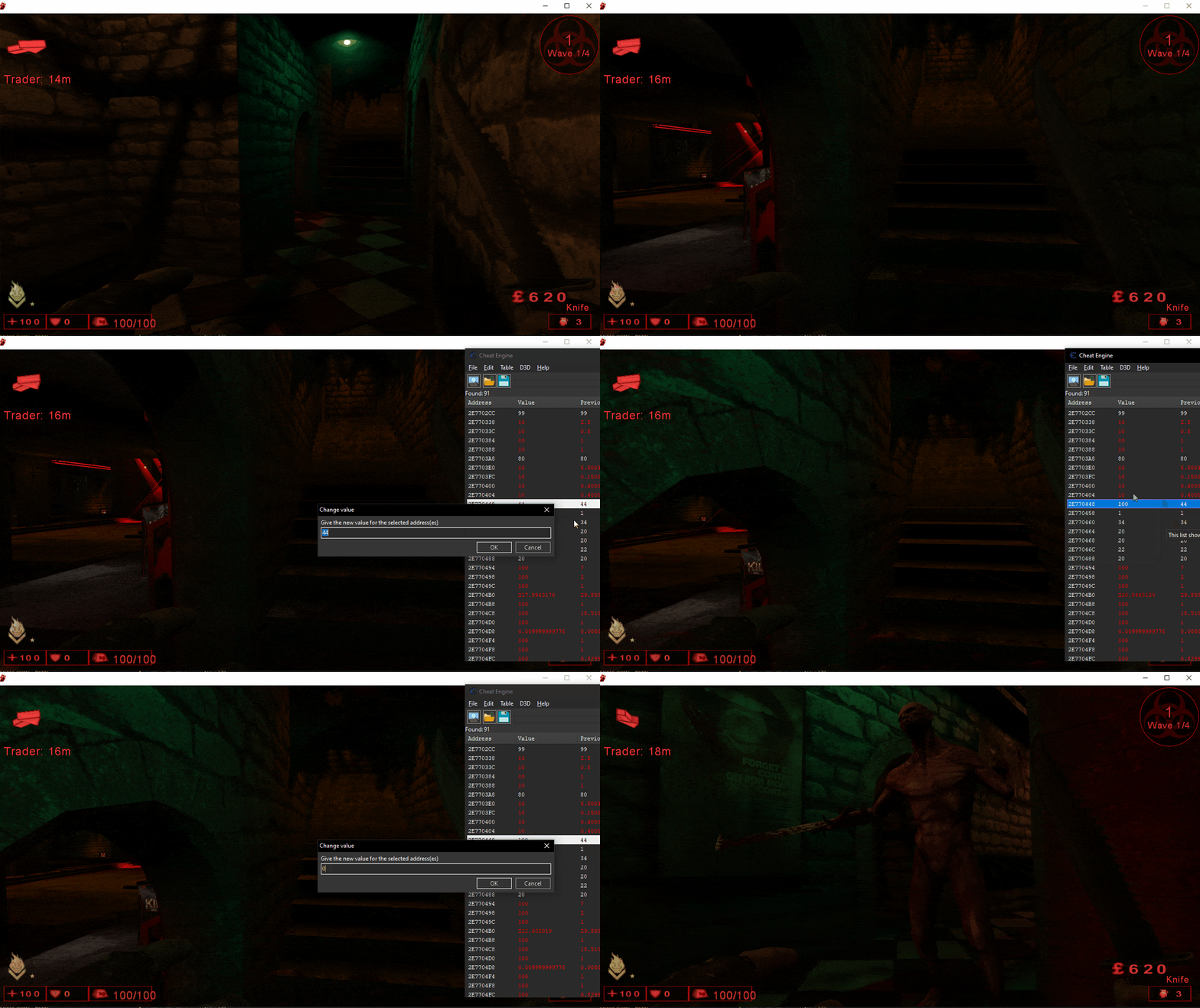
To finalize the targeting solution, we must apply a Height Offset. Because the current XYZ coordinates represent the user’s ‘Base Position’ (ground level), aiming directly at these coordinates will result in a target undershoot. We need to translate the aim point vertically along the Z-axis to align with the target’s head. I was actually able to enumerate this randomly by searching for float near the localplayers base pointer, in my next blog post I will be going into detail about my enumeration techniques for finding player offsets in Cheat Engine.
The height index is located at 0x448:
Adding our offset to the AActor class:
class AActor {
public:
    union {
        struct {
            char pad_x[0x448];
            float height;
        };
    };
};
Creating our Aimbot code
We first need a function to find the closest entity to our player. We still will be fetching the entities within our EndScene hook, so our function will need to take a vector of APawns. It then will loop through them and calculate the distance from the APawn our localplayer. We will be using the Pythagorean Theorem to calculate the distance between our character and every other entity in the game world. We skip the square root step however because it is a “heavy” operation for the CPU and we don’t really need to use it since the entity with the smallest squared distance is guaranteed to be the closest entity.
Cheats.cpp:
APawn* Cheats::GetClosestEnemy(std::vector<APawn*> pawns) {
    APawn* closest = nullptr;
    float minDistanceSq = 100000000.0f; // Large initial value

    for (APawn* pawn : pawns) {

        if (pawn == nullptr) {
            continue;
        }


        float dx = pawn->x - myPawn->x;
        float dy = pawn->y - myPawn->y;
        float dz = pawn->z - myPawn->z;

        float dist = (dx * dx) + (dy * dy) + (dz * dz);

        if (dist < minDistanceSq) {
            minDistanceSq = dist;
            closest = pawn;
        }
    }
    return closest;
}
Now we need to make the function to actually adjust our view angles (yaw, pitch, roll) to align with the targets head. Honestly math is not my strong suit, so I had Gemini generate this function for me, but Ill walk through it explaining the best that I can.
Just like before we need to calculate the distance between the target and our pawn. We include the height modifier, so we aim at the top of the targets head.
float dy = target->y - myPawn->y;
float dx = target->x - myPawn->x;
// Aim for the head: Target's base Z + height vs. My base Z + height
float dz = (target->z + target->height) - (myPawn->z + myPawn->height);
We then utilize atan2 to calculate what yaw and pitch values we need to set our local player’s view angles to.
float horizontalDist = sqrt(dx * dx + dy * dy);

// Prevent vertical snapping when too close
if (horizontalDist < 5.0f) return;

// 2. Trigonometry
float yawRad = atan2(dx, dy);
float pitchRad = atan2(dz, horizontalDist);
Since currently our yaw and pitch are floats, and in game it utilizes int values for the yaw, pitch and roll we need to convert them to integers. We use the UnrealModifier (65536/2π≈10430.378) because Unreal Engine 2.5 maps a full 360∘ rotation to a 0 to 65535 integer range (Unreal Units) rather than using standard degrees or radians.
const float UnrealModifier = 10430.378f;
int newYaw = (int)(yawRad * UnrealModifier);
int newPitch = (int)(pitchRad * UnrealModifier);
Then we need to clamp our pitch so the value aligns with the min/max possible value:
// FIX 2: Clamp Pitch to prevent looking at feet/sky glitch
// UE2.5 uses -16384 to 16384 for the vertical range
if (newPitch > 16000) newPitch = 16000;
if (newPitch < -16000) newPitch = -16000;
Finally we can assign them to our APawn:
myController->Yaw = newYaw & 0xFFFF; // This 'wraps' our yaw value into a valid 0–65535 range
myController->Pitch = newPitch;
Cheats.cpp:
void Cheats::TargetEntity(APawn* target) {
    // 1. Validation: Ensure pointers are valid and target is alive
    if (!myPawn || !myController || !target || target->health <= 0) return;

    // 2. Position Deltas
    float dx = target->x - myPawn->x;
    float dy = target->y - myPawn->y;

    // Aim for the head: Target's base Z + height vs. My base Z + height
    float dz = (target->z + target->height) - (myPawn->z + myPawn->height);

    // 3. Distance Calculation
    float horizontalDist = sqrt(dx * dx + dy * dy);

    // Deadzone check: Prevent "aim jitter" when standing inside the target
    if (horizontalDist < 5.0f) return;

    // 4. Trigonometry (Radians)
    float yawRad = atan2(dx, dy);
    float pitchRad = atan2(dz, horizontalDist);

    // 5. Conversion to Unreal Units (Rotators)
    // 65536 / (2 * PI) = 10430.378
    const float UnrealModifier = 10430.378f;
    int newYaw = (int)(yawRad * UnrealModifier);
    int newPitch = (int)(pitchRad * UnrealModifier);

    if (newPitch > 16000) newPitch = 16000;
    else if (newPitch < -16000) newPitch = -16000;

    myController->Yaw = newYaw & 0xFFFF;
    myController->Pitch = newPitch;
}
Then I updated the RunCheats() function to detect if the user is holding down the Q key and if they are, to target the closest enemy:
void Cheats::RunCheats() {
    if (!GetLocalPlayer()) {
        return;
    }
    else if (myPawn->health <= 0) {
        return;
    }

    std::vector<APawn*> pawns = GetMovingPawns();

    if (GetAsyncKeyState('Q') & 0x8000) { // NEW!
        APawn* target = GetClosestEnemy(pawns);
        if (target) {
            TargetEntity(target);
        }
    }
}
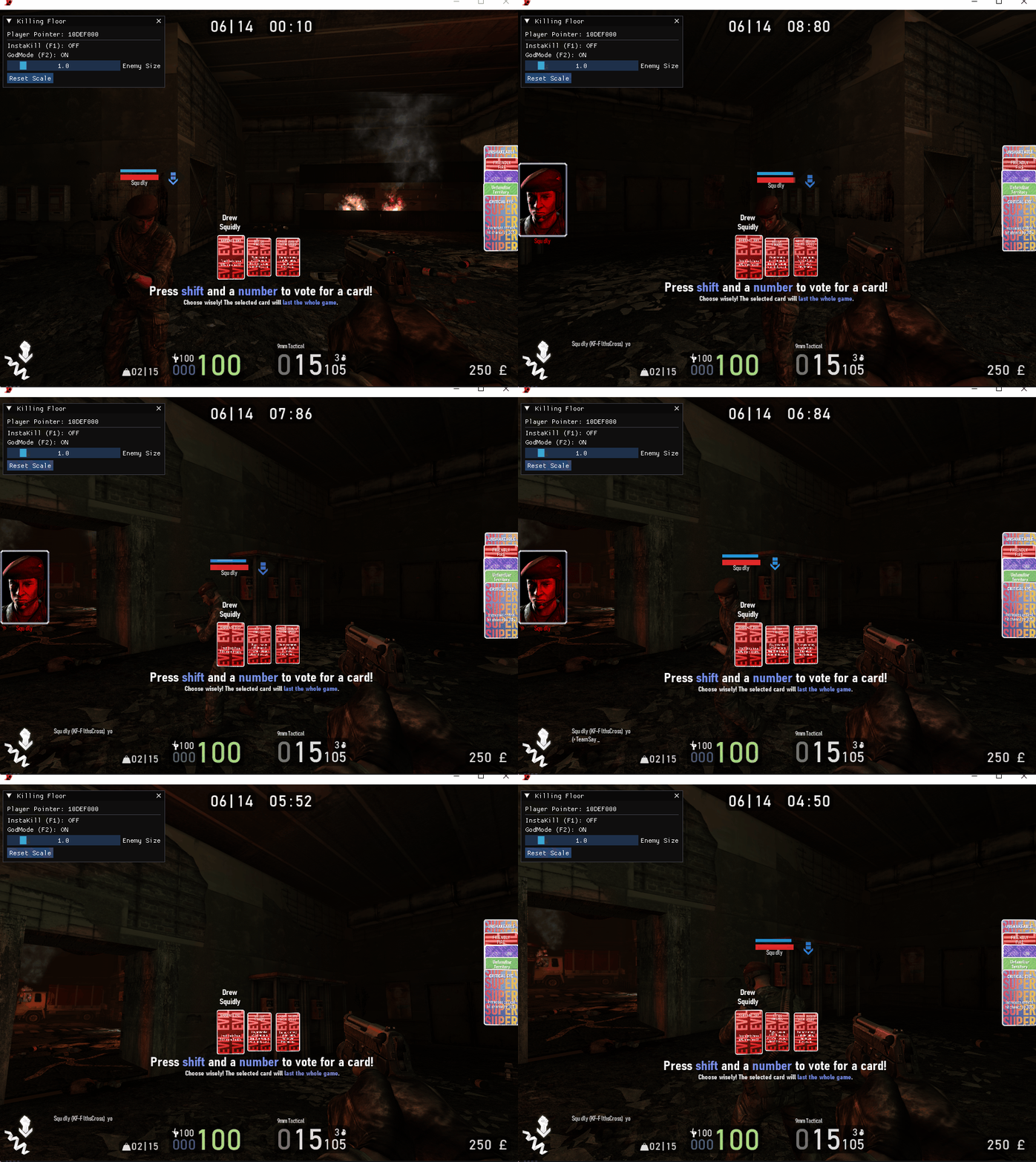
There are 2 major problems with this aimbot however, firstly it targets teammates:
Additionally it can not detect if an enemy is through a wall or not:
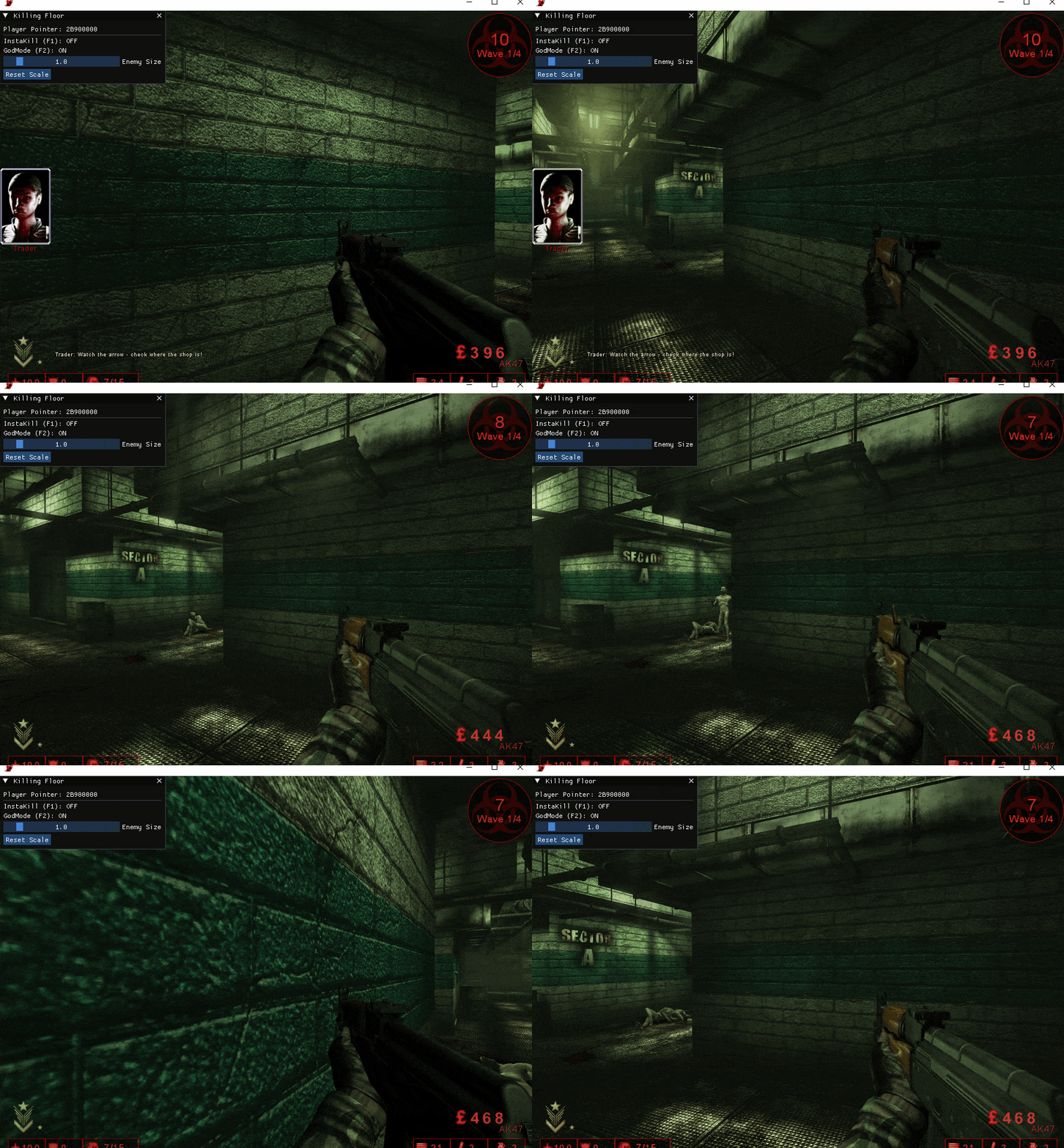
Lets end this tutorial by solving the first problem. Since we don’t have any type of team indicator yet to signify if an APawn is a player, or enemy. To solve this temporarily, I implemented a Height Filter. During my reverse engineering sessions in Cheat Engine, I noticed a consistent pattern: the player models and friendly NPCs usually share a different height offset than the enemy “Zeds.”
Most enemies in this specific build have a height value of exactly 38.5f. By checking against this constant, we can create a simple filter:
// Skip teammates
if (pawn->height == myPawn->height) {
	continue;
}
I also adjusted my GetMovingPawns function to drop any pawns with a height less than 38.0:
bool IsValidActor(AActor* actor) {
    if (!actor) return false;

    __try {
        if (actor->height < 38.0f) return false;
        return (actor->physics == PHYS::Walking || actor->physics == PHYS::Falling);
    }
    __except (EXCEPTION_EXECUTE_HANDLER) {
        return false;
    }
}

std::vector<APawn*> Cheats::GetMovingPawns() {
    std::vector<APawn*> pawns;

    if (!myPawn || !myPawn->Level) return pawns;

    ULevel* level = myPawn->Level;
    int count = level->currentEntities;

    // Use a local copy of the list to minimize race conditions
    for (int i = 0; i < count; i++) {
        AActor* a = level->EntityList[i];

        // Use our safe check function
        if (!IsValidActor(a) || a == (AActor*)myPawn) continue;

        APawn* p = (APawn*)a;

        // Final sanity check on pawn-specific data
        if (p->health <= 0 || p->health > 10000) continue;

        pawns.push_back(p);
    }
    return pawns;
}
There are still some kinks to work out, but overall it is functional.