 1
1
Introduction
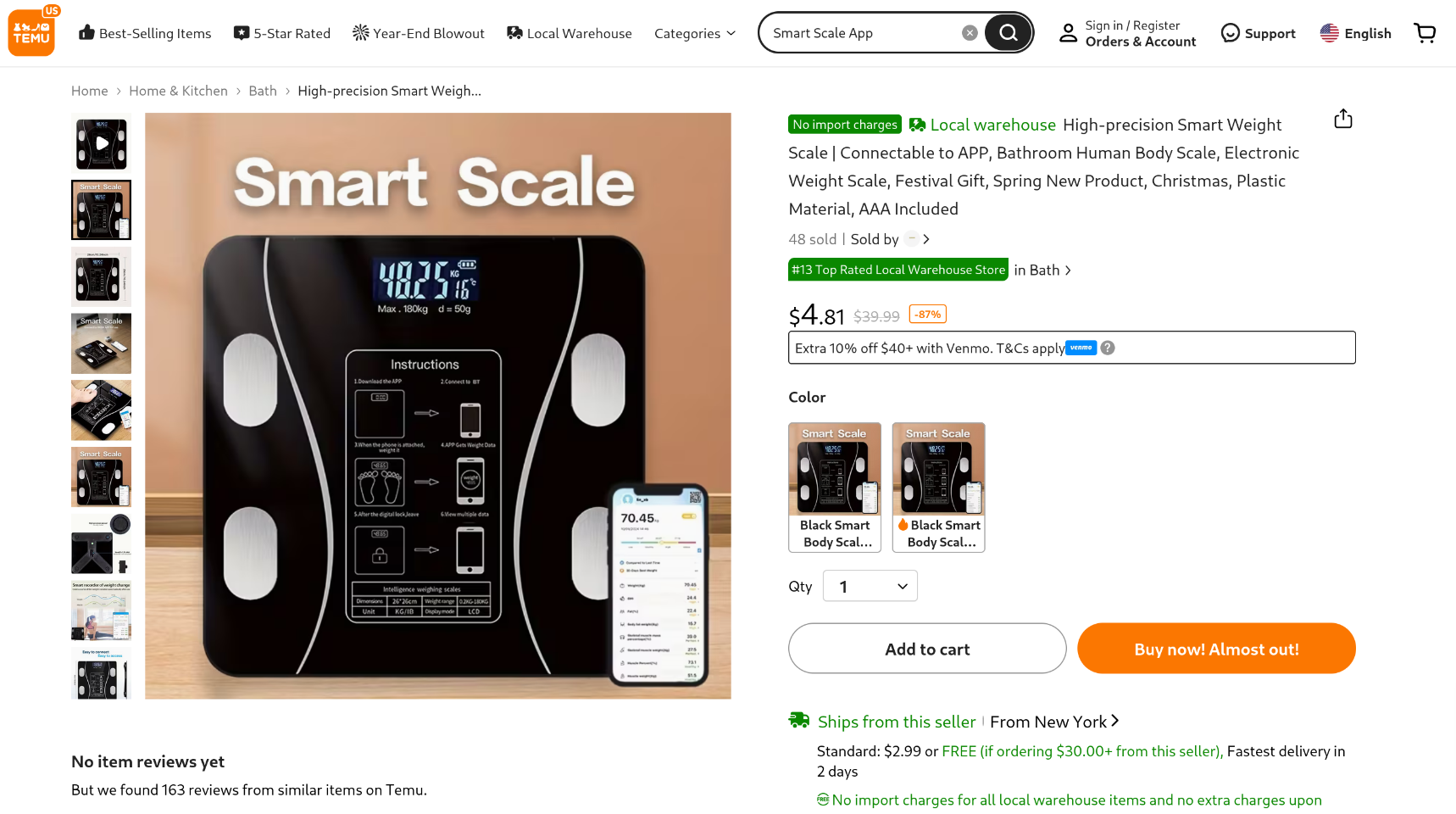
I recently purchased a bunch of garbage smart devices from Temu with intent to reverse engineer and hack some of them. The first to arrive was a Bluetooth smart scale. I paid $4 for this and was curious on what I could find.
Quicklinks
- Introduction
- Viewing BLE Traffic with BTMON
- Creating a Python Script to Read The Scales Bytes
- Finding A “Stepped On” State
- Converting the Bytes to KG
- Adding BLE Scale Discovery
- Conclusion / Code Repository
Viewing BLE Traffic with BTMON
I paired the smart scale with its companion mobile app, OKOK, available on the App Store. Within the app’s device settings, the scale’s Bluetooth MAC address is displayed. In my case, the device reported the following address: A8:0B:6B:F4:23:38
Here is an example BLE event from the provided mac address:
> HCI Event: LE Meta Event (0x3e) plen 50                  #30 [hci0] 19.133377
     LE Extended Advertising Report (0x0d)
       Num reports: 1
       Entry 0
         Event type: 0x0010
           Props: 0x0010
             Use legacy advertising PDUs
           Data status: Complete
         Legacy PDU Type: ADV_NONCONN_IND (0x0010)
         Address type: Public (0x00)
         Address: A8:0B:6B:F4:23:38 (Chipsea Technologies (Shenzhen) Corp.)
         Primary PHY: LE 1M
         Secondary PHY: No packets
         SID: no ADI field (0xff)
         TX power: 127 dBm
         RSSI: -80 dBm (0xb0)
         Periodic advertising interval: 0.00 msec (0x0000)
         Direct address type: Public (0x00)
         Direct address: 00:00:00:00:00:00 (OUI 00-00-00)
         Data length: 0x18
       10 ff c0 10 00 00 00 00 00 00 24 00 00 00 00 00  ..........$.....
       00 06 09 59 6f 64 61 31                          ...Yoda1
       Company: not assigned (4288)
         Data[13]: 00000000000024000000000000
       Name (complete): Yoda1
Creating a Python Script to Read The Scales Bytes
Since we know the mac address and its broadcasting BLE events lets make a python script to read the raw bytes of each event.
from bleak import BleakScanner

TARGET_MAC = "A8:0B:6B:F4:23:38"

def detection_callback(device, advertisement_data):
   if device.address.upper() != TARGET_MAC:
       return

   mfg = advertisement_data.manufacturer_data
   if not mfg:
       return

   print("---- SCALE UPDATE ----")
   for company_id, data in mfg.items():
       print(f"Company ID: {company_id}")
       print(f"Raw Data: {data.hex()}")

async def main():
   scanner = BleakScanner(detection_callback)
   await scanner.start()
   print("Listening for scale updates...")
   await asyncio.sleep(60)   # listen for 1 minute
   await scanner.stop()

asyncio.run(main())
I then ran the script and stepped on the scale…
$ python3 bleakky.py
Listening for scale updates...
---- SCALE UPDATE ----
Company ID: 5568
Raw Data: 00000000000024000000000000
---- SCALE UPDATE ----
Company ID: 5568
Raw Data: 09061388000025000000000000
Finding A “Stepped On” State
I then repeatedly stepped on the scale while monitoring the captured BLE advertisements, looking for patterns that correlated with user interaction. During this process, I observed that the following manufacturer payload appeared every time the scale was stepped on, regardless of the measured weight:
---- SCALE UPDATE ----
Company ID: 6848
Raw Data: 00000000000024000000000000
This payload suggests some type of state change. Signaling the scale has been stepped on.
To make this easier to detect programmatically, I defined the observed payload as a constant and added a conditional check in the BLE detection callback. When this specific frame is observed, the script prints a message indicating that the scale has been stepped on.
STEPPED_ON_HEX = "00000000000024000000000000"

def detection_callback(device, advertisement_data):
   if device.address.upper() != TARGET_MAC:
       return

   mfg = advertisement_data.manufacturer_data
   if not mfg:
       return

   for company_id, data in mfg.items():
       hex_data = data.hex()
       if hex_data == STEPPED_ON_HEX:
           print("[+] Scale has been stepped on")
           continue

       print(f"Company ID: {company_id}")
       print(f"Hex Data: {data.hex()}")
Converting the Bytes to KG
Now lets go ahead and move on to finding out which bytes represent the weight of the user.
[+] Scale has been stepped on
Company ID: 8640
Hex Data: 1cd91388000025000000000000
Company ID: 8896
Hex Data: 1bb21388000025000000000000
Company ID: 9152
Hex Data: 1b491388000025000000000000
[+] Scale has been stepped on
Company ID: 8640
Hex Data: 1cd91388000025000000000000
Company ID: 8896
Hex Data: 1bb21388000025000000000000
Company ID: 9152
Hex Data: 1b491388000025000000000000
Company ID: 9408
Hex Data: 1bb21388000025000000000000
Company ID: 8640
Hex Data: 1cd91388000025000000000000
Company ID: 8896
Hex Data: 1bb21388000025000000000000
Company ID: 9152
Hex Data: 1b491388000025000000000000
Company ID: 9408
Hex Data: 1bb21388000025000000000000
By removing this constant tail from each payload, only the first two bytes remained as candidates for the actual weight value. These bytes changed slightly with each measurement and tracked consistently with changes in the displayed weight on the scale.
1bb21388000025000000000000
    1388000025000000000000

1bb2 == Weight
At this point, the problem space was significantly narrowed: the user’s weight appeared to be encoded entirely within the first two bytes of the manufacturer data.
I then tossed it over to ChatGPT to help me figure out what decoding method I should try. Thats when it provided the following line:
weight_raw = int.from_bytes(data[0:2], byteorder="big") # 0x1be4 -> 7140
This would convert the following example:
1be41388000025000000000000
0x1be4 -> 7140 which divided by 100 is 71.40 which closely matches the actual weight displayed by the scale.
We can then make a nice print message to display the weight in pounds and kilograms.
def get_weight_from_bytes(data: bytes) -> tuple[float, float]:
	weight_raw = int.from_bytes(data, byteorder="big")
	weight_kg = weight_raw / 100.0
	weight_lb = weight_kg * 2.2046226218
	return weight_kg, weight_lb

def detection_callback(device, advertisement_data):
	if device.address.upper() != TARGET_MAC:
		return

	mfg = advertisement_data.manufacturer_data
	if not mfg:
		return

	for _, data in mfg.items():
		hex_data = data.hex()
		if hex_data == STEPPED_ON_HEX:
			print("[+] Scale has been stepped on")
			continue

		kg, lb = get_weight_from_bytes(data[0:2])
		print(f"[+] User weighed in at {kg}kgs {lb}lbs")
Running the script:
$ python3 ble_sniffer.py
[+] Scale has been stepped on
[+] User weighed in at 85.25 kg (187.94 lb)
[+] User weighed in at 85.25 kg (187.94 lb)
[+] Scale has been stepped on
[+] User weighed in at 85.25 kg (187.94 lb)
[+] Scale has been stepped on
[+] User weighed in at 85.25 kg (187.94 lb)
Adding BLE Scale Discovery
I then wanted to implement a small method to discover a scale on the network when stepped on. This can be done by simply looping through BLE traffic and if matches the STEPPED_ON hex value we can mark it as a scale.
    async def discover_scale(self, timeout: float = 10.0) -> str:
        """
        Scan using a callback until we see STEPPED_ON_HEX in manufacturer_data.
        Returns the MAC address of that device.
        """
        found = asyncio.Future()

                # Bleak scanner callback
        def cb(device, advertisement_data):
            # manufacturer_data is on advertisement_data (stable across Bleak versions)
            mfg = advertisement_data.manufacturer_data or {}
            for _, payload in mfg.items():
                if payload.hex() == STEPPED_ON_HEX and not found.done():
                    found.set_result(device.address)

        try:
            scanner = BleakScanner(cb)
        except BleakBluetoothNotAvailableError:
            exit("[-] Failed to find bluetooth adapter :(")

                # Function to fetch mac address from found list
        async def get_mac_address() -> str | None:
            try:
                await scanner.start()
                try:
                    return await asyncio.wait_for(found, timeout=timeout)
                except asyncio.TimeoutError:
                    return None
            finally:
                await scanner.stop()

                # DISCOVERY LOOP HAPPENS HERE!
        while True:
            try:
                mac_address = await get_mac_address()
                if not mac_address:
                    continue
                print(f"[+] Found scale with MAC Address: {mac_address}")
                return mac_address
            except (KeyboardInterrupt, asyncio.CancelledError):
                exit("[-] CTRL+C detected!")
Conclusion / Code Repository
This project served as a hands-on introduction to BLE discovery and passive advertisement analysis using btmon and bleak. The full source code is available on GitHub:
https://github.com/Drew-Alleman/SmartScaleBluetoothSniffer