 1
1
Introduction
In this post, we’ll explore a technique to detect whether an executable is running inside Avast’s CyberCapture sandbox. By detecting the sandbox environment, a payload can alter its behavior to evade analysis and trick the antivirus into classifying the binary as safe.
What is CyberCapture
CyberCapture is a feature in Avast Premium Security, and Avast Free Antivirus that detects and analyzes rare, suspicious files. If you attempt to run a suspicious file, CyberCapture locks the file from your PC and sends it to the Avast Threat Labs, where it is analyzed in a safe, virtual environment. Avast FAQ
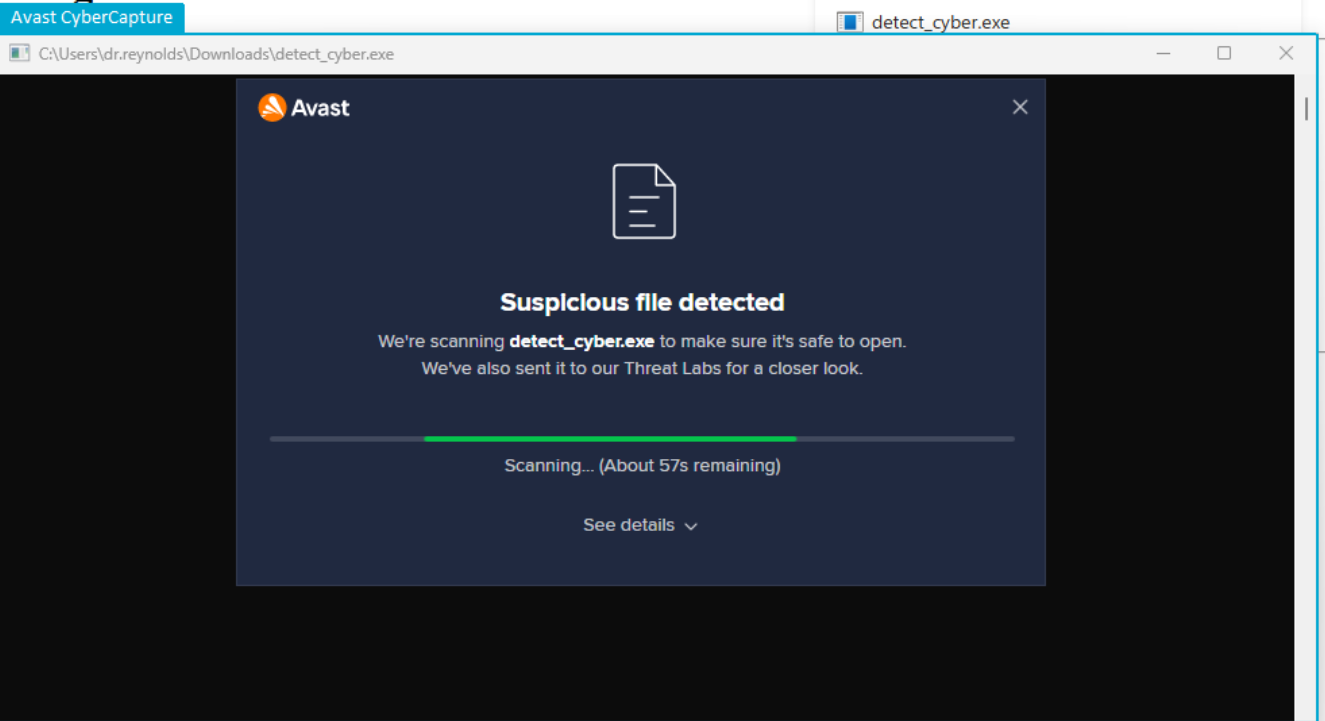
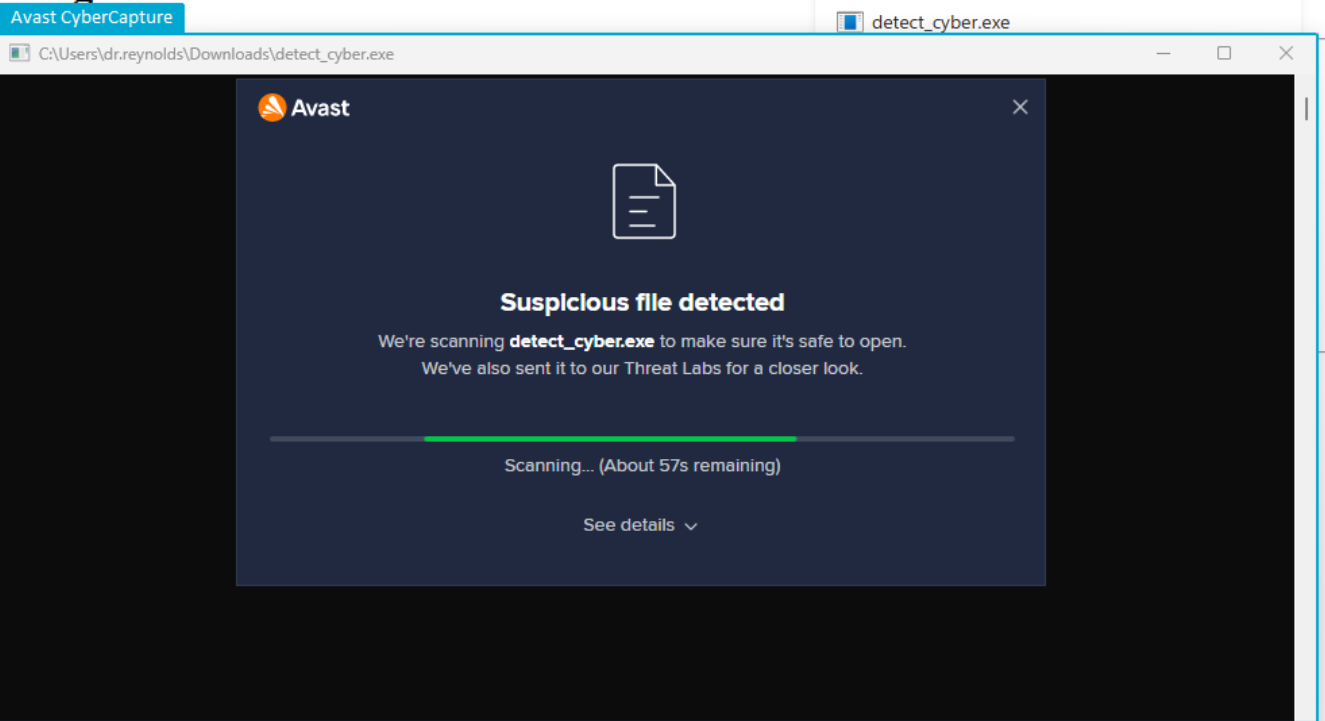
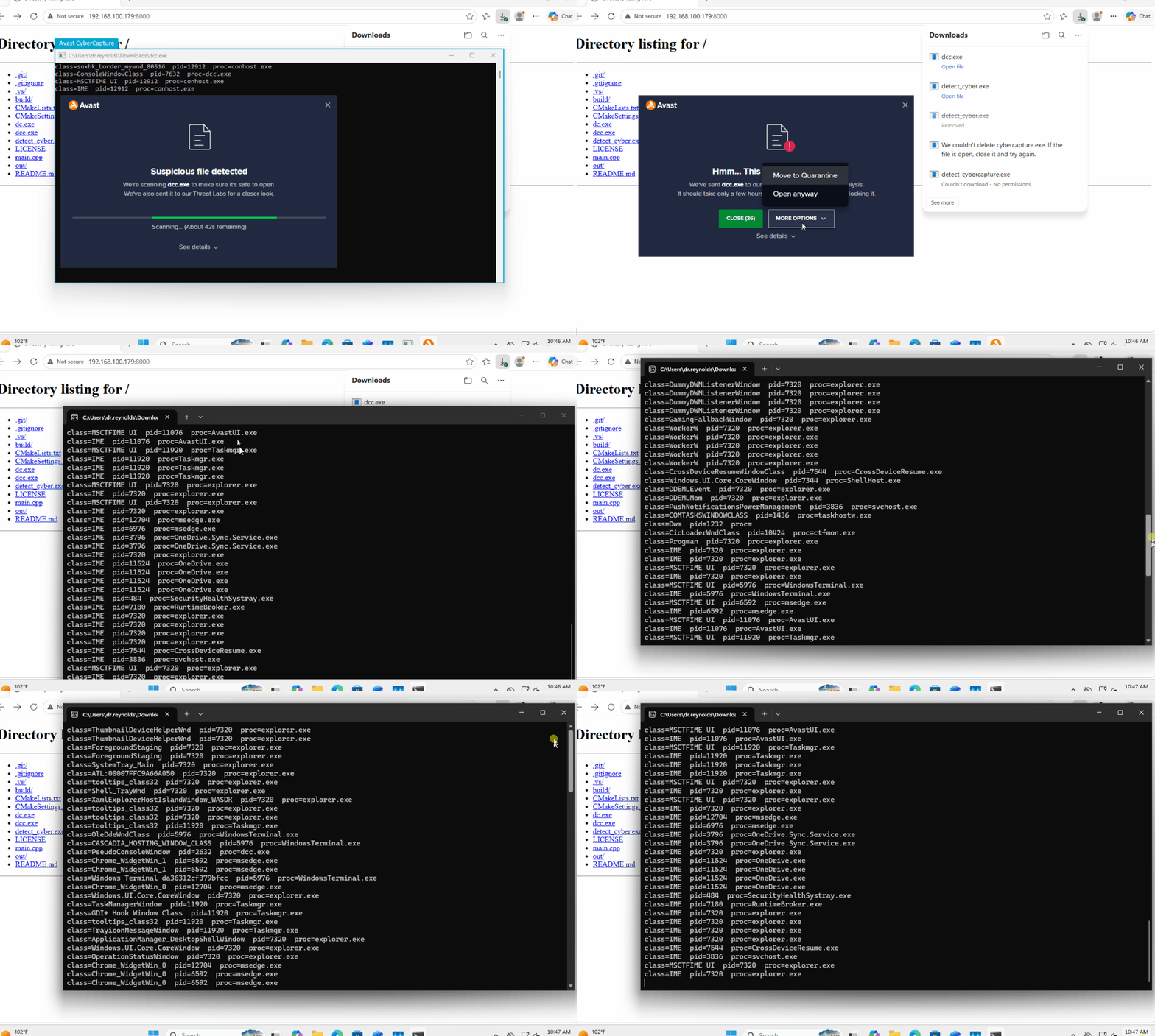
In the screenshot below, I’m executing a low-reputation binary, which triggers the CyberCapture scan. Avast intercepts the execution and launches the sample inside its isolated analysis environment.
Detection Method
We are going to be looking to identify the windows class associated to the Avast Cyber Capture overlay around the cmd.exe window of our application. (the light blue overlay)
Enumerating the Process Windows
At a high level, this script is simply enumerating through all active windows on the system. For each window it finds, it grabs the internal window class and uses the window handle (HWND) to figure out which process created it. The crucial detail here is using the PROCESS_QUERY_LIMITED_INFORMATION flag when opening the process. This allows us to safely peek at the executable name without triggering “access denied” errors when scanning heavily protected processes.
#include <windows.h>
#include <iostream>
#include <string>

std::string ProcessNameFromHwnd(HWND hwnd) {
    DWORD pid = 0;
    GetWindowThreadProcessId(hwnd, &pid);
    if (pid == 0) return "";

    HANDLE h = OpenProcess(PROCESS_QUERY_LIMITED_INFORMATION, FALSE, pid);
    if (!h) return "";

    char path[MAX_PATH] = {};
    DWORD size = MAX_PATH;
    std::string name;
    if (QueryFullProcessImageNameA(h, 0, path, &size)) {
        std::string full(path, size);
        size_t slash = full.find_last_of("\\/");
        name = (slash == std::string::npos) ? full : full.substr(slash + 1);
    }
    CloseHandle(h);
    return name;
}

BOOL CALLBACK EnumProc(HWND hwnd, LPARAM) {
    char cls[256] = {};
    GetClassNameA(hwnd, cls, sizeof(cls));

    DWORD pid = 0;
    GetWindowThreadProcessId(hwnd, &pid);

    std::cout << "class=" << cls
        << "  pid=" << pid
        << "  proc=" << ProcessNameFromHwnd(hwnd)
        << std::endl;
    return TRUE;
}

int main() {
    EnumWindows(EnumProc, 0);
    Sleep(150000);
}
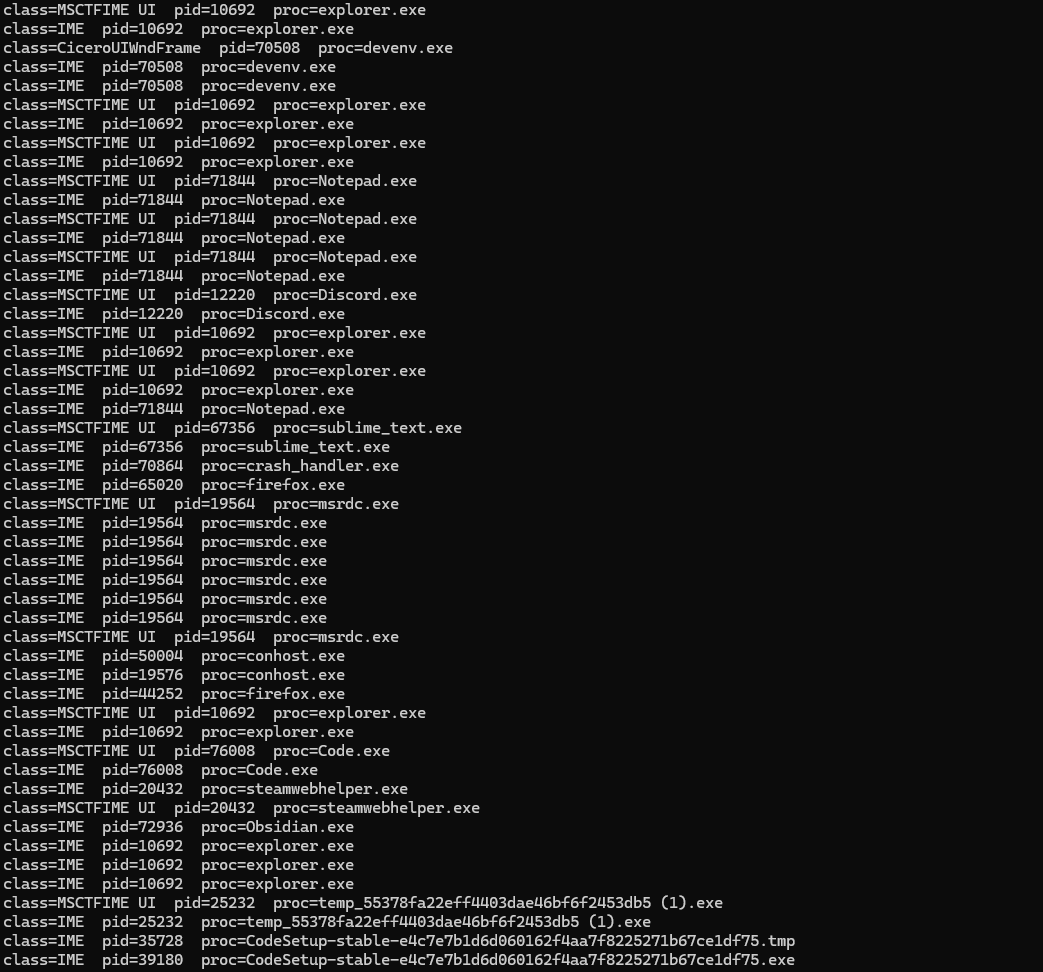
Below is a truncated version of the output from my personal computer, which generated a total of 555 entries
Running the Enumeration Script in CyberCapture
I then deployed the script to a machine protected by Avast+ Enterprise. Executing it caused the reputation checker to launch a CyberCapture scan. Within this isolated sandbox, the script returned just 4 results, a massive drop from the 555 entries observed on my baseline computer.
class=snxhk_border_mywnd_35029e pid=6424 proc=conhost.exe
class=ConsoleWindowClass pid=7164 proc=dcc.exe
class=MSCTFIME UI pid=6424 proc=conhost.exe
class=IME pid=6424 proc=conhost.exe
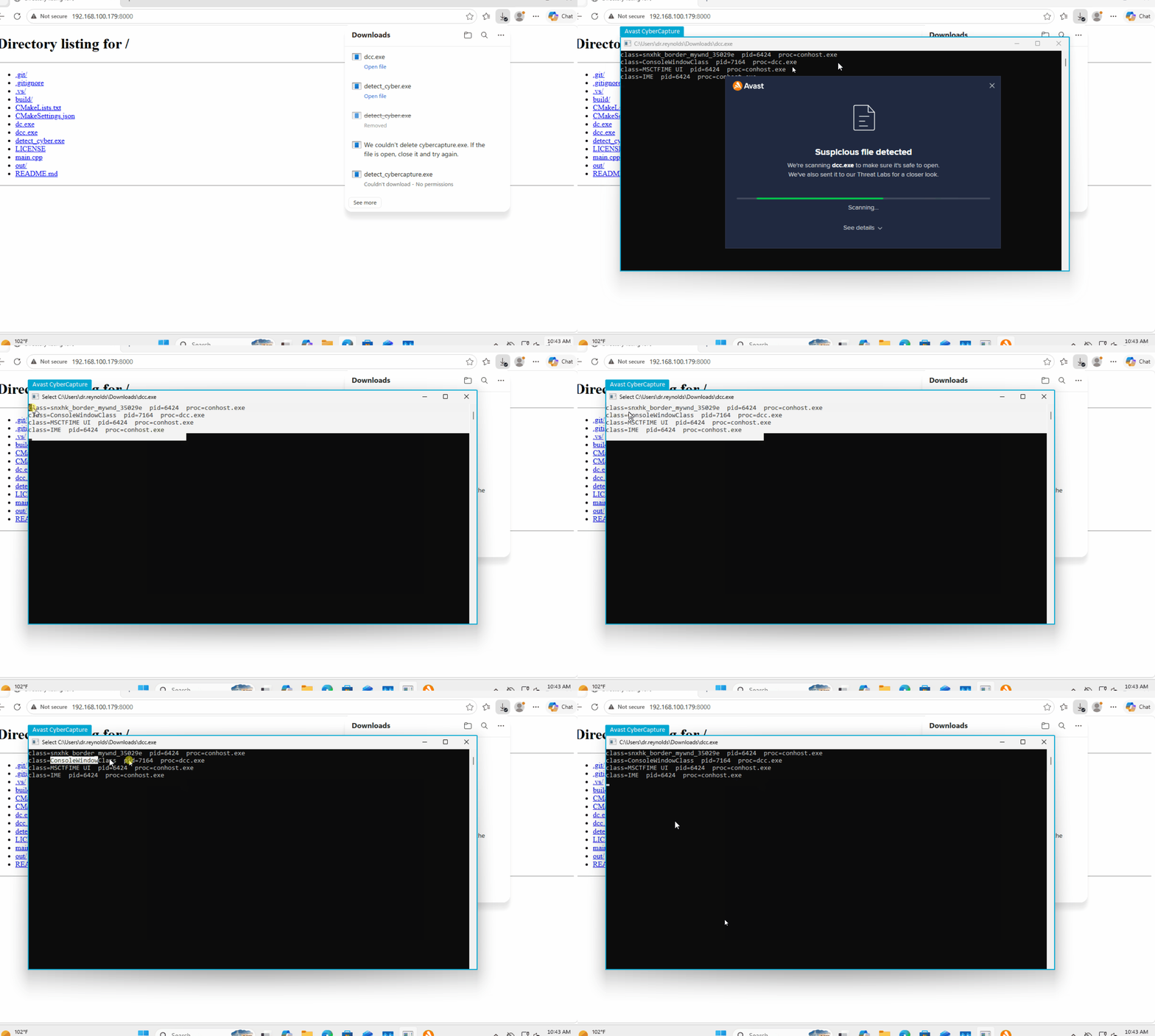
Next, I ran the script again, but this time I bypassed the CyberCapture scan and allowed it to execute normally. As expected, it successfully enumerated the full list of application windows.
Writing Code to Detect CyberCapture
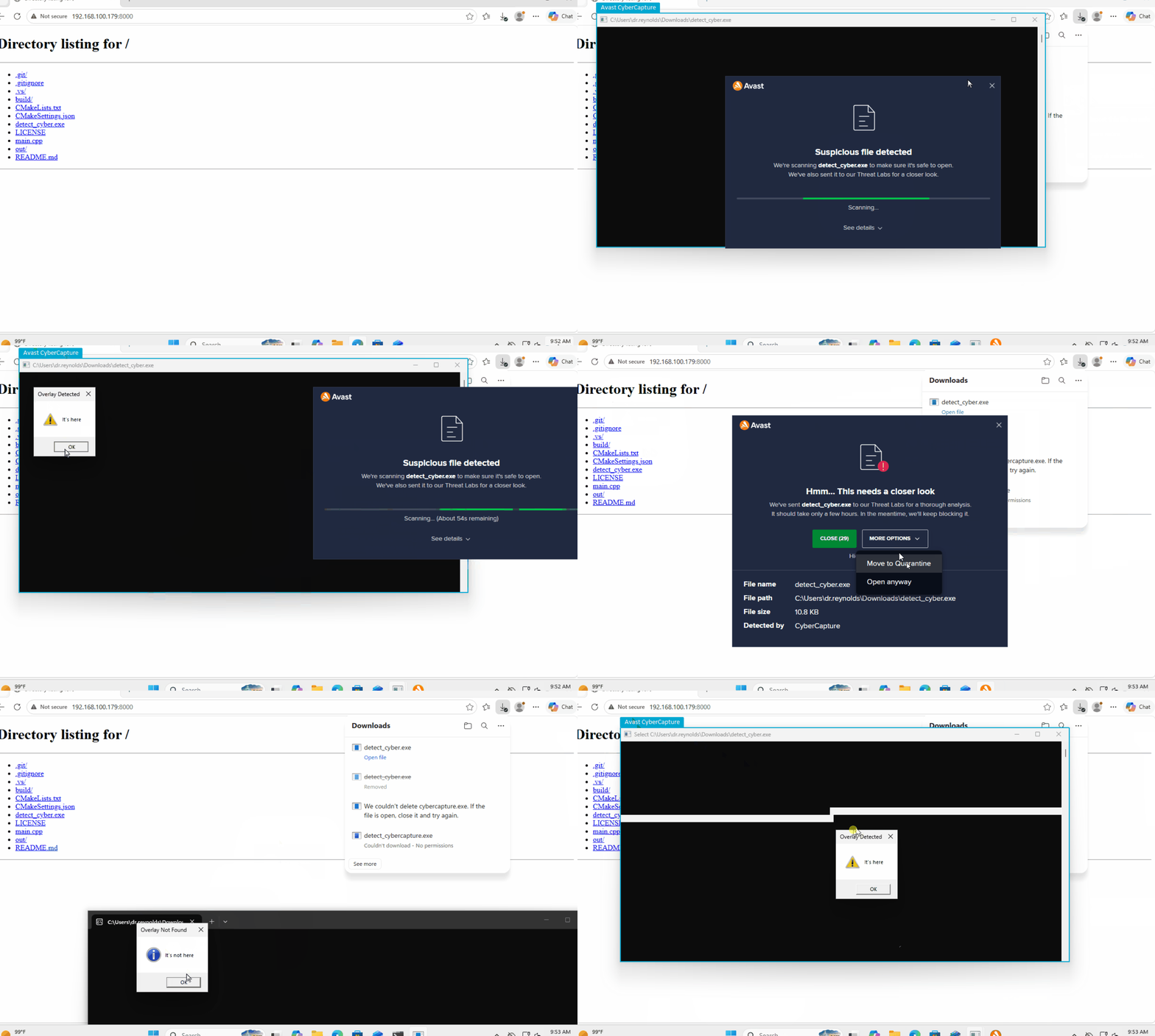
Detecting this environment is straightforward. While we have a few different detection techniques at our disposal, we are going to focus on identifying the snxhk_border_mywnd_* window class to flag whether our program is trapped in the sandbox.
The code below spawns a message box determining if the window was found:
#include <windows.h>
#include <stdio.h>

BOOL found = FALSE;

BOOL CALLBACK EnumProc(HWND hwnd, LPARAM) {
    char cls[256] = {};
    GetClassNameA(hwnd, cls, sizeof(cls));

	// The magic happens here... (could also check for conhost.exe)
    if (strstr(cls, "snxhk_border_mywnd_")) {
        found = TRUE;
        return FALSE;
    }
    return TRUE;
}

int main() {
    EnumWindows(EnumProc, 0);

    if (found) {
        MessageBoxA(NULL, "It's here", "Overlay Detected", MB_OK | MB_ICONWARNING);
    }
    else {
        MessageBoxA(NULL, "It's not here", "Overlay Not Found", MB_OK | MB_ICONINFORMATION);
    }

    return found ? 1 : 0;
}
Let’s see this in action. Here is a demonstration comparing how the code behaves when trapped in the CyberCapture sandbox versus a normal execution:
Tying the snxhkborder_mywnd Artifact to Qakbot
After conducting this research, I searched for public references to see if anyone else had documented detecting CyberCapture through this exact window class method. Surprisingly, I couldn’t find any direct write-ups tying the overlay to Avast’s sandbox.
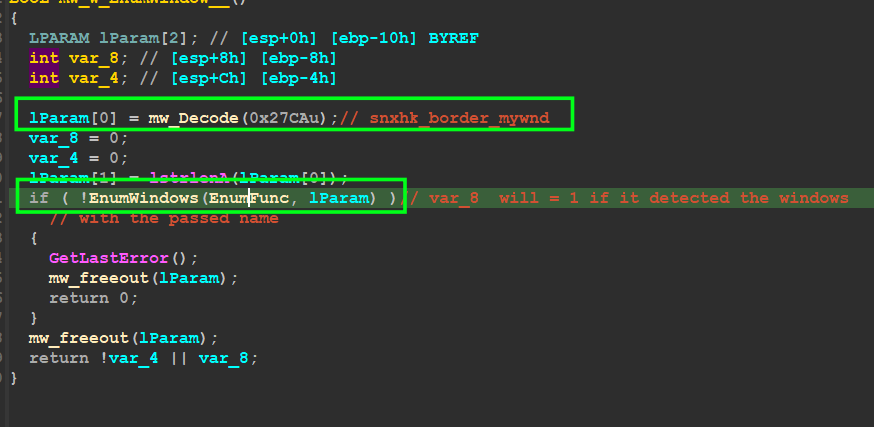
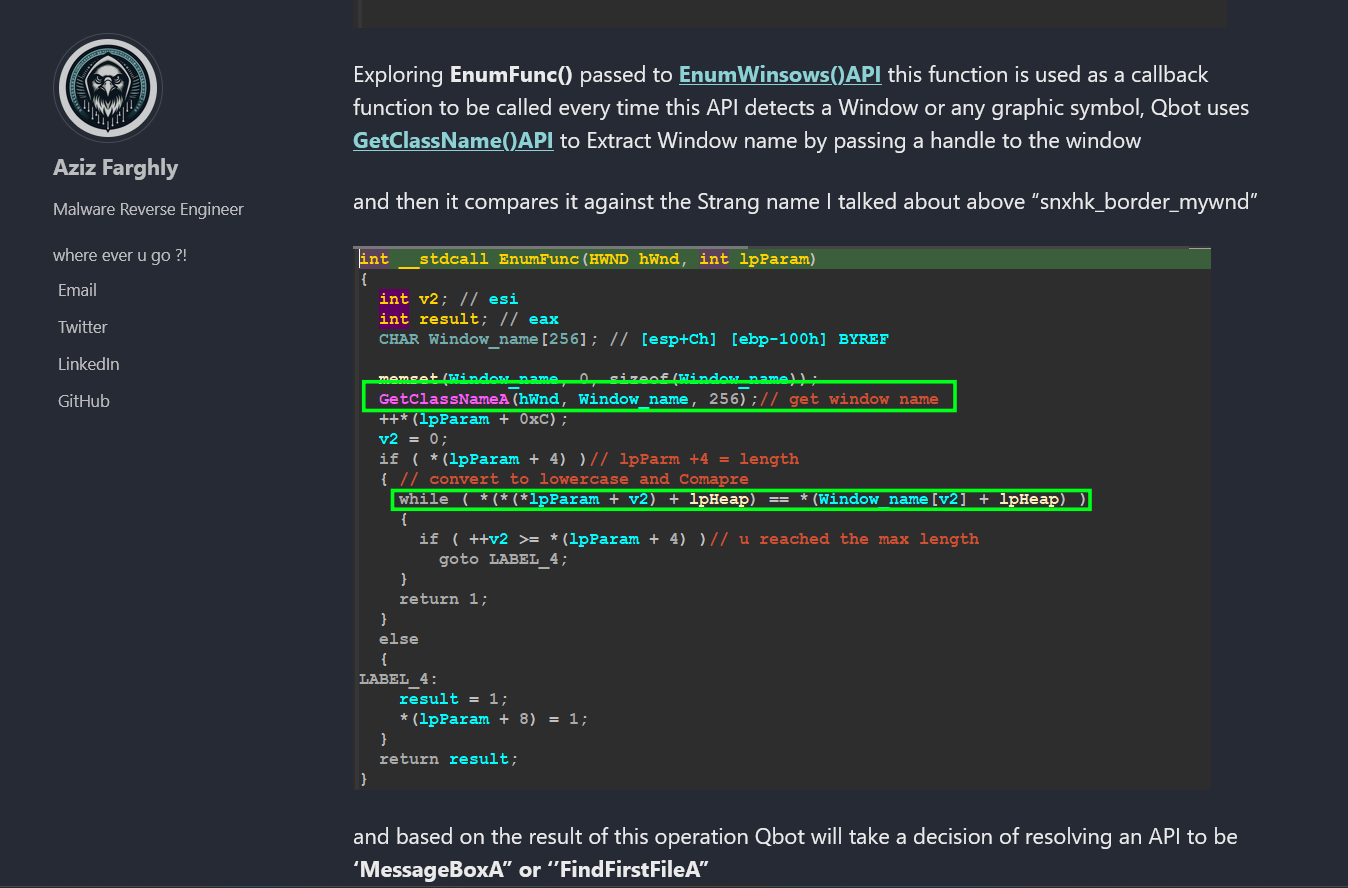
Instead, my search led me straight to reverse-engineering reports for the Qakbot (QBot) malware family. Analysts had documented Qakbot using EnumWindows to search for the string snxhk_border_mywnd, though its connection to Avast’s CyberCapture overlay was often overlooked or misidentified.
Below are a couple of screenshots from Aziz Farghly’s blogpost about a QBot analysis showcasing the snxk_border_mywnd artifact.
Conclusion
Sandbox evasion often comes down to hunting for the right environmental artifacts. By enumerating active system windows and identifying the specific UI elements left behind by Avast’s CyberCapture (specifically the snxhk_border_mywnd_* class), we successfully built a lightweight C++ script that allows an executable to reliably detect when it is trapped in a sandbox. Full code can be found here: https://github.com/Drew-Alleman/detect_cybercapture