In the last post we built the framework for our How to Fish mod: BepInEx, a Harmony patch to grab our Player, and an F5 keybind that calls MoneyManager.AddMoney. This time we’re expanding that source in two directions, first by printing our mod’s output into the game’s real chat box instead of a log file, then by calling the achievement manager to hand ourselves every Steam achievement at once.
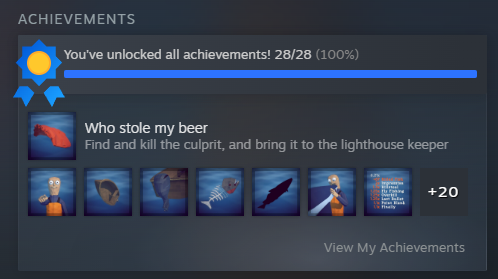
All achievements unlocked:
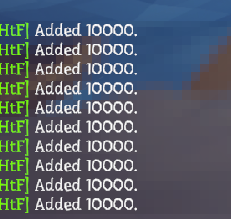
Custom chat logs in-game:
Sending Custom Chat Messages
Logging to LogOutput.txt works, but alt-tabbing to a text file to see whether a cheat fired gets old fast. Better to print straight into the game’s own chat box.
Searching ChatMessage in dnSpy turns it up on ChatManager:
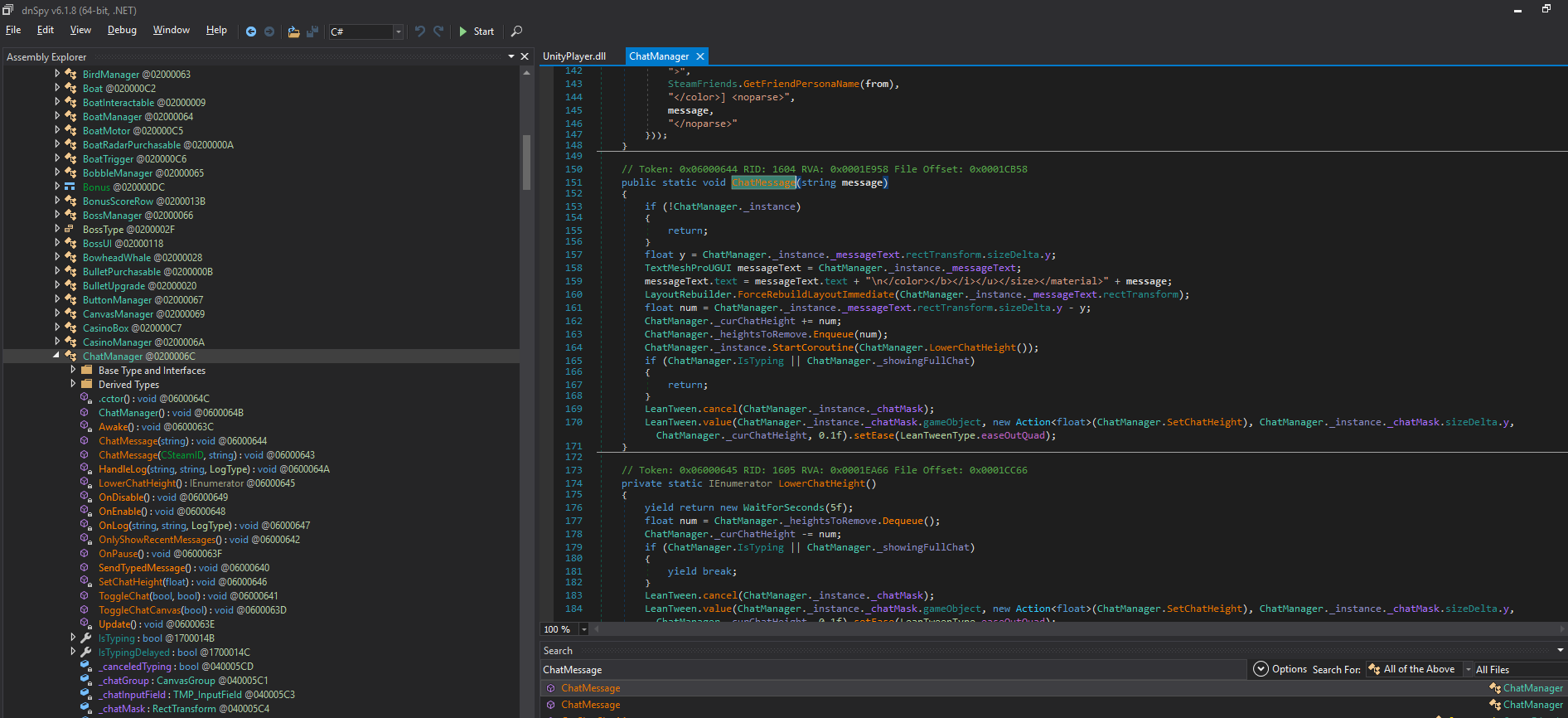
From inspecting the function we can infer the following details:
- It’s client-side only. No
[ServerRpc], no[ObserversRpc]. It just assigns to aTextMeshProUGUIon the local instance. Messages go to your screen and nobody else’s. That’s exactly what we want: a networked chat method would broadcastAdded $10,000to everyone in the lobby, which rather defeats the purpose. - It’s
public staticwith astatic _instance, so it’s the same deal asMoneyManager.AddMoney. This means it’s callable from anywhere, no instance to fetch, no reflection. - The target is TextMeshPro, so TMP rich text works:
<color=#RRGGBB>,<b>,<size>,<material>. - It prepends
"\n</color></b></i></u></size></material>"to every message. That’s the game defensively closing any tags the previous line left open, so a malformed message can’t bleed its formatting into everything that follows. - It returns if there’s no ChatManager instance, which means it’s safe to call even when the user is not in a game
public class ChatManager : MonoBehaviour
{

	public static void ChatMessage(string message)
	{
		if (!ChatManager._instance)
		{
			return;
		}
		float y = ChatManager._instance._messageText.rectTransform.sizeDelta.y;
		TextMeshProUGUI messageText = ChatManager._instance._messageText;
		messageText.text = messageText.text + "\n</color></b></i></u></size></material>" + message;
		LayoutRebuilder.ForceRebuildLayoutImmediate(ChatManager._instance._messageText.rectTransform);
		float num = ChatManager._instance._messageText.rectTransform.sizeDelta.y - y;
		ChatManager._curChatHeight += num;
		ChatManager._heightsToRemove.Enqueue(num);
		ChatManager._instance.StartCoroutine(ChatManager.LowerChatHeight());
		if (ChatManager.IsTyping || ChatManager._showingFullChat)
		{
			return;
		}
		LeanTween.cancel(ChatManager._instance._chatMask);
		LeanTween.value(ChatManager._instance._chatMask.gameObject, new Action<float>(ChatManager.SetChatHeight), ChatManager._instance._chatMask.sizeDelta.y, ChatManager._curChatHeight, 0.1f).setEase(LeanTweenType.easeOutQuad);
	}

}
Calling it is dead simple. We create a generic Chat function to send messages.
private static void Chat(string message)
{
	try { ChatManager.ChatMessage(message); }
	catch (Exception e) { Log.LogWarning($"Chat failed: {e.Message}"); }
}
Now three wrappers that write to both the BepInEx log and the game chat:
    internal static void InfoMessage(string message)
    {
        Log.LogInfo(message);
        Chat($"<color=#7CFC00>[HtF]</color> {message}");
    }

    internal static void WarningMessage(string message)
    {
        Log.LogWarning(message);
        Chat($"<color=#FFB347>[HtF] {message}</color>");

    }

    internal static void ErrorMessage(string message)
    {
        Log.LogError(message);
        Chat($"<color=#FF6060>[HtF] {message}</color>");
    }
I then replaced the logging in GiveMoney() to use these new functions:
    private static void GiveMoney(int amount)
    {
        if (LocalPlayer == null) { WarningMessage("No local player."); return; }

        var mm = MoneyManager.Instance;
        if (mm == null) { WarningMessage("MoneyManager.Instance is null (not in a game?)"); return; }

        if (!mm.IsServerInitialized)
        {
            WarningMessage("Not the server — AddMoney will no-op. Host the lobby.");
            return;
        }

        MoneyManager.AddMoney(amount, LocalPlayer);
        InfoMessage($"Added {amount}.");
    }
Now when we activate our money cheat in-game we can see the message printed in the game chat:
Unlock All Achievements
Browsing Assembly-CSharp.dll turned up AchievementManager, and on it a method called ToggleAllAchievements(bool) that hands you every Steam achievement without the inconvenience of playing the game /s.
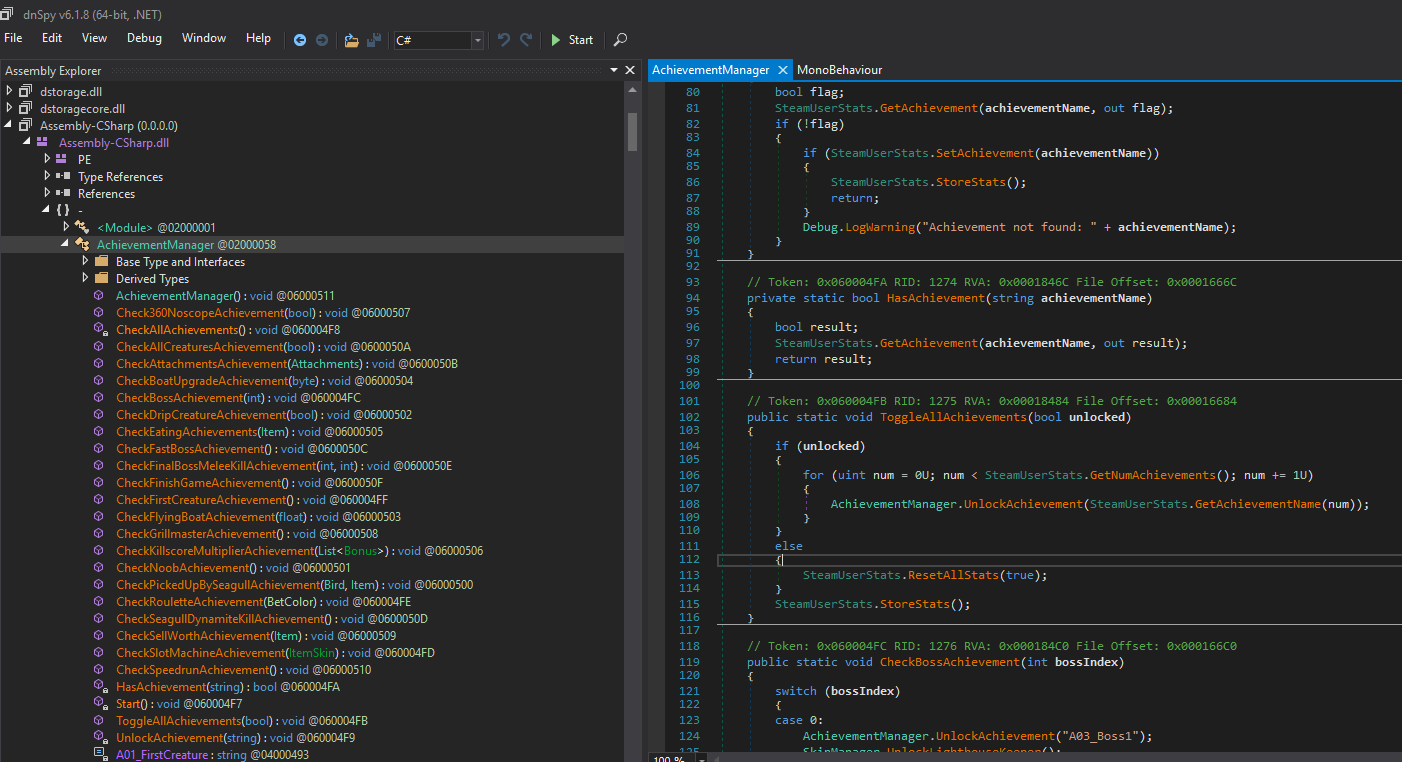
public static void ToggleAllAchievements(bool unlocked)
{
    if (unlocked)
    {
        for (uint num = 0U; num < SteamUserStats.GetNumAchievements(); num += 1U)
        {
            AchievementManager.UnlockAchievement(SteamUserStats.GetAchievementName(num));
        }
    }
    else
    {
        SteamUserStats.ResetAllStats(true);
    }
    SteamUserStats.StoreStats();
}
The first thing to notice is that this cheat isn’t server-gated the way money was. _money is a FishNet SyncVar, so AddMoney bails unless you’re the host, whereas this method talks straight to SteamUserStats, which is per-player state owned by your own Steam client. There’s no IsServerInitialized guard to satisfy and no host to correct you afterwards, so unlike the money cheat this one works in someone else’s lobby.
It’s also public static, so calling it is a one-liner with nothing to look up first:
AchievementManager.ToggleAllAchievements(true);Calling this one time will give you all 28 achievements, but not the skins.
Why the skins need a second call
Each achievement that has a cosmetic attached is wired up in CheckAllAchievements:
private void CheckAllAchievements()
{
    if (AchievementManager.HasAchievement("A03_Boss1"))
    {
        SkinManager.UnlockLighthouseKeeper();
    }
    if (AchievementManager.HasAchievement("A07_BoatUpgrade"))
    {
        SkinManager.UnlockSwampMan();
    }
    if (AchievementManager.HasAchievement("A08_Boss2"))
    {
        SkinManager.UnlockSwampLady();
    }
    // ...eleven more of these
}
And the only thing that ever calls it is Start():
private void Start()
{
    this.CheckAllAchievements();
}
CheckAllAchievements is where skins get granted, and it has two limits. It only runs once, from Start, and each if only fires for an achievement you already hold. Flip the Steam flags mid-session and nothing comes back to re-check them, so the skins stay locked.
The fix is to run that pass ourselves after ToggleAllAchievements(true). The order matters: HasAchievement asks Steam, so the flags have to be set before the check runs.
Why we can’t just call it
Compare the two signatures:
public static void ToggleAllAchievements(bool unlocked)   // public  + static
private      void CheckAllAchievements()                  // private + instance
Two things are in the way. It’s private, so the compiler won’t let Plugin name it at all:
error CS0122: 'AchievementManager.CheckAllAchievements()' is inaccessible due to its protection levelAnd it’s an instance method, so even if it were public we’d first have to find the AchievementManager object in the scene to call it on. That is the whole difference between the one-liner above and the setup below.
Reflection gets around both. private is a rule the compiler enforces, not a lock on the compiled method: once the assembly is loaded, MethodInfo.Invoke calls it directly and never consults the access modifier. Harmony’s AccessTools.Method does the GetMethod lookup with the right BindingFlags so we don’t have to spell out NonPublic | Instance ourselves, and FindObjectOfType finds the instance to invoke it on.
The cheat
private static readonly MethodInfo CheckAllAchievementsMethod =
    AccessTools.Method(typeof(AchievementManager), "CheckAllAchievements");

private static void UnlockAll()
{
    // sets every Steam flag, which CheckAllAchievements then reads back
    AchievementManager.ToggleAllAchievements(true);

    // skins are granted in CheckAllAchievements, which otherwise only runs at Start
    var am = UnityEngine.Object.FindObjectOfType<AchievementManager>();
    if (am == null) { WarningMessage("No AchievementManager in the scene."); return; }

    if (CheckAllAchievementsMethod == null)
    {
        ErrorMessage("CheckAllAchievements not found. Did the game update?");
        return;
    }

    CheckAllAchievementsMethod.Invoke(am, null);
    InfoMessage("Unlocked all achievements + skins");
}
The null check on CheckAllAchievementsMethod is there because the lookup is by string. A game update that renames the method won’t fail the build, it will hand us null at runtime, and this way the chat says so instead of throwing.
Then when we go in game and activate the cheat, we unlock everything at once:
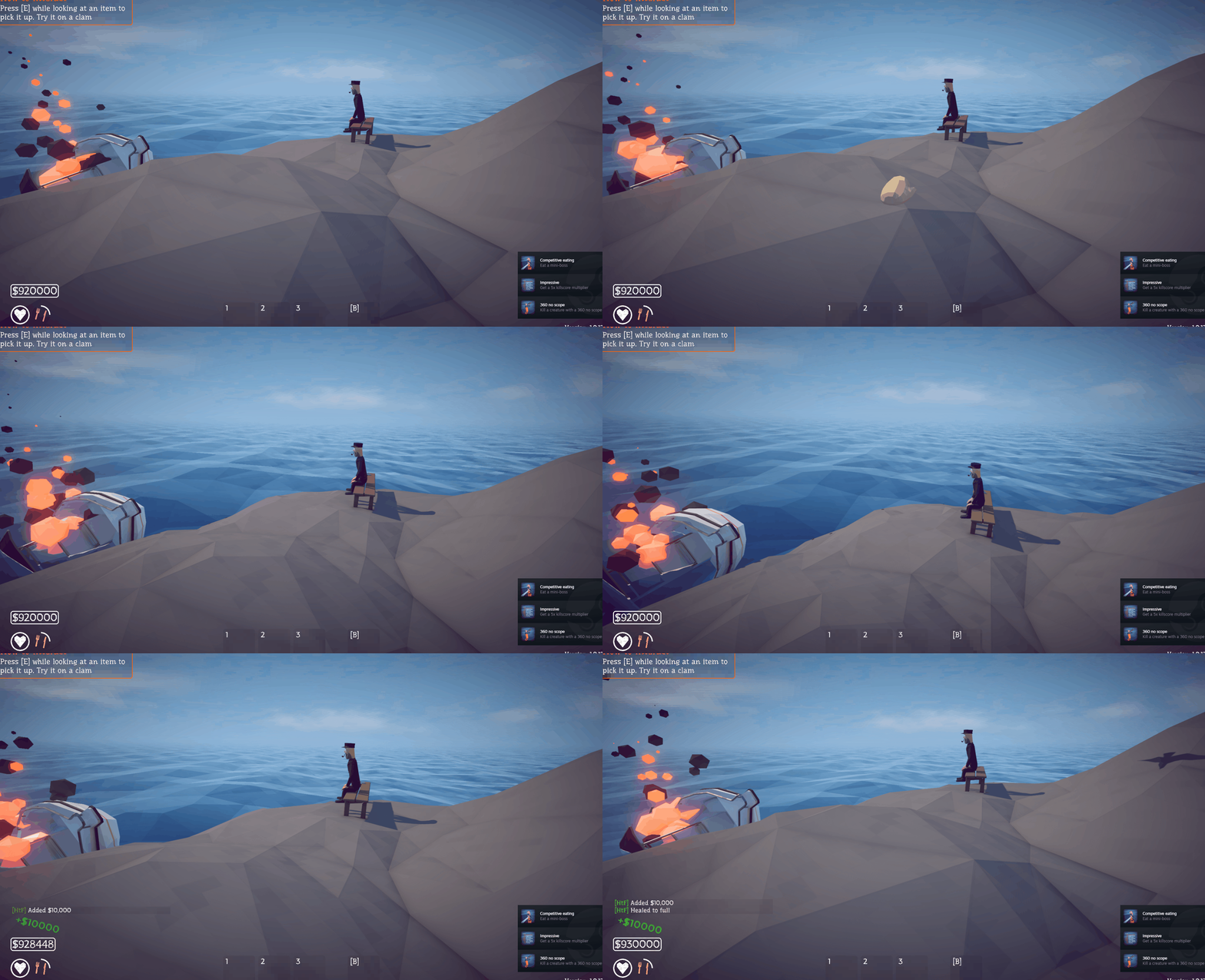
Including the skins:
Refactoring the Codebase
Everything lives in one file, and with two cheats in it that is already showing. Adding the achievement cheat meant touching the hotkey block in Update, the logging helpers and the cheat itself, all in the same place. A third cheat means the same again.
New layout:
HtFMod/
  HtFMod.csproj
  Plugin.cs                  entry point and wiring, nothing else
  ModLog.cs                  log and chat output
  ModState.cs                shared state the patches and cheats both touch
  Cheats/
    Cheat.cs                 base class
    MoneyCheat.cs
    AchievementCheat.cs
  Patches/
    InitializePlayerPatch.cs
MSBuild globs **/*.cs by default, so the csproj needs no changes for any of this.
Cheats/Cheat.cs
using UnityEngine;

namespace HtFMod
{
    internal abstract class Cheat
    {
        internal abstract string Label { get; }

        // KeyCode.None means no hotkey
        internal virtual KeyCode Hotkey => KeyCode.None;

        internal abstract void Activate();
    }
}
Three members, and this is the piece that pays for the whole refactor. A cheat declares its own key, so Update no longer needs an if per cheat.
Cheats/MoneyCheat.cs
using UnityEngine;

namespace HtFMod
{
    internal sealed class MoneyCheat : Cheat
    {
        private const int Amount = 10000;

        internal override string Label => "Add money";
        internal override KeyCode Hotkey => KeyCode.F5;

        internal override void Activate()
        {
            if (ModState.LocalPlayer == null) { ModLog.Warning("No local player."); return; }

            var mm = MoneyManager.Instance;
            if (mm == null) { ModLog.Warning("MoneyManager.Instance is null (not in a game?)"); return; }

            if (!mm.IsServerInitialized)
            {
                ModLog.Warning("Not the server, AddMoney will no-op. Host the lobby.");
                return;
            }

            MoneyManager.AddMoney(Amount, ModState.LocalPlayer);
            ModLog.Info($"Added {Amount}.");
        }
    }
}
Cheats/AchievementCheat.cs
using System.Reflection;
using HarmonyLib;
using UnityEngine;

namespace HtFMod
{
    internal sealed class AchievementCheat : Cheat
    {
        // private + instance, so the compiler won't let us name it: reflection gets us both
        private static readonly MethodInfo CheckAllAchievementsMethod =
            AccessTools.Method(typeof(AchievementManager), "CheckAllAchievements");

        internal override string Label => "Unlock all achievements + skins";
        internal override KeyCode Hotkey => KeyCode.F6;

        internal override void Activate()
        {
            // sets every Steam flag, which CheckAllAchievements then reads back
            AchievementManager.ToggleAllAchievements(true);

            // skins are granted in CheckAllAchievements, which otherwise only runs at Start
            var am = Object.FindObjectOfType<AchievementManager>();
            if (am == null) { ModLog.Warning("No AchievementManager in the scene."); return; }

            if (CheckAllAchievementsMethod == null)
            {
                ModLog.Error("CheckAllAchievements not found. Did the game update?");
                return;
            }

            CheckAllAchievementsMethod.Invoke(am, null);
            ModLog.Info("Unlocked all achievements + skins");
        }
    }
}
The MethodInfo moved out of Plugin and into the one cheat that uses it, which is the point: reflection handles for a cheat belong with that cheat.
ModLog.cs
using System;
using BepInEx.Logging;

namespace HtFMod
{
    internal static class ModLog
    {
        private static ManualLogSource _log;

        internal static void Init(ManualLogSource log) => _log = log;

        // log only, for noise that doesn't belong in the player's chat box
        internal static void Raw(string message) => _log.LogInfo(message);

        internal static void Info(string message)
        {
            _log.LogInfo(message);
            Chat($"<color=#7CFC00>[HtF]</color> {message}");
        }

        internal static void Warning(string message)
        {
            _log.LogWarning(message);
            Chat($"<color=#FFB347>[HtF] {message}</color>");
        }

        internal static void Error(string message)
        {
            _log.LogError(message);
            Chat($"<color=#FF6060>[HtF] {message}</color>");
        }

        private static void Chat(string message)
        {
            try { ChatManager.ChatMessage(message); }
            catch (Exception e) { _log.LogWarning($"Chat failed: {e.Message}"); }
        }
    }
}InfoMessage, WarningMessage and ErrorMessage from earlier in this post become ModLog.Info, Warning and Error. Raw is new: the InitializePlayer log line is diagnostic noise and does not belong in the player’s chat box, so it goes to LogOutput.txt only.
ModState.cs
namespace HtFMod
{
    // the Harmony patch writes it, the cheats read it, so it can't live on Plugin
    internal static class ModState
    {
        internal static Player LocalPlayer;
    }
}
Patches/InitializePlayerPatch.cs
using HarmonyLib;

namespace HtFMod
{
    [HarmonyPatch(typeof(Player), "InitializePlayer")]
    internal static class InitializePlayerPatch
    {
        private static void Postfix(Player __instance)
        {
            ModLog.Raw($"InitializePlayer -> {__instance.name}, IsOwner={__instance.IsOwner}");
            if (__instance.IsOwner) ModState.LocalPlayer = __instance;
        }
    }
}
Plugin.cs
using System.Collections.Generic;
using BepInEx;
using HarmonyLib;
using UnityEngine;

namespace HtFMod
{
    [BepInPlugin("drew.htf.mod", "HtF Mod", "1.0.0")]
    public class Plugin : BaseUnityPlugin
    {
        private Harmony _harmony;
        private List<Cheat> _cheats;

        private void Awake()
        {
            ModLog.Init(Logger);

            _harmony = new Harmony("drew.htf.mod");
            _harmony.PatchAll();

            // the only place that needs editing to add a cheat
            _cheats = new List<Cheat>
            {
                new MoneyCheat(),
                new AchievementCheat(),
            };

            ModLog.Raw("=== HtF Mod ready (F5 = +money, F6 = unlock all) ===");
        }

        private void Update()
        {
            foreach (var cheat in _cheats)
                if (cheat.Hotkey != KeyCode.None && Input.GetKeyDown(cheat.Hotkey))
                    cheat.Activate();
        }
    }
}
Plugin is down to two methods and neither of them knows what a cheat does. Update iterates the list and asks each cheat for its key, so a new cheat is a new file plus one line in that list. That is the whole win, and it gets more valuable with every post: the menu in the next one renders itself from the same list.
One thing to resist: do not use reflection to auto-discover Cheat subclasses and fill the list for you. It saves one line per cheat and costs a startup scan plus a silent failure when a constructor throws. The explicit list is the better trade at this size.