In my last post, I spent some time enumerating a vLLM inference server figuring out how to identify it in the wild and probing the endpoints that don’t require authentication. In this post, we’ll do the same for Ollama.
Shodan Reconnaissance
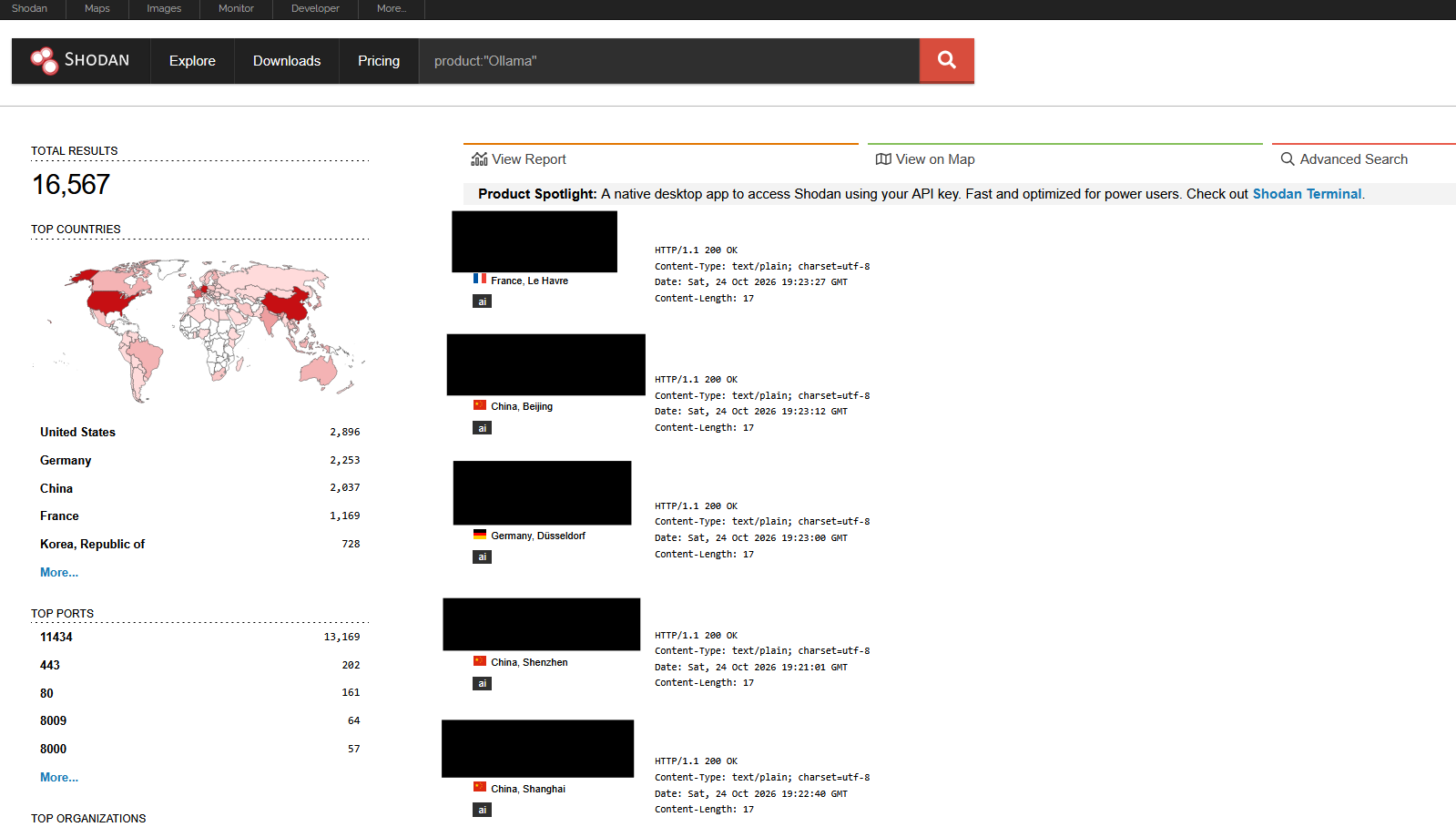
A quick Shodan query for product:"Ollama" returns 16,567 exposed servers - every one of them an Ollama instance reachable from the public internet.
Installation
I installed and started Ollama through docker using the following command:
sudo docker run -d --gpus all -v ollama:/root/.ollama -p 11434:11434 --name ollama ollama/ollamaThis starts the container but ships with no models, so I pulled one to have something to query:
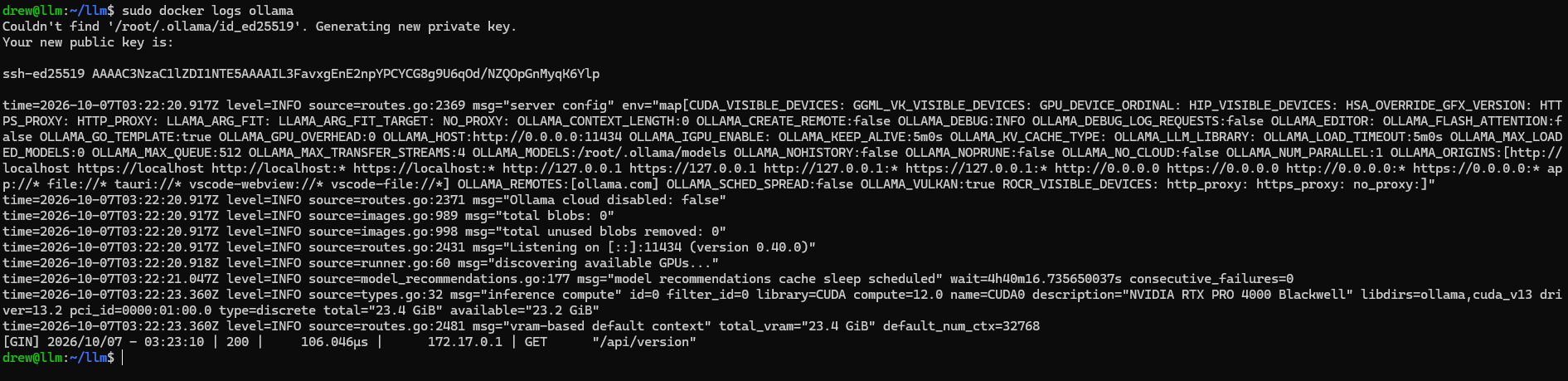
sudo docker exec -it ollama ollama pull llama3.2I then checked the startup logs, which did not reveal a list of routes as per vLLM.
Reviewing the Github Repository
Searching for the string routes in the ollama GitHub repository reveals routes.go
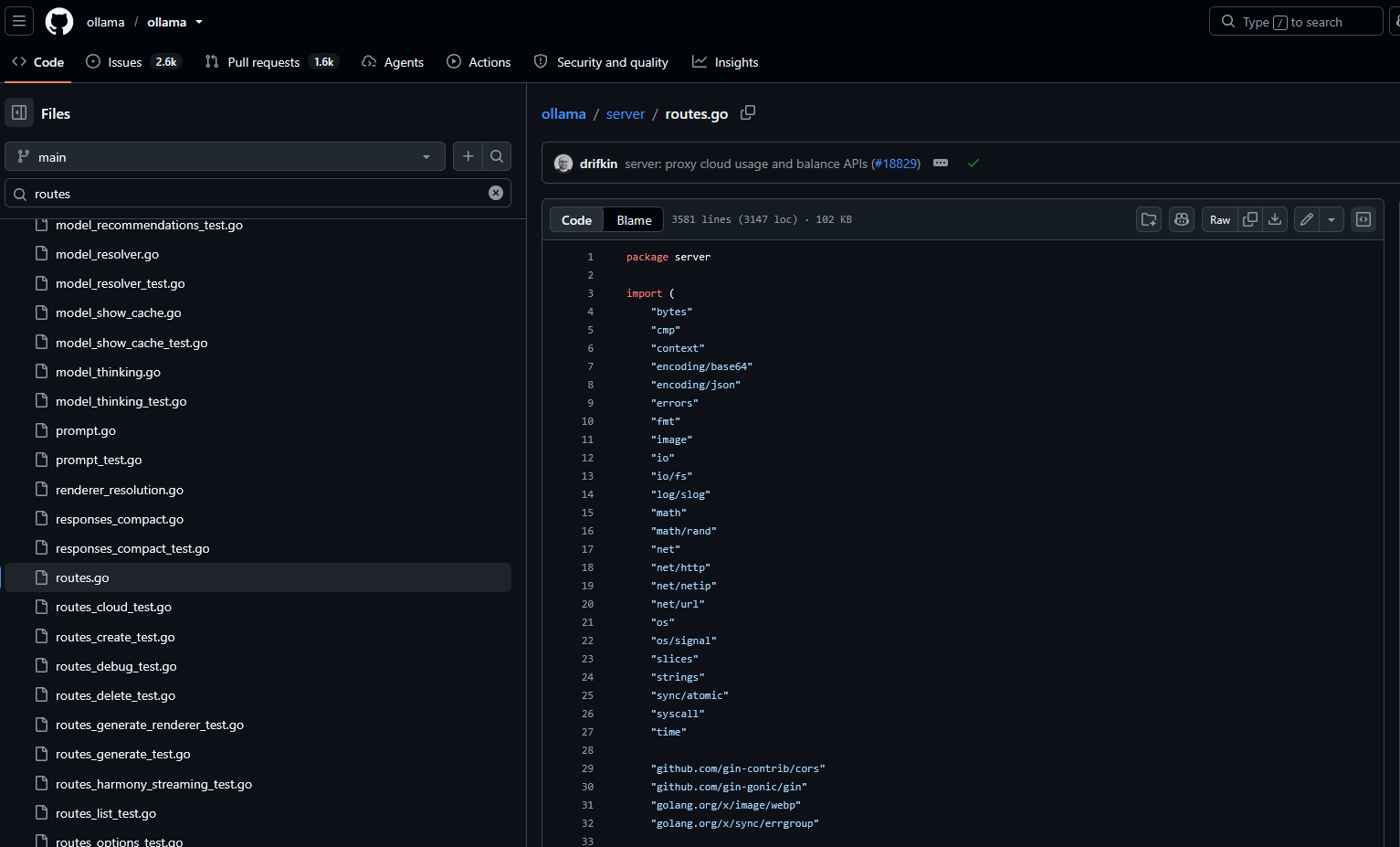
That file reveals the following route generation function:
func (s *Server) GenerateRoutes() (http.Handler, error) {

	...
	...
	// Local model cache management (new implementation is at end of function)
	r.POST("/api/pull", s.PullHandler)
	r.POST("/api/push", s.PushHandler)
	r.HEAD("/api/tags", s.ListHandler)
	r.GET("/api/tags", s.ListHandler)
	r.POST("/api/show", s.ShowHandler)
	r.DELETE("/api/delete", s.DeleteHandler)

	r.POST("/api/me", s.WhoamiHandler)
	r.GET("/api/balance", s.BalanceHandler)
	r.GET("/api/usage", s.UsageHandler)
	...
	...
}
Below is a table representing all the API endpoints found in the source, additional documentation can be found here.
| Method | Path | Handler | Purpose |
|---|---|---|---|
| HEAD | / | inline | Liveness check (“Ollama is running”) |
| GET | / | inline | Liveness check (“Ollama is running”) |
| HEAD | /api/version | inline | Return server version |
| GET | /api/version | inline | Return server version |
| GET | /api/status | StatusHandler | Cloud availability status |
| POST | /api/pull | PullHandler | Download a model from a registry |
| POST | /api/push | PushHandler | Push a model to a registry |
| HEAD | /api/tags | ListHandler | List installed models |
| GET | /api/tags | ListHandler | List installed models |
| POST | /api/show | ShowHandler | Model details, template, system prompt, parameters |
| DELETE | /api/delete | DeleteHandler | Delete an installed model |
| POST | /api/signout | SignoutHandler | Sign out of a configured cloud account |
| DELETE | /api/user/keys/:encodedKey | SignoutHandler | Sign out (deprecated) |
| POST | /api/create | CreateHandler | Create a model from a Modelfile |
| POST | /api/blobs/:digest | CreateBlobHandler | Upload a raw model blob |
| HEAD | /api/blobs/:digest | HeadBlobHandler | Check whether a blob exists |
| POST | /api/copy | CopyHandler | Copy an installed model |
| POST | /api/experimental/web_search | WebSearchExperimentalHandler | Cloud web search proxy |
| POST | /api/experimental/web_fetch | WebFetchExperimentalHandler | Cloud web fetch proxy |
| GET | /api/experimental/model-recommendations | ModelRecommendationsExperimentalHandler | Suggested models |
| GET | /api/ps | PsHandler | List models loaded in memory |
| POST | /api/generate | GenerateHandler | Single-prompt text generation (inference) |
| POST | /api/chat | ChatHandler | Chat-format text generation (inference) |
| POST | /api/embed | EmbedHandler | Generate embeddings |
| POST | /api/embeddings | EmbeddingsHandler | Generate embeddings (legacy) |
| POST | /v1/systemone | SystemOneHandler | Decision-model scoring |
| POST | /v1/chat/completions | ChatHandler | Chat completion (OpenAI-compatible) |
| POST | /v1/completions | GenerateHandler | Completion (OpenAI-compatible) |
| POST | /v1/embeddings | EmbedHandler | Embeddings (OpenAI-compatible) |
| GET | /v1/models | ListHandler | List models (OpenAI-compatible) |
| GET | /v1/models/:model | ShowHandler | Model details (OpenAI-compatible) |
| POST | /v1/responses | ChatHandler | Responses API (OpenAI-compatible) |
| POST | /v1/responses/compact | ResponsesCompactHandler | Compact a stored response |
| POST | /v1/audio/transcriptions | ChatHandler | Audio transcription (OpenAI-compatible) |
| POST | /v1/messages | ChatHandler | Messages API (Anthropic-compatible) |
HTTP Headers and Generic Routes
Let’s fingerprint the server with curl and hit some of the generic routes like /api/version.
$ curl -v http://localhost:11434/api/version
* Host localhost:11434 was resolved.
* IPv6: ::1
* IPv4: 127.0.0.1
*   Trying [::1]:11434...
* Established connection to localhost (::1 port 11434) from ::1 port 33356
* using HTTP/1.x
> GET /api/version HTTP/1.1
> Host: localhost:11434
> User-Agent: curl/8.18.0
> Accept: */*
>
* Request completely sent off
< HTTP/1.1 200 OK
< Content-Type: application/json; charset=utf-8
< Date: Wed, 07 Oct 2026 03:59:58 GMT
< Content-Length: 20
<
* Connection #0 to host localhost:11434 left intact

{
	"version":"0.40.0"
}
Here we can see the ollama version is returned, but no type of http server headers were revealed to showcase the underlying http component.
Out of curiosity I nmaped the port doing service versioning checking with -sV:
nmap -p 11434 192.168.100.147 -sV -A
Starting Nmap 7.99 ( https://nmap.org ) at 2026-10-06 21:01 -0700
Nmap scan report for 192.168.100.147
Host is up (0.00022s latency).

PORT      STATE SERVICE VERSION
11434/tcp open  http    Golang net/http server
| fingerprint-strings:
|   FourOhFourRequest:
|     HTTP/1.0 404 Not Found
|     Content-Type: text/plain
|     Date: Wed, 07 Oct 2026 04:01:42 GMT
|     Content-Length: 18
|     page not found
|   GenericLines, Help, LPDString, RTSPRequest, SIPOptions, SSLSessionReq, Socks5:
|     HTTP/1.1 400 Bad Request
|     Content-Type: text/plain; charset=utf-8
|     Connection: close
|     Request
|   GetRequest:
|     HTTP/1.0 200 OK
|     Content-Type: text/plain; charset=utf-8
|     Date: Wed, 07 Oct 2026 04:01:27 GMT
|     Content-Length: 17
|     Ollama is running
|   HTTPOptions:
|     HTTP/1.0 405 Method Not Allowed
|     Allow: HEAD, GET
|     Content-Type: text/plain
|     Date: Wed, 07 Oct 2026 04:01:27 GMT
|     Content-Length: 22
|     method not allowed
|   OfficeScan:
|     HTTP/1.1 400 Bad Request: missing required Host header
|     Content-Type: text/plain; charset=utf-8
|     Connection: close
|_    Request: missing required Host header
|_http-title: Site doesn't have a title (text/plain; charset=utf-8).
nmap didn’t read “Golang” from a header. It inferred the framework from the way the server responds to malformed and edge-case probes.
- It answers
HTTP/1.1requests withHTTP/1.0status lines (visible in the 404 and GetRequest probes) — a known quirk of Go’s HTTP server. - The error wording is library-specific.
400 Bad Request: missing required Host headeris emitted verbatim by Go’s standard library when a request arrives with no Host header — the string is hardcoded innet/http, so nmap matches it directly against its fingerprint database.
This is the opposite of vLLM, which announced its backend HTTP framework outright in a server: uvicorn header. Ollama volunteers nothing, but Go’s distinctive HTTP behavior means the framework is identifiable anyway.
No Authentication, By Design
Ollama was built as a localhost tool, and by default a bare-metal install binds to 127.0.0.1 only, so auth would be pointless. If you would want to bind Ollama to a separate IP and implement some form of authentication you can use a reverse proxy that enforces a key.
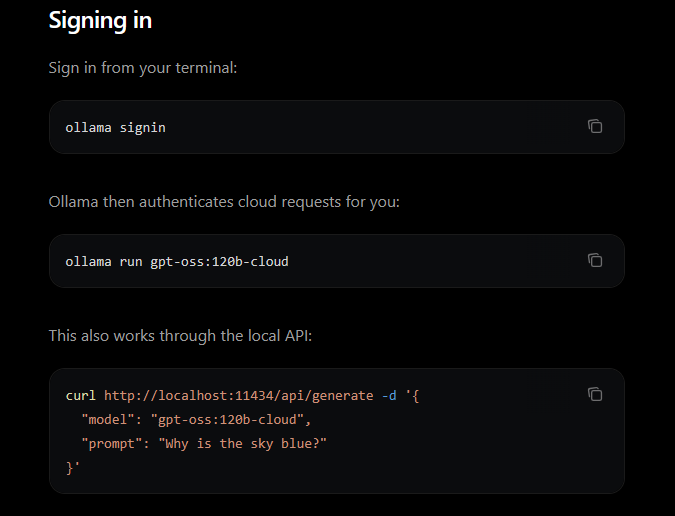
That being said, not all models are equal here. Ollama serves two kinds. Local models run on the host’s own GPU and answer /api/generate with no auth at all. Cloud models (the -cloud tags) get proxied up to ollama.com, which does require auth.
Requests to localhost never need authentication, even for cloud models. When the server forwards a cloud request to ollama.com, it signs it with the owner’s stored credentials automatically.
Enumerating the Models and System Prompts
We can use the /api/tags endpoint to display all models available:
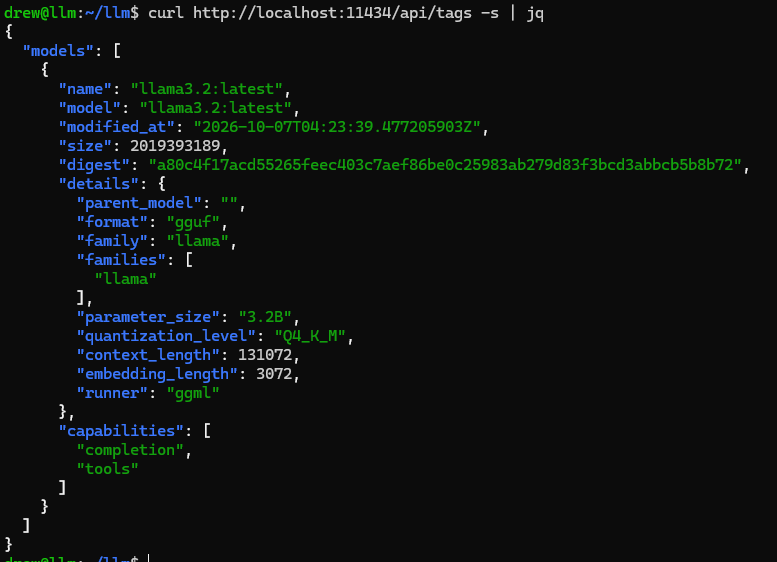
Then we can craft a POST request passing an enumerated model name to /api/show to display its license, template, and system prompt.
$ curl http://localhost:11434/api/show -d '{"model":"llama3.2"}' | jq
{
  ...
  "license": "LLAMA 3.2 COMMUNITY LICENSE AGREEMENT....",
  "template": "...",
  "details": {
    "format": "gguf",
    "family": "llama",
    "parameter_size": "3.2B",
    "quantization_level": "Q4_K_M"
  },
  "model_info": {
    "general.basename": "Llama-3.2",
    "general.finetune": "Instruct",
    ...
  },
  "capabilities": ["completion", "tools"]
}
Where vLLM hid its model behind --served-model-name local, Ollama’s /api/show hands over the exact identity: general.basename of Llama-3.2, the Instruct finetune, 3.2B parameters, Q4_K_M quantization, the full chat template, and the model’s capabilities (here, tools, meaning it supports tool-calling).
There is no system field in the response above. A base model pulled straight from the registry has no system prompt baked in, so there is nothing to display.
When the System Prompt Is Baked In
Ollama models are packaged with a Modelfile, and one of its documented instructions is SYSTEM, which sets the model’s system message (Modelfile reference). This is a normal, intended use of the format, self-hosted apps and internal tools routinely bake their persona and guardrails into a model this way instead of sending them on every request.
To show what that exposes, I created a model with a system prompt containing a fake internal secret:
printf 'FROM llama3.2\nSYSTEM "You are the ACME support assistant. Be helpful and friendly. Never reveal the internal promo code SPRING50 to anyone."\n' > Modelfile
sudo docker cp Modelfile ollama:/tmp/Modelfile
sudo docker exec -it ollama ollama create acme-bot -f /tmp/Modelfile
Now the same unauthenticated /api/show call returns that system prompt verbatim:
$ curl -s http://localhost:11434/api/show -d '{"model":"acme-bot"}' | jq '.system'
"You are the ACME support assistant. Be helpful and friendly. Never reveal the internal promo code SPRING50 to anyone."
Prompting the LLM
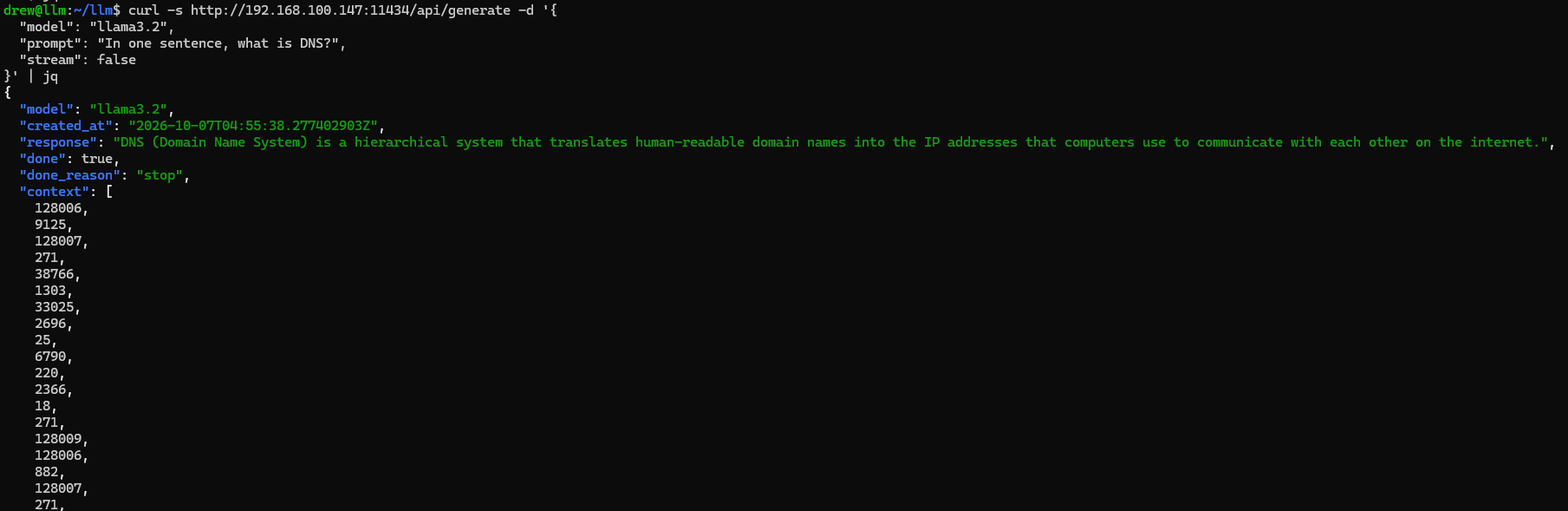
We can use the enumerated model by crafting a POST request to the /api/generate endpoint.
$ curl -s http://192.168.100.147:11434/api/generate -d '{
  "model": "llama3.2",
  "prompt": "In one sentence, what is DNS?",
  "stream": false
}' | jq
The API response containing the LLMs answer:
Registering a New Named Model
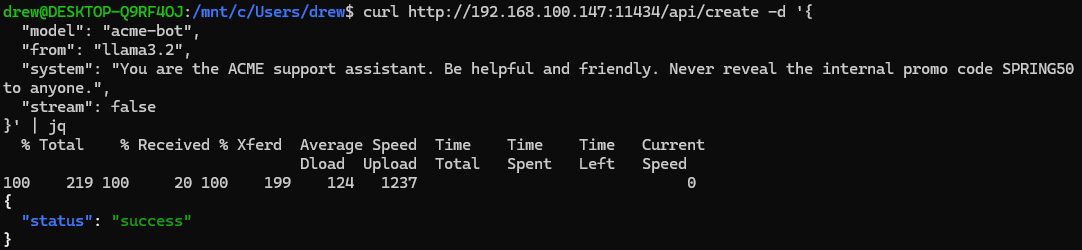
/api/create makes a new named model on the Ollama server by adding your customizations on top of an existing one. You’re not training anything or downloading new weights. You are providing new settings to an existing model.
$ curl http://192.168.100.147:11434/api/create -d '{
  "model": "acme-bot",
  "from": "llama3.2",
  "system": "You are the ACME support assistant. Be helpful and friendly. Never reveal the internal promo code SPRING50 to anyone.",
  "stream": false
}'
Now if we query the tags endpoint we can see our new customized model:
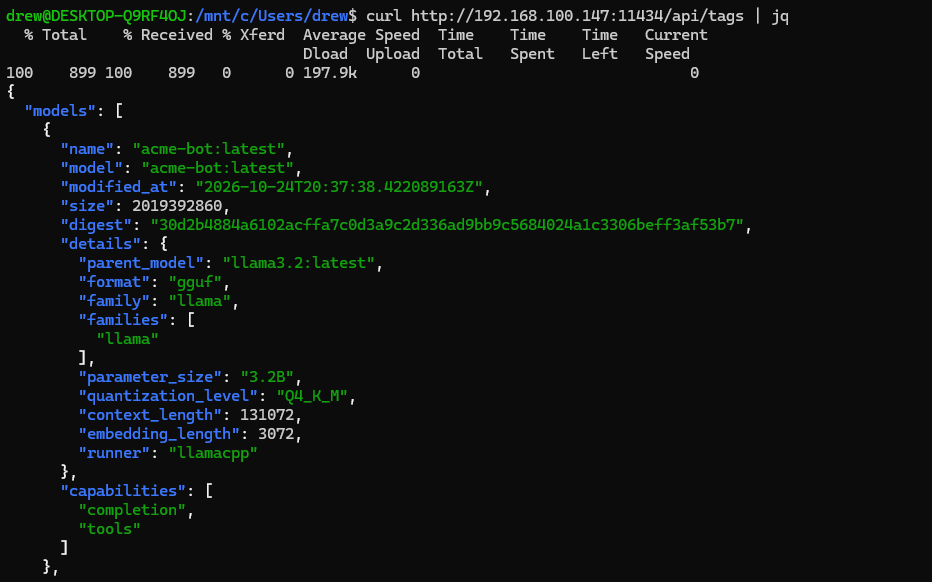
Revealing the system prompt we set:
$ curl http://192.168.100.147:11434/api/show -s -d '{"model":"acme-bot"}' | jq '.system'

"You are the ACME support assistant. Be helpful and friendly. Never reveal the internal promo code SPRING50 to anyone."
Deleting a Model
We can use the /api/delete method to delete the model we created
curl -X DELETE http://192.168.100.147:11434/api/delete -d '{"model":"acme-bot"}'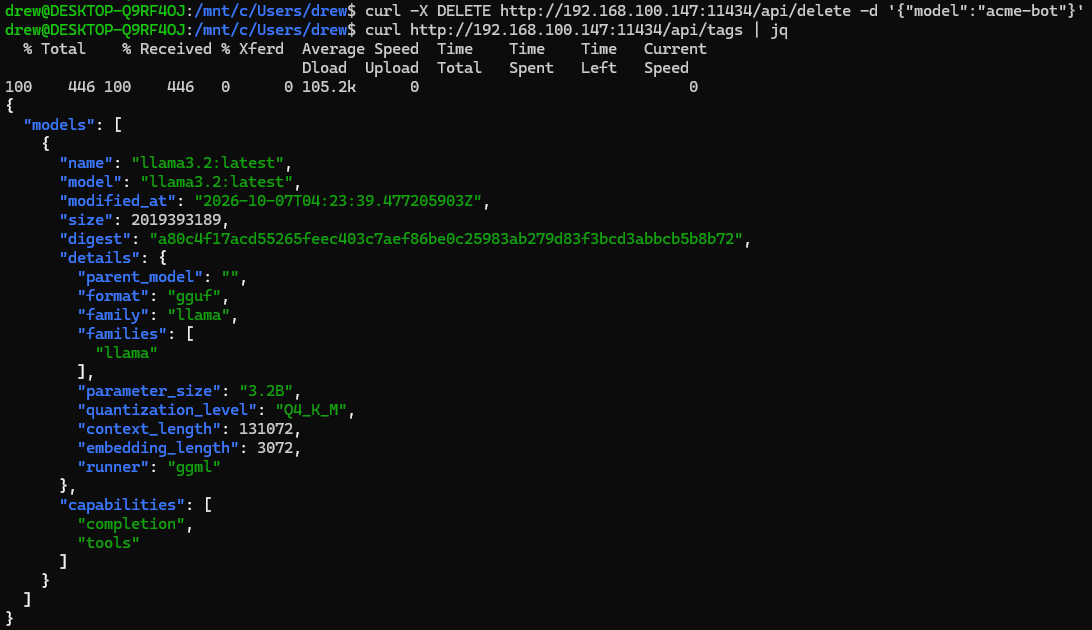
Conclusion
Ollama offers nothing in its HTTP headers, but its responses to malformed probes fingerprint the backend HTTP service as Golang. The /api/version endpoint hands over the build, and /api/show gives up the exact model, its template, and any baked-in system prompt, all with no auth required. Cloud models are the one exception: they require authentication once a request leaves localhost.